
Starter forms in 4.9.6
The creation gallery and the builder's template picker use the same server registry. Search by industry or purpose and use the Form layout filter to find Multi-step or Single page forms. A Multi-step badge indicates a template with a saved step schema, not just HTML that looks divided into sections.
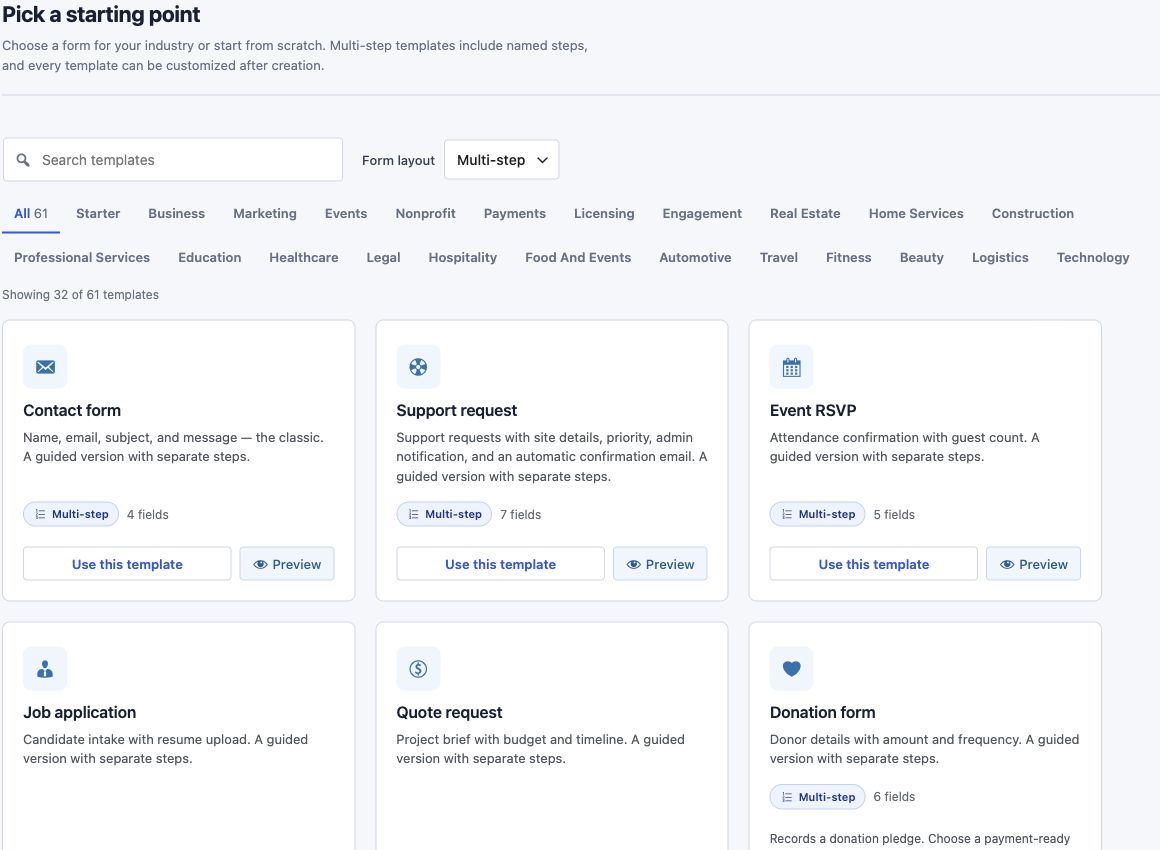
Industry starters cover property viewings, home-service estimates, construction inquiries, agency briefs, course enrollment inquiries, clinic appointments, legal consultations, accommodation, catering, vehicle service, travel planning, fitness memberships, salon appointments, freight quotes, volunteering and software onboarding.
New industry inquiry forms include:
- Contact, request and confirmation steps, with explicit field labels and validation.
- Saved submissions, AJAX submission, a honeypot, duplicate prevention and a per-IP rate limit.
- A site-admin email notification with the submitted fields and a Reply-To address.
- An acknowledgement to the required EMAIL field, using the site's sender and reply address.
- Success text appropriate to the inquiry. Appointment and booking templates request availability; they do not reserve capacity.
- Contact permission separate from marketing subscription. These templates do not subscribe people to a mailing service or enable payments.
Longer existing templates have multi-step counterparts. Their original settings, actions and messages are retained, including payment provider and licensing presets. Credentials, products and amounts still need review where the gallery identifies a setup requirement. The basic donation form records a pledge; a payment template is needed to collect money. Newsletter signup records a request until an email marketing action is connected.
Sample previews allow Next and Previous navigation but block submission and do not load the form submission runtime. Created forms use the normal runtime and run the configured actions when submitted.
Moving fields between steps
Drag a field's handle onto a different step tab. Valid destination tabs highlight during the drag. Release to move the field and open its destination step. Escape cancels a keyboard drag without changing the form.
Dragging a container moves its descendants together. Dragging an individual nested field to another step detaches it from the old container. Submit controls, including containers holding a submit control, remain in the final step. The Move to step inspector control remains available for moving top-level fields without dragging.
Template extension contract
The cf_form_templates filter remains available. A template can expose a schema array or callback returning an array, and a layout descriptor for gallery classification. cf_get_template_schema() resolves the stored definition. Creation saves both markup and schema; the builder receives both through the localized registry.
Settings and message callbacks stay server-owned. Applying a template loads its layout and replaces fields; saving applies the selected preset's actions and settings. Later field or step edits are preserved and are not replaced by the original template schema during save.
The block inserter exposes Core Forms and Core Polls under the stable names core-forms/form and core-forms/poll. Both include the cf search keyword.