
Customers, Orders, and Activated Sites
Core Commerce combines buyer activity by normalized, case-insensitive email address. Abc@example.com and abc@example.com appear as one customer, while original order and license records remain linked for auditing.
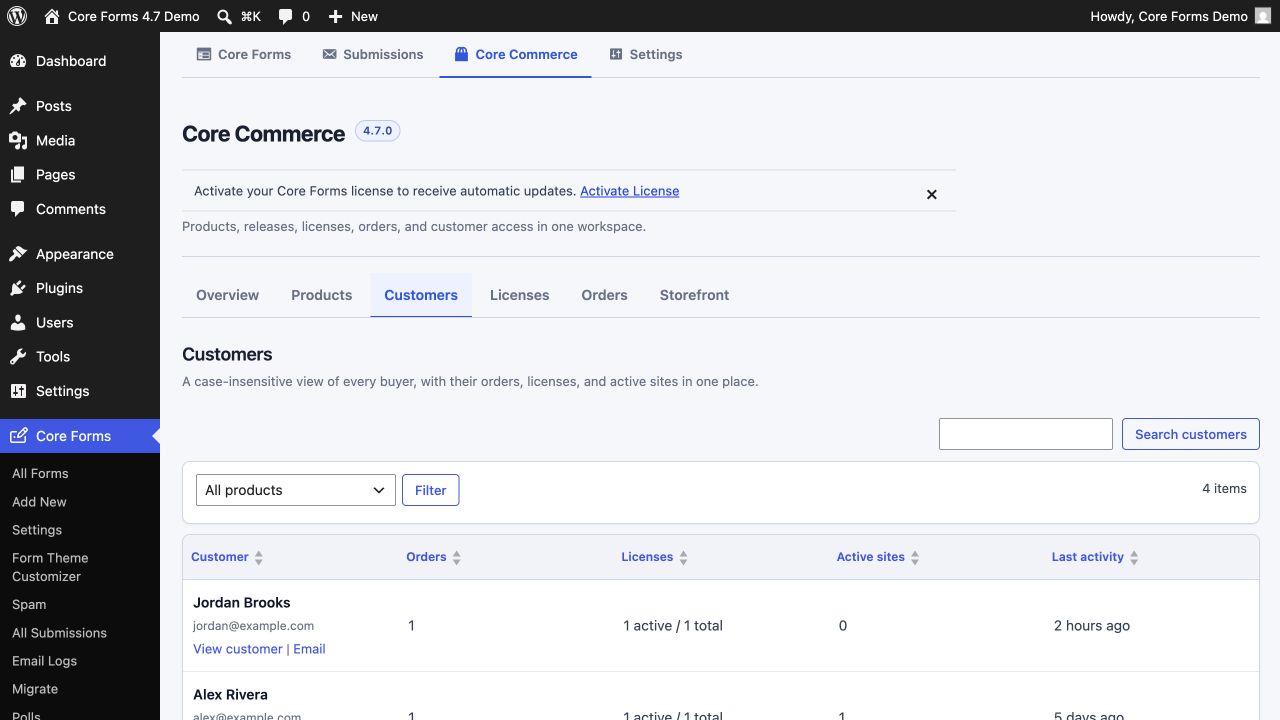
Find a customer
Open Core Forms → Core Commerce → Customers. Search by email or filter by product. The table shows:
- order count;
- active and total licenses;
- active-site count;
- latest activity.
Open a customer to see the buyer's orders, licenses, activation state, and relevant store activity together.
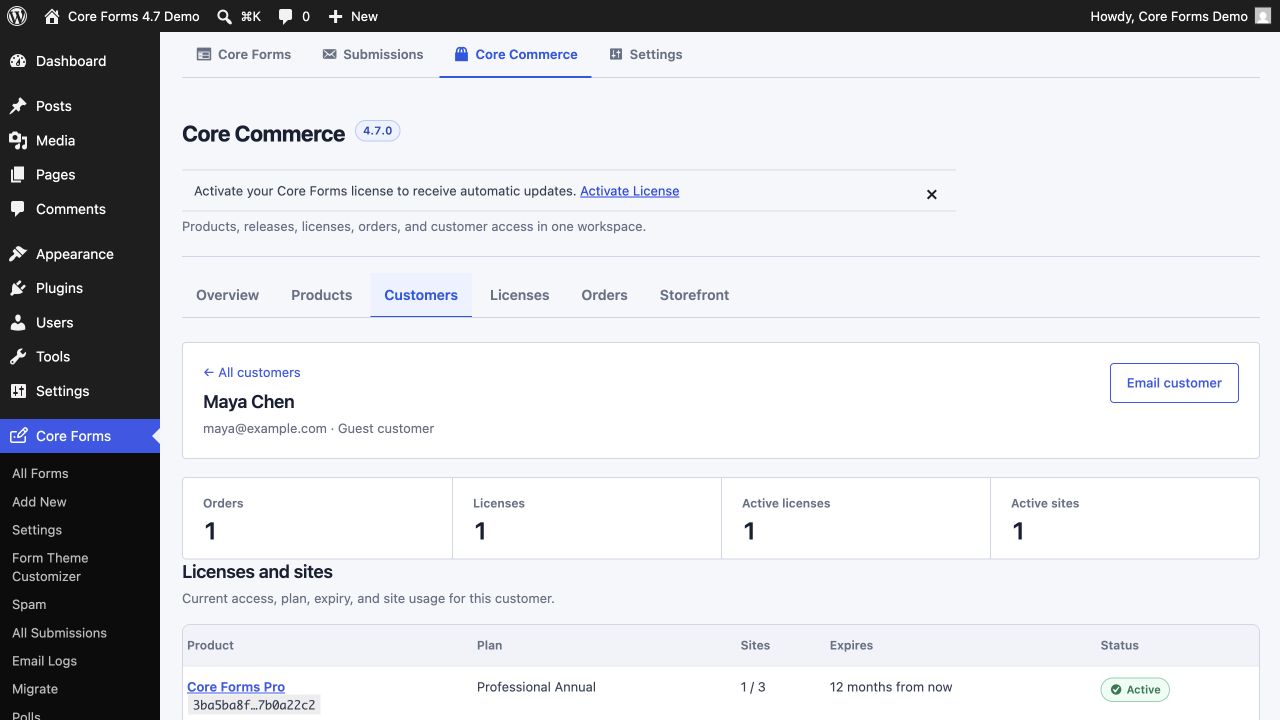
Orders and licenses
The Orders tab is the payment and fulfillment record. The Licenses tab is the current entitlement record. A paid order may issue one or more licenses depending on its items and quantities.
Use the order or license record actions to resend access, adjust a non-secret status, or inspect related activity. Core Forms does not expose full license keys through its administrative REST or MCP summaries.
Activated sites
An activation belongs to a license and a normalized site identity. Core Forms records:
- canonical site URL;
- stable site hash and instance identifier;
- activation state;
- activated and last-seen timestamps;
- WordPress, PHP, and plugin runtime metadata when supplied by the client.
Normal license checks act as heartbeats. If an older install has a valid key but a missing activation row, the server can rebuild the canonical activation during a successful check. Repeating activation with URL case or trailing-slash differences updates the same site instead of consuming another slot.
Use Integrate license keys and automatic updates for the client request format and end-to-end test checklist.