
Form Theme Customizer
Use Core Forms → Form Theme Customizer to set the default appearance of forms that load the built-in Core Forms theme. The preview uses the same stylesheet and token set as the frontend, so desktop and mobile checks reflect the saved result.
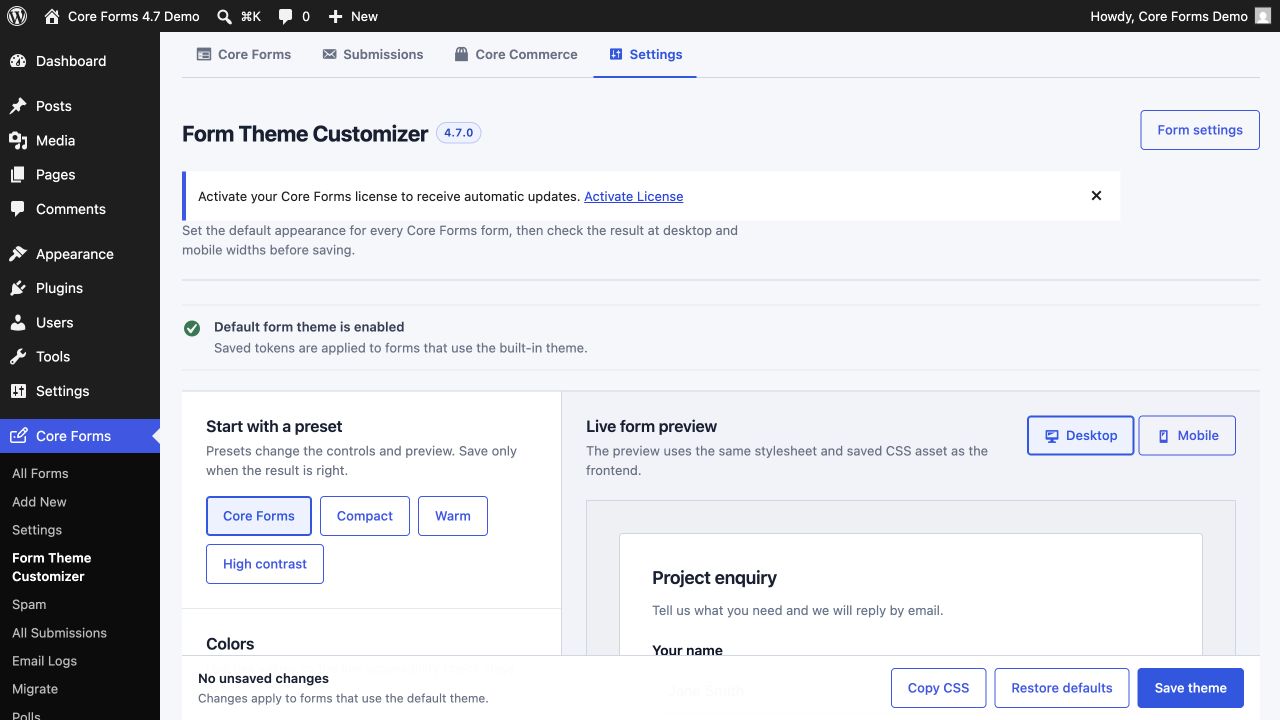
Start from a preset
The four presets are starting points:
- Core Forms for the balanced default.
- Compact for dense forms and sidebars.
- Warm for softer neutral colors.
- High contrast for stronger field and focus separation.
A preset updates the controls and preview immediately. It does not affect visitors until you select Save theme.
Available controls
The customizer covers:
- text and muted text colors;
- form and field backgrounds;
- field and divider borders;
- primary, focus, error, and success colors;
- corner radius;
- field spacing and input padding;
- the form font stack.
Use the desktop/mobile switch to inspect narrow layouts before saving. The accessibility panel checks the important color pairs, but a real keyboard and screen-reader pass is still recommended for the finished page.
Generated frontend CSS
Saving the theme sanitizes the tokens and writes a generated file to:
wp-content/uploads/core-forms/form-theme-custom.css
The filename stays stable while its content hash changes. Core Forms enqueues the new hash, so browser and CDN caches receive the current design after every save. Restoring defaults regenerates the asset as well.
If WordPress cannot write to the uploads directory, Core Forms keeps the saved values but falls back to an inline generated override. Fix uploads permissions and save again to restore the file-backed asset.
The Copy CSS button copies the current token override for a child theme or design-system reference. Continue using the customizer as the source of truth unless you deliberately take ownership of those values in code.
Per-form and custom CSS
The customizer supplies site defaults. A form may still:
- disable the default theme;
- add its own scoped CSS in the Fields editor;
- inherit additional typography or spacing from the host theme.
Core Forms explicitly styles labels, inputs, select controls, help text, checkboxes, buttons, validation, and focus states. Keep custom overrides scoped under .cf-form to avoid leaking them into the rest of the page.