
Lead Qualification Questions to Ask on a Website Form (and the Ones to Save for the Call)
The lead qualification questions worth asking on a website form: one each for fit, need, timing and authority, written as fields a stranger will answer, with the questions that belong on the first call instead.

Lead qualification questions on a website form have one job: to tell you who should reply and how fast, before anyone has read the message.
I build form software, and the forms that qualify best ask 4 questions where most ask 12 or none.
One guide cannot write your sales script, and the discovery call is where real qualification happens. This one covers the form: the 4 things a form can learn from a stranger, one question for each with the options written out, the questions that look like qualification and are just friction, and how the answers route the lead to the right person.
There is nothing to download. Or, if you want a second opinion on the form you have, I am always available for a chat.
What a Form Can Learn From a Stranger
A prospect on a website is a stranger who has not decided to trust you, and they will answer questions that cost nothing and refuse questions that feel like a commitment. Four things fit inside that limit.
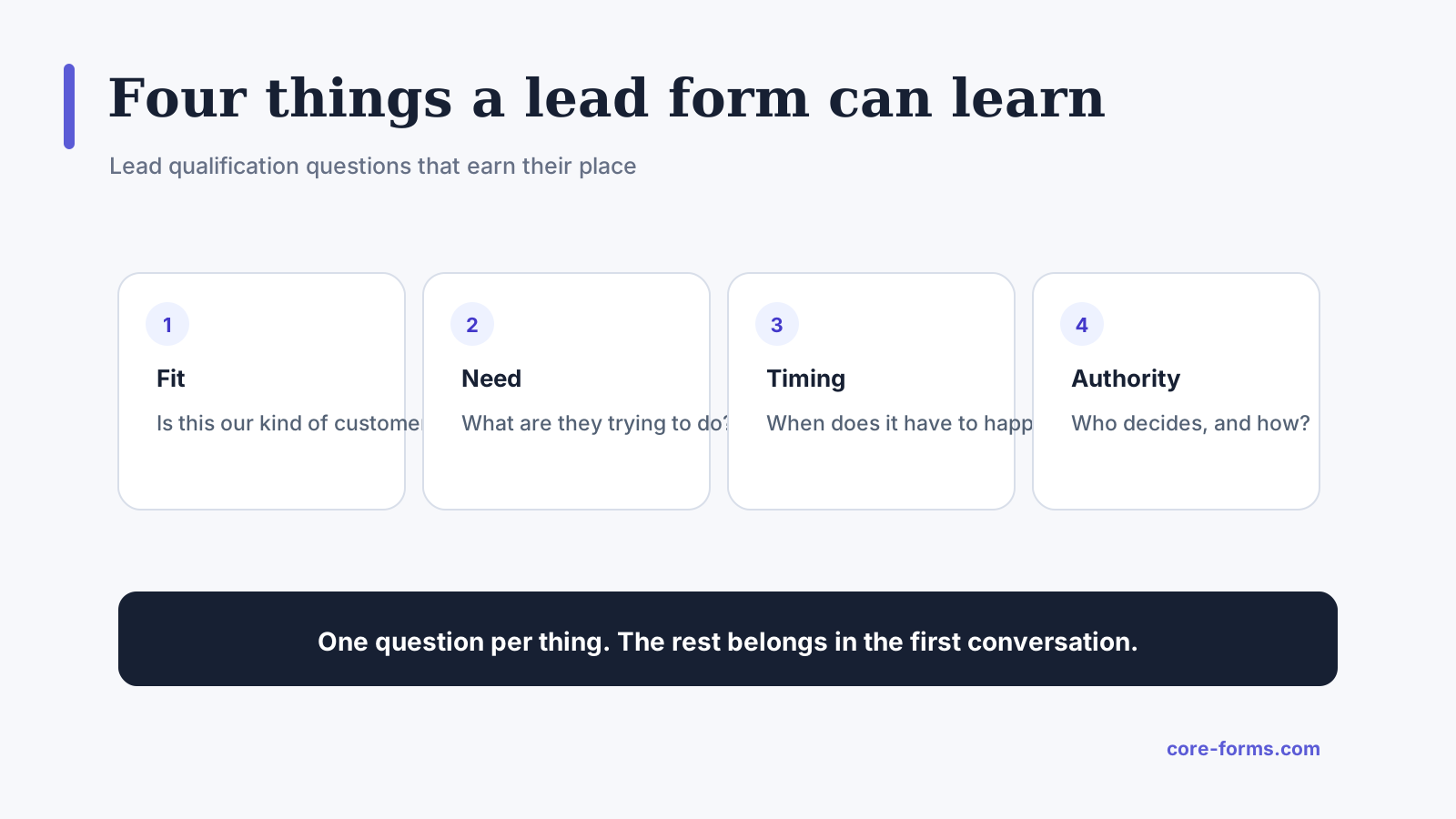 Four questions. Each one changes who replies or how fast.
- Fit: are they the kind of customer you serve? Company size, location, industry, the type of project.
- Need: what are they trying to do? A short select of the 4 or 5 things people come to you for.
- Timing: when does it need to happen? This is the urgency signal, and it decides the response speed.
- Authority: who decides? Asked gently, because the wrong version of this question is the one prospects refuse.
Budget is deliberately not on the list as a required question. A budget range as an optional select gets honest answers from about half of prospects, and a required budget field gets a made-up number and fewer submissions. Ask it optional, or ask it on the call.
One Question Per Thing
The wording matters more than the list, because the same question can read as helpful or as an interrogation.
Fit. “Team size” with options Just me, 2 to 10, 11 to 50, More than 50. Or “Type of property,” “Type of vehicle,” “Your role,” whatever separates your customers from the people you cannot help. One select.
Need. “What can we help with?” with the 4 or 5 real reasons people contact you and an Other. Never a free text box for this, because “hi I have a question” tells you nothing and a select tells you the queue.
Timing. “When do you need this?” with As soon as possible, Within a month, In the next 3 months, Just exploring. The last option matters. It keeps the people who are early from lying, and it tells you to reply warmly and slowly.
Authority. Not “are you the decision-maker?” which half of people answer wrongly out of pride. Ask “Who else will be involved in the decision?” as optional text, or on a demo form, “What is your role?” as a select. Both get a truthful answer because neither sounds like a test.
Four fields, plus name, email and a message box. That is the form.
The Questions That Only Look Like Qualification
Some fields feel like they qualify leads and only reduce them:
- Phone number, required. It filters out people who prefer email, who are often the better leads. Optional is fine.
- “Tell us about your project” as a required essay. The people with the biggest projects write the shortest answers, and the box scares off the rest. Optional, and short.
- Company website, required. Useful to you, meaningless to them, and one more field. Optional.
- “How did you find us?” Good data, not qualification. Put it last and optional, or ask it on the call.
- Budget, required. Covered above. The number is made up and the field costs submissions.
The test for every field: does the answer change who replies, how fast, or what they say first? If not, it is not qualification, it is curiosity, and curiosity goes on the call.
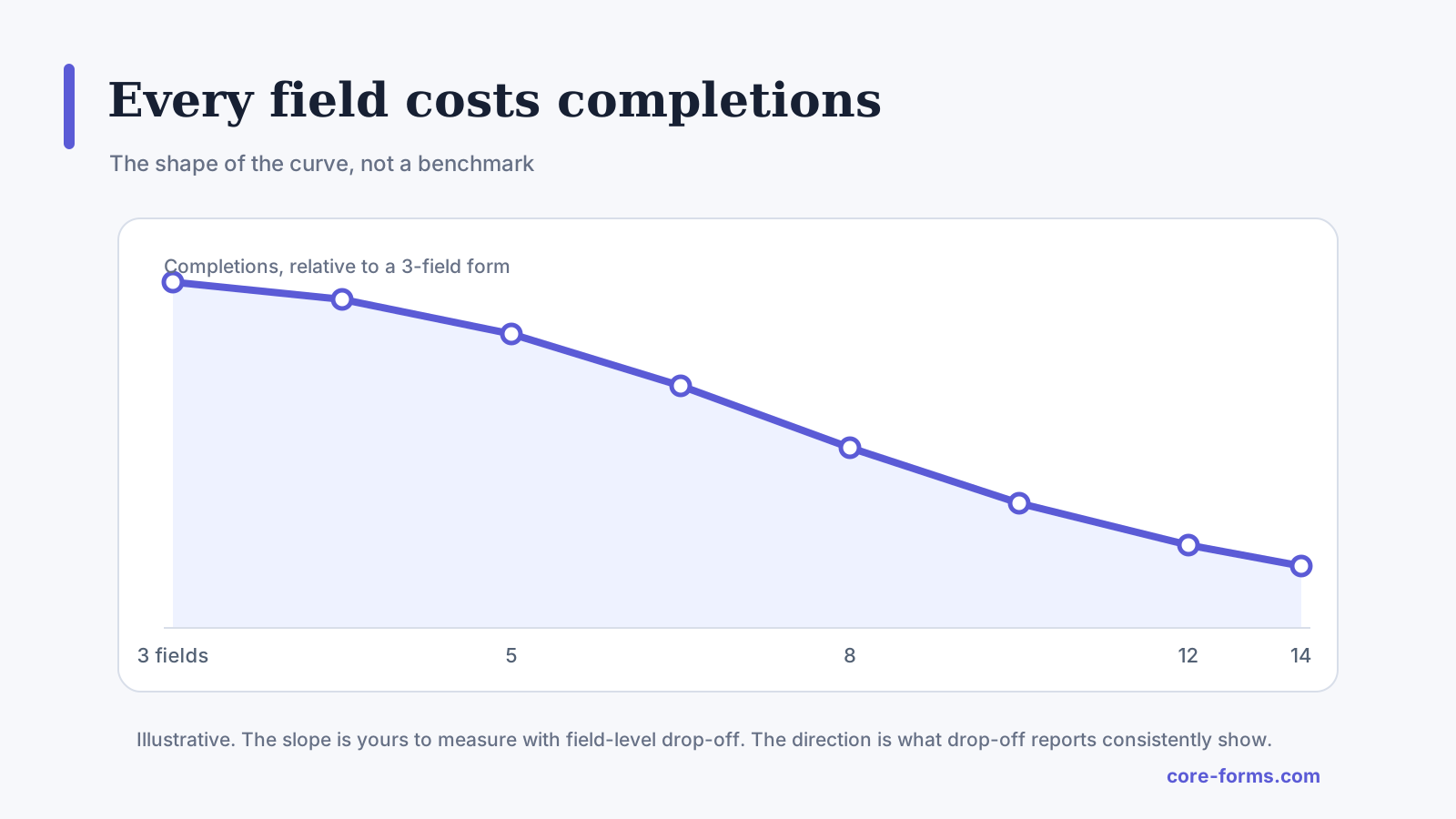 The shape, not a benchmark. Every field past the 4 that qualify sits on the steep part of this curve.
Let the Answers Route the Lead
Qualification on a form is worth nothing if a person still has to read every submission to decide who handles it. The answers should route:
- Timing equals “As soon as possible” sends a notification to whoever is on today, and a text or Slack alert with it.
- Team size equals “More than 50” goes to the owner or the senior rep.
- Need equals “Emergency” skips the queue entirely.
- Timing equals “Just exploring” goes to the nurture list and gets a warm, slow reply rather than a call.
Recipient routes on the form’s email action do the first 3 without any other software, and a condition on an email marketing action does the last. The conditional logic guide covers both, and the demo request form guide shows the team-size route on a real form.
Save the Real Questions for the Call
The form tells you who to call and how fast. The call is where you qualify:
- What is driving this now, what changed?
- What happens if it does not get solved?
- What have you tried, and why did it not work?
- What does a good outcome look like in 3 months?
- What is the budget you have in mind, and how was it set?
- Who else needs to say yes, and what do they care about?
These get real answers from a person on a call and made-up answers from a stranger on a form. Keep them off the form and the form converts, and ask them on the call and the call qualifies.
The Limits
Four questions qualify a small business’s leads. A sales team with a scoring model and 500 leads a week needs a CRM doing the scoring, and the form is one input to it.
A select tells you what the prospect chose, not what is true. “As soon as possible” from a person who is just exploring is common, and the call corrects it.
Qualification cuts both ways. A form that routes the big leads to the senior person also has to make sure the small leads get a good reply, because small leads become big ones.
No question replaces replying fast. A perfectly qualified lead that waits 2 days is a lead for someone else, and the lead response time piece covers that half.
What Quietly Ruins Lead Qualification
Twelve questions. The form converts at a third of the rate, and the extra 8 answers are never read.
“Are you the decision-maker?” Half say yes who are not, and the ones who are not feel small for saying no.
A required budget. The number is invented and the submission count drops.
Qualifying without routing. Every answer is collected and a person still reads every lead to decide who gets it, which is the job the form was meant to do.
Final Remarks
You now have 4 lead qualification questions that a stranger will answer, worded so they read as help rather than a test, with the answers routing each lead to the right person at the right speed and the real questions saved for the call where they get real answers. If you keep one idea from this guide, keep this one: a question belongs on the form only if the answer changes who replies or how fast.
When someone asks me what to add to their form, I tell them 2 things. Add the timing question with “Just exploring” as an option, because it is the one answer that changes everything about the reply. And take the required budget off, then watch the submission count for a month.
The lead-generation forms piece covers the smallest stack that works around the form, and the request a quote form guide builds the most common qualifying form. If you would rather talk it through for your business, I am always available for a chat.
I hope the next lead through your form is routed before anyone has to read it.
If you do keep the attribution question, the how did you hear about us guide has the options that get useful answers.
The short versus long form piece makes the general case for asking only what you will use.
The legal intake form guide is the professional-services example, where the area of law is the whole qualification.
FAQ
What are the best lead qualification questions for a website form?
One each for fit, need, timing and authority: something like team size or project type, a select of what they need, when they need it with a “just exploring” option, and their role or who else is involved. Budget as an optional select at most.
Should I ask for budget on a contact form?
Only as an optional select with ranges. A required budget field gets invented numbers and fewer submissions. The real budget conversation belongs on the first call.
How many qualification questions should a form have?
Four, plus name, email and an optional message. Every question after that costs submissions and is rarely read.