
Lead generation
WordPress Lead-Generation Forms: The Smallest Stack That Works
Build WordPress lead-generation forms with the smallest reliable stack: offer, minimum fields, owned storage, clear follow-up, and measured handoff.

WordPress lead-generation forms do not need a seven-plugin automation stack. They need a clear offer, the minimum fields required for the next action, reliable storage, one owned follow-up channel, and evidence that the handoff worked.
Start with the workflow before choosing software. A form builder, CRM, email platform, automation hub, analytics service, scheduler, and popup tool can all be useful. Installing them first creates duplicate data and several places for a lead to disappear.
The smallest WordPress lead-generation stack has three parts
The offer earns attention, the form captures the minimum useful data, and the follow-up delivers the promised next step.
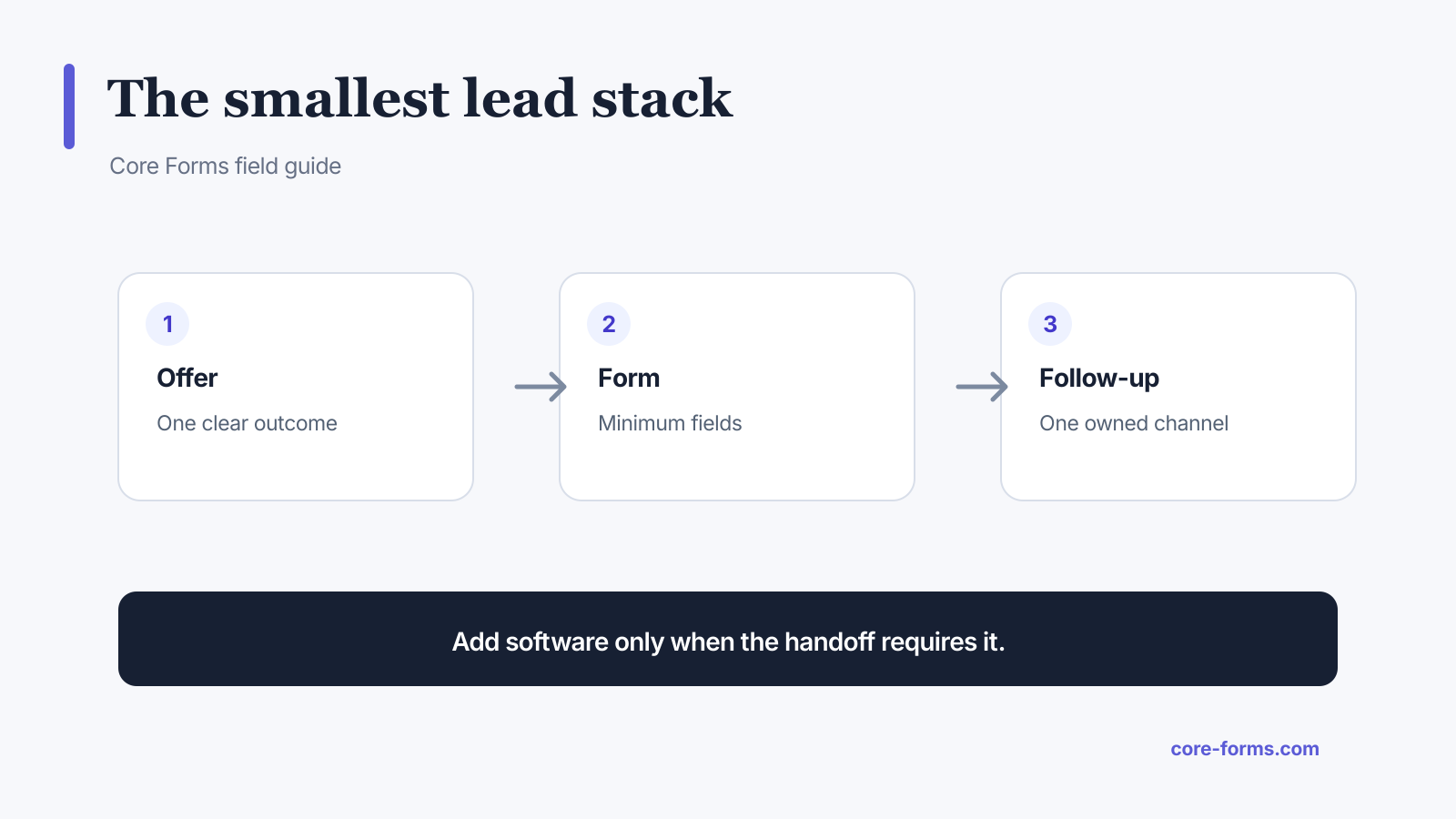 Add another tool only when the handoff requires it.
The baseline stack is:
- One focused page and offer.
- One form with owned submission storage.
- One notification or CRM/email action.
Add scheduling, enrichment, scoring, or multi-channel automation only after the basic path is reliable.
Define the lead outcome
“Generate leads” is not an operational outcome. Choose one:
- deliver a resource;
- request a quote;
- book a qualified call;
- join a waitlist;
- start a product trial;
- ask a presales question;
- apply for a service;
- subscribe to a topic-specific newsletter.
The outcome determines the button, success message, stored fields, recipient, and follow-up.
Ask for the minimum useful fields
For a resource:
- email;
- optional first name;
- optional topic or role when it changes the content.
For a quote:
- name and reply email;
- service;
- outcome or problem;
- optional budget range when it changes eligibility;
- optional target date.
For a call:
- identity and contact;
- qualification questions that change whether a meeting is appropriate;
- time zone or scheduling handoff.
The lead capture form template keeps the low-commitment path short. The quote request template collects more because the next decision needs scope.
Store the submission before sending it elsewhere
Email is a notification channel, not a database. If the message is filtered, delayed, or rejected, the lead should still exist in an owned inbox.
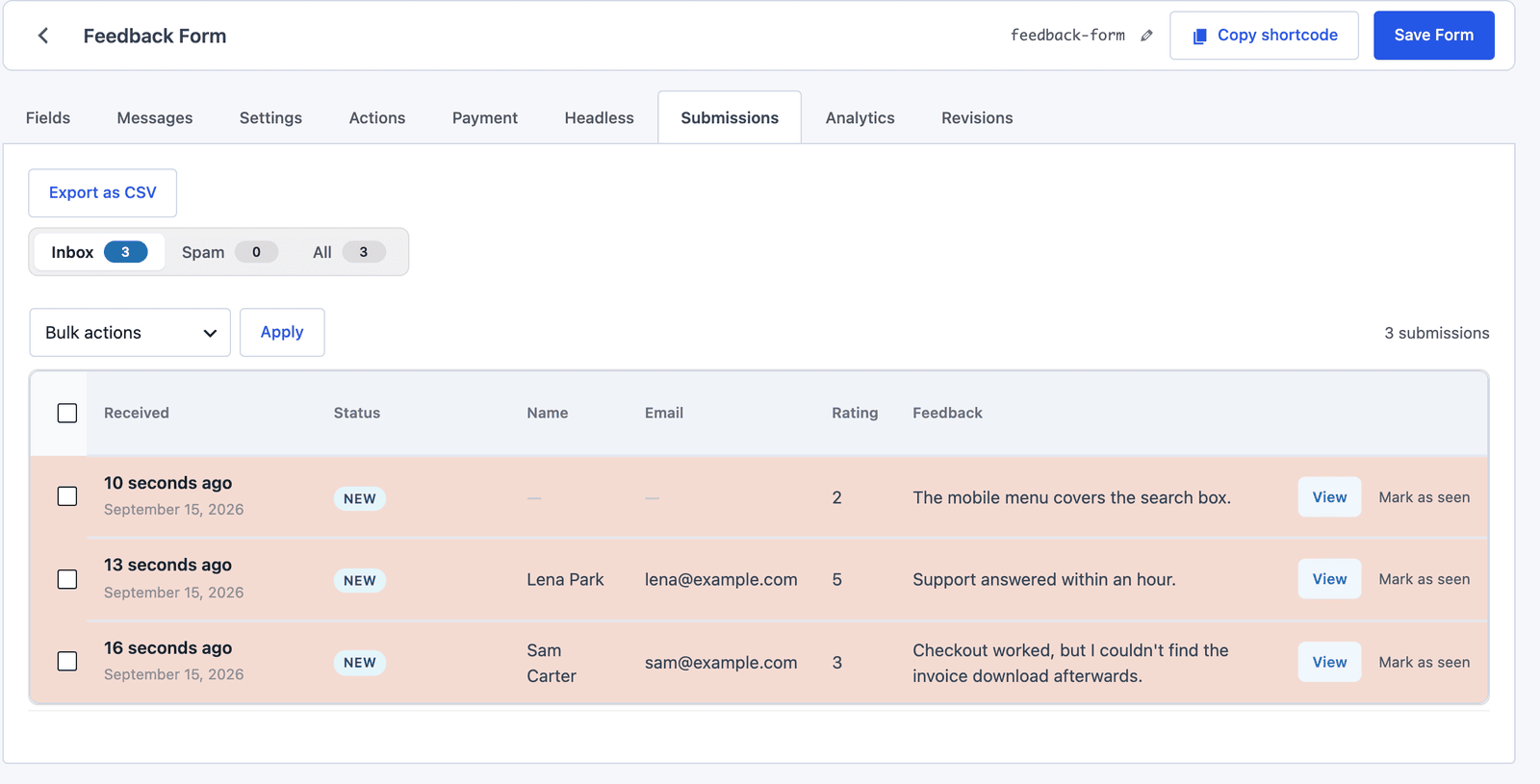 Store the accepted submission first, then treat each downstream action as a separate delivery.
The stored record should include:
- submitted fields;
- form and page identity;
- submission time;
- consent record when relevant;
- source or campaign parameters;
- action results;
- status such as new, read, replied, or archived.
The submissions inbox provides this recovery layer inside WordPress.
Choose one primary handoff
If the handoff is a CRM, the HubSpot integration guide and the Pipedrive integration guide show the native actions, and the Google Sheets integration guide covers the spreadsheet route.
Use email when:
- one person or team handles the lead;
- volume is low;
- a reply is the next action;
- no lifecycle automation is needed.
Use a CRM when:
- ownership, stages, or follow-up tasks matter;
- several people work the pipeline;
- leads must be deduplicated;
- reporting connects lead source to revenue.
Use an email platform when:
- the person explicitly subscribed;
- delivery or nurture is the promised outcome;
- topic, tag, or sequence membership matters.
Use a webhook or automation hub when:
- no native integration exists;
- several systems need the event;
- the workflow needs branching beyond the form action layer.
Do not send every lead to email, Slack, a CRM, a spreadsheet, and three automation tools “just in case.” Every copy becomes another privacy, deletion, and failure surface.
Separate delivery consent from marketing consent
Someone requesting a guide consents to receiving the guide. That does not automatically mean every jurisdiction and context treats them as subscribed to ongoing marketing.
Use clear language:
- what they receive now;
- whether marketing follows;
- how often;
- how to unsubscribe;
- which fields are optional;
- where the privacy policy applies.
When separate consent is appropriate, use an unchecked checkbox and store the submitted value with the record.
Write the success state before the form
The success message defines the promise the stack must keep.
For a resource:
Check your email for the download link. It should arrive within a few minutes. If it does not, check spam or request it again.
For a quote:
Your request is in the review queue. We will reply to the email you entered within two business days.
For a waitlist:
You are on the launch list. We will email only when there is a product update or early-access opening.
Now configure the autoresponder, CRM, or email action to keep that promise.
Use conditional routing before adding automation software
A service choice can send leads to different recipients. A country can select a regional owner. A low budget can receive a resource instead of a meeting link. An existing-customer choice can route to support.
Core Forms conditional actions handle these rules inside the form. Use an automation platform when the workflow crosses systems or needs a richer recipe, not for a single if-then route.
Measure the complete lead path
Track:
- landing-page sessions;
- form views;
- starts;
- successful submissions;
- qualified leads;
- action delivery failures;
- response time;
- booked or completed next steps;
- revenue or retained customers when attribution is reliable.
A high form completion rate with low qualification may indicate a weak offer or insufficient context. A low start rate may mean the page does not earn trust. A healthy form with poor response time is an operations problem.
Use form analytics for the form funnel and CRM or business records for downstream outcome quality.
Protect the form without punishing every lead
Start with low-friction controls:
- honeypot;
- nonce or origin controls;
- rate limiting;
- server-side validation;
- duplicate detection where appropriate.
Add Akismet or a challenge such as Turnstile when actual spam requires it. A heavy CAPTCHA on every lead form taxes real visitors for a problem the site may not have.
A deployment checklist
Before sending traffic:
- submit a valid lead;
- submit invalid email and missing required data;
- verify the WordPress record;
- verify each configured action;
- verify conditional routes;
- verify the success message and autoresponder;
- verify campaign parameters;
- test mobile and keyboard use;
- test spam handling;
- confirm deletion and export processes;
- document the owner and response time.
The smallest stack is the one the team can observe and repair.
Two companion pieces cover the human side: the lead qualification questions that belong on the form, and the lead response time plan for what happens in the hour after submit.
To know which campaign each lead came from, the UTM tracking guide carries the source into the submission.
FAQ
What is the best WordPress lead-generation form?
The best form matches one offer and collects only the data needed for its next action. Reliability, storage, routing, and follow-up matter more than the number of design controls.
Do I need a CRM for lead generation?
Not at low volume when one person replies from an owned inbox. Use a CRM when ownership, stages, tasks, deduplication, and revenue reporting become necessary.
How many fields should a lead form have?
Start with the delivery or reply field, then add only fields that change qualification, routing, personalization, or the promised result.
Should leads be emailed or stored in WordPress?
Store the accepted submission and send email as a notification. That way an email delivery failure does not erase the lead.
How do I connect a WordPress lead form to a CRM?
Use a native action when available, map form fields to CRM fields, add conditional rules if needed, and test both successful delivery and failure logging.