
Surveys
How Did You Hear About Us? Options, Examples, and a Template
Use these how did you hear about us options, examples, and a copyable template. Keep the question optional and match the list to channels you actually use.

A “how did you hear about us” survey is 1 optional question on a form you already have. It gives you the customer’s account of how they found you, including recommendations and offline mentions that may be missing from your analytics.
Someone hears about you on a podcast, then searches for your name before buying. A last-click report may credit the search rather than the earlier mention. The survey asks what the person remembers, so you can compare that answer with the visit you tracked.
I would start with the channels you actually use and keep an Other field for answers you didn’t anticipate. The copyable template has the dropdown and conditional follow-up; the examples below help you choose the wording.
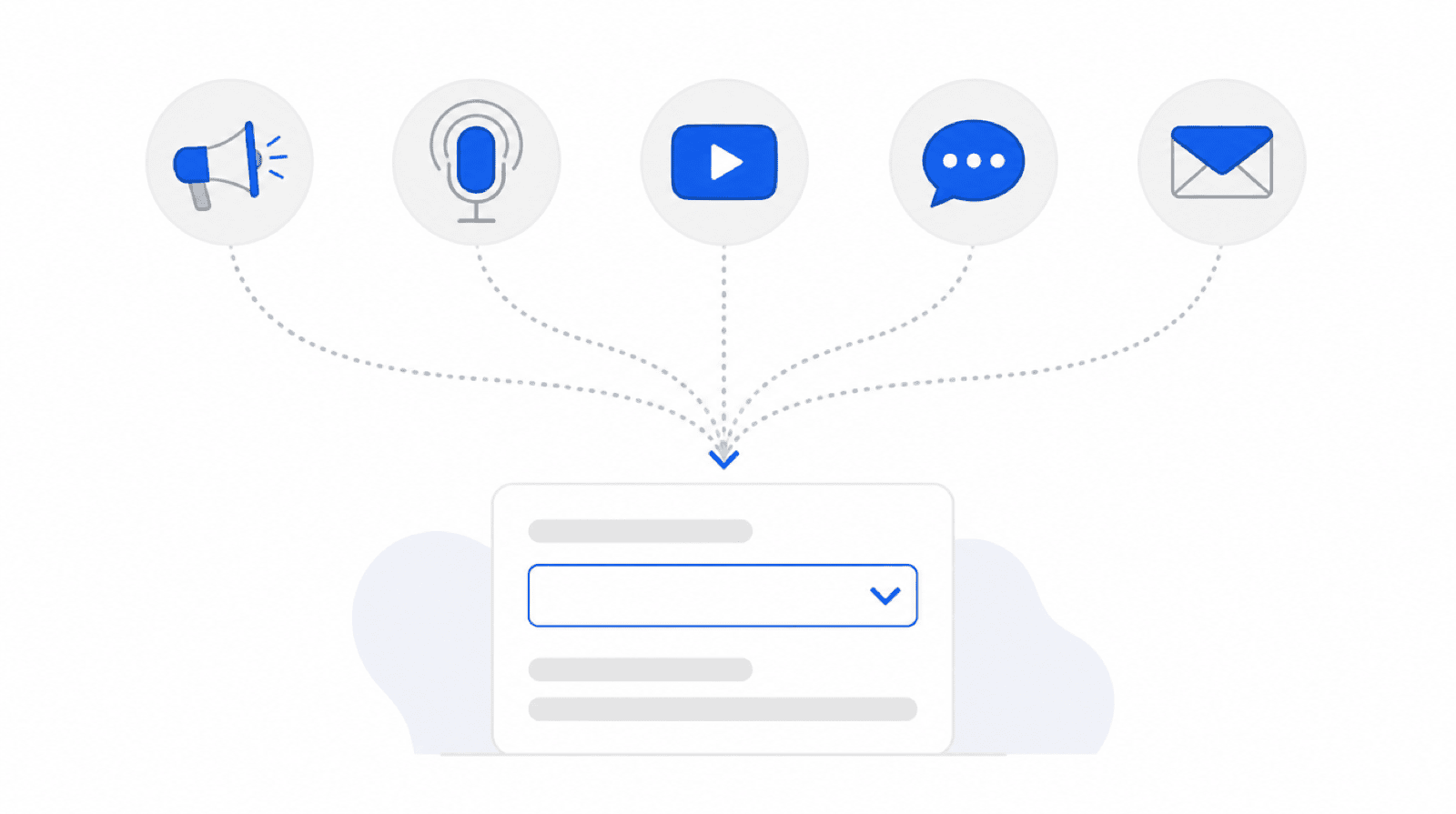 Podcasts, group chats, word of mouth — one dropdown catches what last-click attribution drops.
How did you hear about us options
The how did you hear about us options that work are the six to eight places you actually market, plus Other with a text field. A longer list gets skipped or answered at random.
A practical starting list:
- Google search
- Social media
- Friend or colleague
- Podcast or YouTube
- Newsletter or email
- Event or community
- Advertisement
- Other, with a short text field
Delete any option you do not use. “Referral,” “word of mouth,” and “a friend” are one answer split three ways, so keep one.
I would keep the starting list short enough to scan, then split a channel only when the distinction changes a decision. Separate LinkedIn and Instagram if you will compare their results; otherwise 1 social-media choice with a follow-up can be enough.
Other with a text field helps you discover missing channels. You should review the write-ins regularly and add a named option when the same useful answer keeps appearing.
Only list channels you actually use. If you’ve never run a podcast ad and nobody has mentioned you on one, “Podcast” as an option just adds noise. The list should mirror your real marketing surface.
Watch the order bias. People over-pick the first option. If “Google search” sits first, search gets inflated. Either put your honest best guess first and accept the skew, or randomize the order if your setup allows it. What you shouldn’t do is put the channel you’re hoping wins at the top and then celebrate when it does.
How did you hear about us examples
Here’s the copy-paste template. The question is “How did you hear about us?” and the options are the six to eight places you actually market, plus Other with a free-text field.
<p>
  <label>How did you hear about us? (optional)
    <select name="heard-about-us">
      <option value="">Select one</option>
      <option>Google search</option>
      <option>Social media (Twitter/X, LinkedIn, Instagram)</option>
      <option>Friend or colleague</option>
      <option>Podcast or YouTube</option>
      <option>Newsletter</option>
      <option>Other</option>
    </select>
  </label>
</p>
<p data-show-if="heard-about-us:Other">
  <label>Where, specifically?
    <input type="text" name="heard-about-us-other" />
  </label>
</p>
That’s the whole survey. The data-show-if attribute reveals the free-text field only when someone picks Other, so the form stays short for everyone else. The template page has the same markup with a live demo, or paste this block into a form you already use.
The follow-up field matters more than it looks. “Other: my dentist’s newsletter” is exactly the kind of answer that finds a channel you didn’t know existed.
Why one survey question beats your analytics
Self-reported attribution adds the customer’s memory to your tracked source. A recommendation in a private conversation may never create a referral link. The answer can reveal that path, but people can forget or combine touchpoints, so I would read it alongside analytics.
Last-click attribution rewards the wrong channel. Branded search is usually the last step of a journey that started somewhere else. If you cut the podcast because “search converts better,” you cut the thing feeding the search.
A recommendation in WhatsApp, Slack or a private message may arrive without a useful referrer. A tracked link can still carry campaign parameters, so I would compare the customer’s answer with the source data rather than treating every private share as untrackable.
Long delays break tracking. Cookies expire, people switch devices, ad blockers strip UTM data. A customer who saw you on YouTube four months ago is untrackable. But they remember, and they’ll pick “YouTube” from a dropdown.
The survey answer is fuzzy where analytics is precise, and precise where analytics is blind. You want both.
How to answer how did you hear about us
If you are the person filling the form in, pick the place you remember, not the last website you happened to open. A friend sent the link and you then searched the name: the answer is the friend. You do not remember: choose Other, or skip the question when it is optional. A guessed answer is worse than a blank one.
Where to ask it
Ask at the first natural form: checkout, signup, or the first contact form. One dropdown, marked optional, never required. The moment this question blocks a purchase or a signup, it costs more than it earns.
Checkout and signup are the best spots. The person has already decided to buy or join, so one extra optional field barely registers. Response rates here are far better than on a follow-up email survey, which most people never open.
Contact forms work for service businesses. If your pipeline starts with an inquiry form, put the dropdown there. For agencies running this across many client sites, it’s the same field pasted into every intake form — I covered that setup pattern in the small-agencies piece.
Never make it required. A required attribution question is an interrogation. You’ll get resentment and garbage data (“Other: asdf”). Optional gets fewer answers, but the answers are real. Across client forms I’ve seen optional versions land plenty of responses to be useful within a month or two.
Ask once, store it, done. Don’t re-ask the same person on every form.
Reading the results
Treat the results as directional, not precise. Self-reported attribution tells you the rank order of your channels and how that order shifts over time. It does not tell you that podcasts drive exactly 23.4% of revenue.
Look at the trend, not the decimal. “Word of mouth doubled since spring” is actionable. “Newsletter went from 11% to 12%” is noise. Monthly or quarterly buckets, biggest movers first.
People misremember, and that’s fine. Someone who found you via a Google ad will say “Google search.” Someone who saw three touchpoints names the one they remember. You’re capturing the memorable channel, which for budget decisions is often the one that matters.
Cross-check against analytics. When the survey says “podcast” and GA says “branded search,” that’s not a contradiction — that’s the full journey. The interesting gaps are where the two sources disagree hard.
When you’d skip this entirely: if you get a handful of submissions a month, the sample is too small to read for a year. At that volume, just talk to your customers directly — you’ll learn more from five conversations than five data points.
Build it in WordPress
In Core Forms, this is one select field added to an existing form — no builder, no survey plugin. Paste the HTML from the template above into any form, and the submission table stores the answer alongside the rest of the entry.
Two additions make it a working attribution system:
Send responses to a spreadsheet. Wire the form to the Google Sheets integration and every submission appends a row. A pivot table on the heard-about-us column is your entire attribution report. Five minutes of setup.
Capture the analytics side too. Add a hidden field populated from data variables — referrer, UTM parameters, landing page — so each submission carries both the self-reported answer and the tracked source. When the two disagree, you’re looking at the invisible part of the journey.
Total build time: about ten minutes on an existing form. The first useful readout usually arrives within a month.
Pair the question with the UTM tracking setup and you get what the visitor says and what the link says, side by side.
FAQ
What are good “how did you hear about us” options?
A useful starting list includes the channels you actually use, plus Other with a short text field. You can copy the options above, remove irrelevant ones and split a channel when its results would change a marketing decision.
Should the question be required or optional?
Optional, always. A required attribution question adds friction at the worst moment — checkout or signup — and pushes people to pick anything just to pass the form. Optional responses come from people willing to answer, which makes the data cleaner even though there’s less of it.
Where should I put the question on my site?
On the first form a customer completes: checkout, signup, or your main contact form. Post-conversion placement gets far better response rates than a follow-up email survey. Keep it to one dropdown, ask each person once, and never gate the form’s submission on it.
How accurate is a “how did you hear about us” survey?
Directionally accurate, not precise. People misremember, name one touchpoint out of several, and over-pick the first option in the list. Read it for rank order and trends across months, not exact percentages, and cross-check it against your analytics to spot the channels tracking can’t see.