
Contact Form 7
Contact Form 7 Messages: Every Setting, Explained
Every string Contact Form 7 shows visitors is editable in the Messages tab — no code. Here's what each one controls and how I'd rewrite the defaults.

Every user-facing string in Contact Form 7 — the success confirmation, the validation errors, the spam block — is editable from one screen. Go to Contact → Contact Forms, open your form, click the Messages tab. Type your new wording, save. No code, no extra plugin.
That’s the whole answer. The rest of this post is what each of those Contact Form 7 messages actually controls, which defaults are worth rewriting, and the two cases the Messages tab can’t handle.
Where the Contact Form 7 Messages tab lives
The Messages tab sits inside each form’s editor, next to the Form and Mail tabs. In your WordPress admin, go to Contact → Contact Forms, click the form you want to edit, then click Messages. You’ll see a stack of labeled text fields — one per message. Edit any of them, hit Save, done.
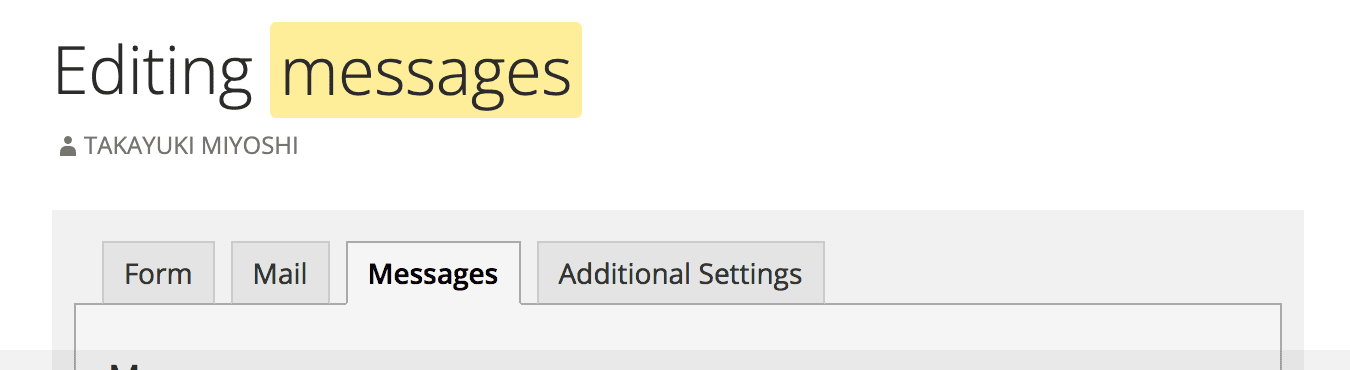 Every string your visitors ever see from this form lives in these fields.
Two things people miss:
Messages are per-form, not global. If you run five forms, each has its own Messages tab. Rewrite the success message on your contact form and your quote form still shows the default. There’s no built-in “apply to all forms” button — you edit each one.
The fields are plain text. Contact Form 7 doesn’t render HTML tags in these messages. If you want a green box or a bold headline, that’s a CSS job (covered below), not a Messages-tab job.
What each message controls
The Messages tab covers three groups: submission outcomes, the validation summary, and per-field-type errors. You’ll rarely rewrite all of them — the top three do most of the work.
Submission outcomes. The message for a successful send (“Thank you for your message. It has been sent.”), the message for a failed send (“There was an error trying to send your message. Please try again later.”), and the message shown when a submission is flagged as spam. Note that the spam message is deliberately vague — it reads like a generic failure so bots can’t tell they’ve been caught. Keep it vague.
The validation summary. “One or more fields have an error. Please check and try again.” This appears below the form whenever any field fails validation. It’s the message users see most often, and the default tells them nothing about which field failed — the inline field errors do that.
Per-field-type errors. One message per validation type, applied to every field of that type: the required-field message, invalid email, invalid URL, invalid phone number, input longer or shorter than the allowed length, and date or number out of range.
Acceptance and uploads. The “you must accept the terms” message for acceptance checkboxes, plus the file-upload errors: upload failed, disallowed file type, file too large.
That’s the full surface. If a visitor can see it, one of these fields controls it — Contact Form 7’s official editing-messages doc catalogs the complete field list if you want to check yours against it.
Rewriting the defaults
The defaults are grammatically fine and practically useless. A good message tells the visitor what happened and what to do next; the defaults only do the first half. Two rewrites cover 90% of the value:
The success message. The default confirms the send and stops. Add the expectation:
Before: “Thank you for your message. It has been sent.” After: “Thanks — your message is in. I reply within one business day, from gaurav@yourdomain.com. Check spam if you don’t see it.”
Three extra facts: when you’ll reply, from what address, and where to look if it’s missing. That last one matters because form notification emails land in spam constantly — I wrote up why form emails go to spam separately.
The required-field message. The default is passive. Make it an instruction:
Before: “The field is required.” After: “This field is required — please fill it in.”
Same rule everywhere: error messages should read like a helpful human, not a compiler. “Please enter an email address like name@example.com” beats “The e-mail address entered is invalid.”
One caution: don’t rewrite the failed-to-send message into something cheerful. “There was an error trying to send your message” usually means your server’s mail sending is broken — that’s a deliverability problem to fix, not a string to polish.
Per-field custom validation messages
The Messages tab sets one error message per field type, not per field. If your form has two text fields and you want different error wording on each, the tab can’t do it. Contact Form 7’s answer is the wpcf7_validate_* filter — a few lines of PHP in your theme or a small plugin:
add_filter( 'wpcf7_validate_text*', function ( $result, $tag ) {
    if ( 'company-name' === $tag->name && empty( $_POST['company-name'] ) ) {
        $result->invalidate( $tag, 'Please add your company name so I can look you up.' );
    }
    return $result;
}, 10, 2 );
The filter name is wpcf7_validate_ plus the field type — text* for a required text field, email* for a required email field, and so on. Check $tag->name to target one specific field, call $result->invalidate() with your custom message.
It works. It’s also PHP in your theme for what should be a form setting — which is a fair signal about where CF7’s no-code ceiling sits.
Styling messages with CSS
Contact Form 7 gives its messages two stable CSS classes, and they’ve stayed stable for years:
.wpcf7-response-output — the banner below the form: success, failure, spam, and the validation summary all render here.
.wpcf7-not-valid-tip — the inline error under each invalid field.
A minimal upgrade over the default borders:
.wpcf7-response-output {
    padding: 0.75em 1em;
    border-radius: 4px;
    margin: 1em 0;
}

.wpcf7-not-valid-tip {
    font-size: 0.875em;
    margin-top: 0.25em;
}
Drop it in Appearance → Customize → Additional CSS. One rule: never display: none the response output to “clean up” the layout. It’s the only confirmation your visitor gets.
If all you needed was better wording and a nicer success box, you’re done — ten minutes in the Messages tab plus ten lines of CSS is the whole job, and swapping plugins for that would be overkill.
When editing messages isn’t enough
Editing Contact Form 7 messages fixes the words. It doesn’t fix what’s underneath: CF7 stores no submissions and keeps no email logs. When a visitor says “I filled out your form last week,” you have nothing to check. The prettiest success message in the world doesn’t tell you whether the email behind it actually sent.
Across client sites, that’s the moment people move on — not the messages, the missing storage. If you’re there, I’ve written a full migration guide from CF7; your Messages-tab wording copies straight across into Core Forms’ equivalent tab, and the Contact Form 7 integration page covers what maps to what. Spam handling improves too — instead of one vague spam string, you get layered protection with per-form reCAPTCHA settings.
If CF7 otherwise does everything you need, ignore that paragraph. Rewrite your messages, style the output, and enjoy a better form than 90% of the CF7 installs out there.
FAQ
How do I change the Contact Form 7 success message?
Go to Contact → Contact Forms, open your form, click the Messages tab. The first field — the one about the sender’s message being sent successfully — is the success message. Edit it, click Save. The change applies to that form only; other forms keep their own messages.
Can I set a different error message for each field?
Not from the Messages tab — it sets one message per field type. For per-field wording, use the wpcf7_validate_* PHP filter: match the field with $tag->name, then call $result->invalidate() with your custom message. It’s about six lines of code per rule.
Why does my form say “There was an error trying to send your message”?
Either the email failed to send or the submission was flagged as spam — CF7 shows a similar message for both on purpose. If real users hit it, your server’s mail sending is usually the culprit. Fix deliverability with an SMTP or transactional email setup, not by rewording the message.
Do Contact Form 7 messages support HTML?
No. The Messages tab fields are plain text — HTML tags won’t render. To change how messages look (colors, borders, spacing), style the .wpcf7-response-output and .wpcf7-not-valid-tip classes with CSS in Appearance → Customize → Additional CSS.