
Client Onboarding Questionnaire: What to Ask, When, and What to Leave Out
A client onboarding questionnaire for agencies, consultants and service businesses: the 24 questions worth asking after the contract, the ones that belong on the first form instead, and how to send it so it gets filled in.

A client onboarding questionnaire is the form you send after the yes, and its job is to replace the first 3 emails of every project: who is who, what do we have access to, what does done look like. So, if you are looking to build a client onboarding questionnaire for an agency, a freelance practice, a consultancy or any service business that starts work with a new client, this guide can surely help.
I build form software and I have run a small agency, and most onboarding questionnaires I see ask the right questions at the wrong moment.
One guide cannot cover the questionnaire for every service, and a web design intake differs from a bookkeeping one in the details. This one covers the part that is the same for all of them: which questions belong before the contract and which after, the 24 questions that earn their place, how to send the form so a busy client fills it in, and what to do with the answers.
There is nothing to download, and the questions are written out below. Or, if you want a second opinion on the one you use, I am always available for a chat. Without further ado, let’s get started.
Two Forms, Two Moments
The most common mistake is one form doing 2 jobs. The first contact and the onboarding are different conversations with different people in different moods.
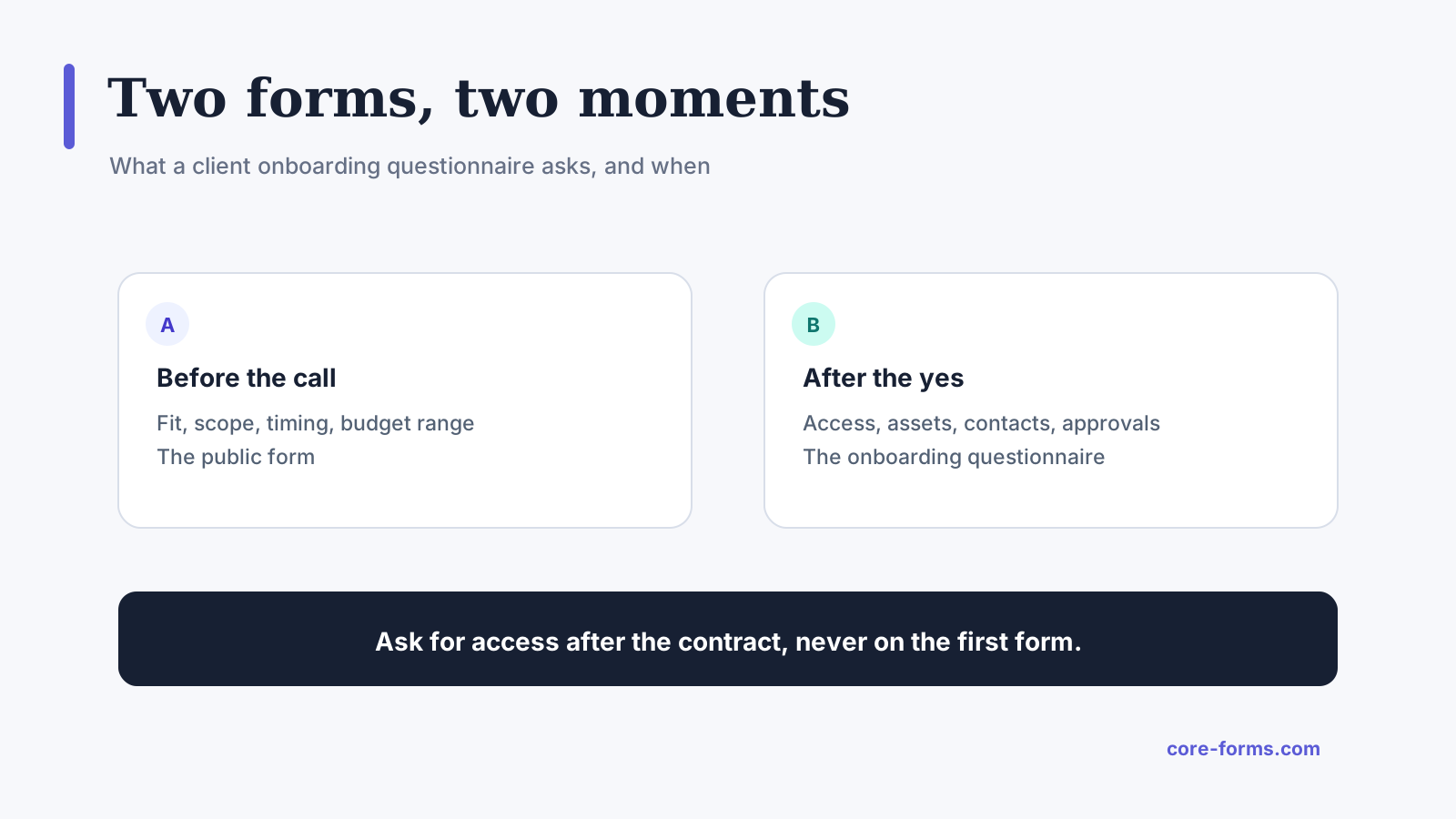 Before the call, the form qualifies. After the contract, the form prepares.
- Before the call, a prospect gives you fit, scope, timing and a budget range, and nothing that takes effort. The client intake form examples cover that form.
- After the yes, a client gives you access, assets, contacts and approvals, and they do it because the work cannot start without them.
Asking for logins on the first form loses prospects. Asking about budget on the onboarding form annoys clients who have already signed. Keep the 2 apart.
The 24 Questions
Grouped by what they unblock, and every one is there because its absence has cost me a week at some point.
Who is who
- Who is the day-to-day contact, and how do they prefer to be reached?
- Who signs off on the work, if that is a different person?
- Who pays the invoices, and what does the invoice need on it to be paid?
- Is there anyone else who will give feedback, and does their feedback carry weight?
- What are your working hours and time zone?
What done looks like
- In one sentence, what should be true when this project is finished?
- What is the single most important outcome, if we can only get one right?
- What has been tried before, and what happened?
- Is there a hard date, and what is it tied to?
- What would make you consider this a failure?
What we need to work
- Which accounts or systems will we need access to, and who grants it?
- Where do the existing files, brand assets and documents live?
- Are there brand guidelines, a style guide or examples of work you like?
- Are there examples of work you do not like, and why?
- Are there legal, regulatory or internal constraints we must not break?
How we will work together
- How often do you want an update, and in what form?
- Where should conversations happen: email, a shared channel, calls?
- How many rounds of revisions do you expect, and who consolidates feedback?
- What is the approval process, and how long does it usually take on your side?
- Are there dates you will be unavailable during the project?
The things people forget
- Who owns the accounts, domains and licenses we set up, and where should ownership sit?
- What should happen to our access when the project ends?
- Is there anything you are worried about that we have not asked?
- How did you hear about us? Asked last, because it costs nothing here and is worth a lot.
Twenty-four is the long version. A small project needs 10 of them, and the widget below picks the set.
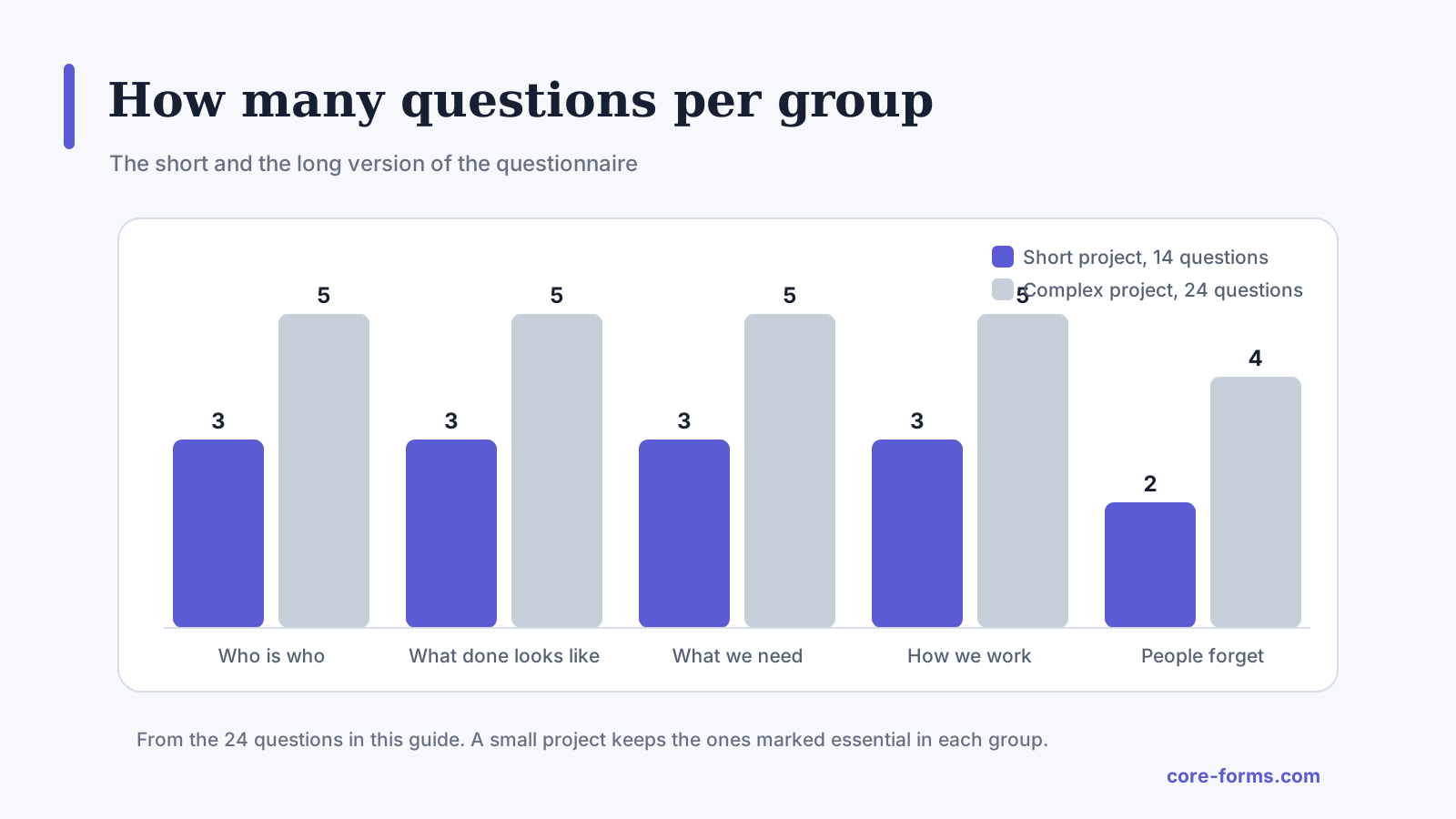 The short version keeps 2 or 3 per group. The long one keeps all of them.
Send It So It Gets Filled In
The questionnaire fails at delivery more often than at content. Four things make a busy client complete it:
- Send it the same day as the signed contract, in the same thread, while the decision is fresh and the client is motivated.
- Split it into steps. Five screens of 5 questions finish more often than one page of 24, and a multi-step form with a progress bar makes it feel shorter than it is. The multi-step form guide covers the build.
- Turn on save and resume. “Which accounts will we need” often needs a colleague, and a client who has to come back tomorrow should not start over.
- Put a date on it. “We start on the 3rd, and we need this by the 1st” gets it done. An open-ended request does not.
Send it as a link to a form on your own site, not as a document to fill in and return. A document gets edited, renamed and emailed as version 3, and a form gives you one record per client with a timestamp.
What to Do With the Answers
The questionnaire is only useful if the answers go somewhere the team looks. Three habits:
- Read it before the kickoff call and reference it. “You said the date is tied to the trade show, so we will plan back from that.” The client learns the form was read, and fills the next one in more carefully.
- Turn 3 answers into the project brief. The one-sentence outcome, the most important result and the failure condition are the brief. Everything else is logistics.
- Store it with the project, not in an inbox. A form tool that keeps submissions, a project management tool through a webhook, or a shared folder. The agency handoff pattern shows the routing.
Ask for Access Properly
Question 11 is where onboarding forms do the most damage, because the natural version of it is “please send your logins.” Do not ask for passwords in a form, ever. Ask which systems, and who can grant access, then do the granting through the systems themselves: an invited user, a shared workspace, a delegated access request. The client keeps ownership and can revoke it, and no password ever sits in your database.
The Limits
This is a service-business questionnaire. A software product’s onboarding is a different thing, in the product, and this list does not cover it.
Twenty-four questions is the ceiling, not the target. A client who gets all 24 for a 2-day job learns you do not tailor things, which is a bad first lesson.
The questionnaire does not replace the kickoff call. It makes the call shorter and better, and a team that skips the call because the form was filled in misses what the client did not think to write.
Answers go stale. The day-to-day contact changes and the deadline moves, and the form is a snapshot from the first week.
What Quietly Ruins a Client Onboarding Questionnaire
Asking it before the contract. The prospect who is asked for brand guidelines before saying yes feels like the work has been assumed.
One page, 24 questions, no save. The client opens it, sees the length, and it sits in a tab for a week.
A password field. It is a security incident waiting to happen, and it tells the client you handle their accounts casually.
Never mentioning the answers again. The client who wrote 24 careful answers and heard none of them referenced on the call fills in the next one with “n/a.”
Final Remarks
You now have a client onboarding questionnaire that asks the right things at the right moment, in a form a busy client will finish, with the access question handled safely and the answers feeding the brief instead of an inbox. If you keep one idea from this guide, keep this one: the questionnaire comes after the yes, and it replaces emails, not the kickoff call.
When someone asks me what to cut first, I tell them 2 things. Cut any question whose answer you would not act on, because the client can tell. And keep “what would make you consider this a failure,” because it is the question that has saved more projects than any other on the list.
The client intake form examples cover the form that comes before this one, and the multi-step form guide builds the stepped version. If you would rather talk it through for your practice, I am always available for a chat.
I hope the next client fills it in on the first day.
A team that runs projects in Notion can send each questionnaire straight to a database with the Notion integration guide.
Law firms have a stricter version of the two-forms rule, and the legal client intake form guide draws the line.
FAQ
What should a client onboarding questionnaire include?
Who the contacts and decision-makers are, what a finished project looks like, what access and assets you need, how you will work together, and the ownership and offboarding questions people forget. Ten questions for a small project, up to 24 for a complex one.
When should I send the onboarding questionnaire?
The same day the contract is signed, in the same email thread, with a date it is needed by. Before the contract, send the shorter intake form instead.
Should the questionnaire ask for passwords?
No. Ask which systems you need and who can grant access, then get access through invitations and shared workspaces so the client keeps ownership and can revoke it.