
How to Create a Legal Client Intake Form in WordPress
Build a WordPress legal client intake form that screens a first inquiry by area of law and location without collecting the matter itself, with a consultation request template and the conflict check kept off the public form.

A legal client intake form on a public website has one job that is different from every other intake form: it must collect enough to route the inquiry and nothing that a prospective client should not tell a stranger before a conflict check. So, if you are looking to add a legal client intake form to your WordPress site, for a solo practice, a small firm or a legal aid clinic, this guide can surely help.
I build Core Forms, and every screen here comes from its Legal consultation request template running on a test site.
Every practice area has its own intake questionnaire, so one guide cannot cover the 40-question family law intake or the engagement letter. But almost every first contact needs the same things, a person, an area of law, a location and a way to reply, and in this one I will try my best to cover those properly, along with the line between the public form and the real intake that happens after the first call.
The template ships with the plugin, so you can follow along click for click. Or, if you get stuck halfway, support is a message away. Without further ado, let’s get started.
The Public Form and the Real Intake
Before the fields, the line, because it decides everything else on this page.
The form on your website is the first contact. It is filled in by someone who is not your client, who has not been checked for conflicts and who is typing into a website. The intake questionnaire, the one with dates, parties, documents and the account of what happened, is a second form, sent after the conflict check and the first conversation, and it does not belong on a public page.
The template is built for the first contact. It asks for the area of law and the city, not the matter, and that is the right shape for a public form. The full intake questionnaire is a second Core Forms form, on a page that is not linked from your navigation, sent to the client by link once they are a client.
What the Consultation Request Asks
The Legal consultation request template collects 8 things across 3 steps:
- Your name and Email address are required, and Phone is optional.
- Area of inquiry is a required select: Business, Property, Employment, Family or Other.
- City or region is required, because jurisdiction decides whether you can help at all.
- Preferred reply is a required choice of Email or Phone.
- Anything else we should know? is an optional text area with a 2,000 character limit.
- You may contact me about this request is a required consent checkbox on the last step.
The area select is deliberately broad. A prospective client should not have to describe their matter to a website, and a firm should not want them to before a conflict check. “Employment” and “Austin, TX” is enough to know who at the firm should call.
Create the Legal Client Intake Form
The industry templates ship in the multi-step layout only, so the search shows one card:
- Go to Core Forms > Add New.
- Type
legalin the template search. - Click Use this template on the Legal consultation request card.
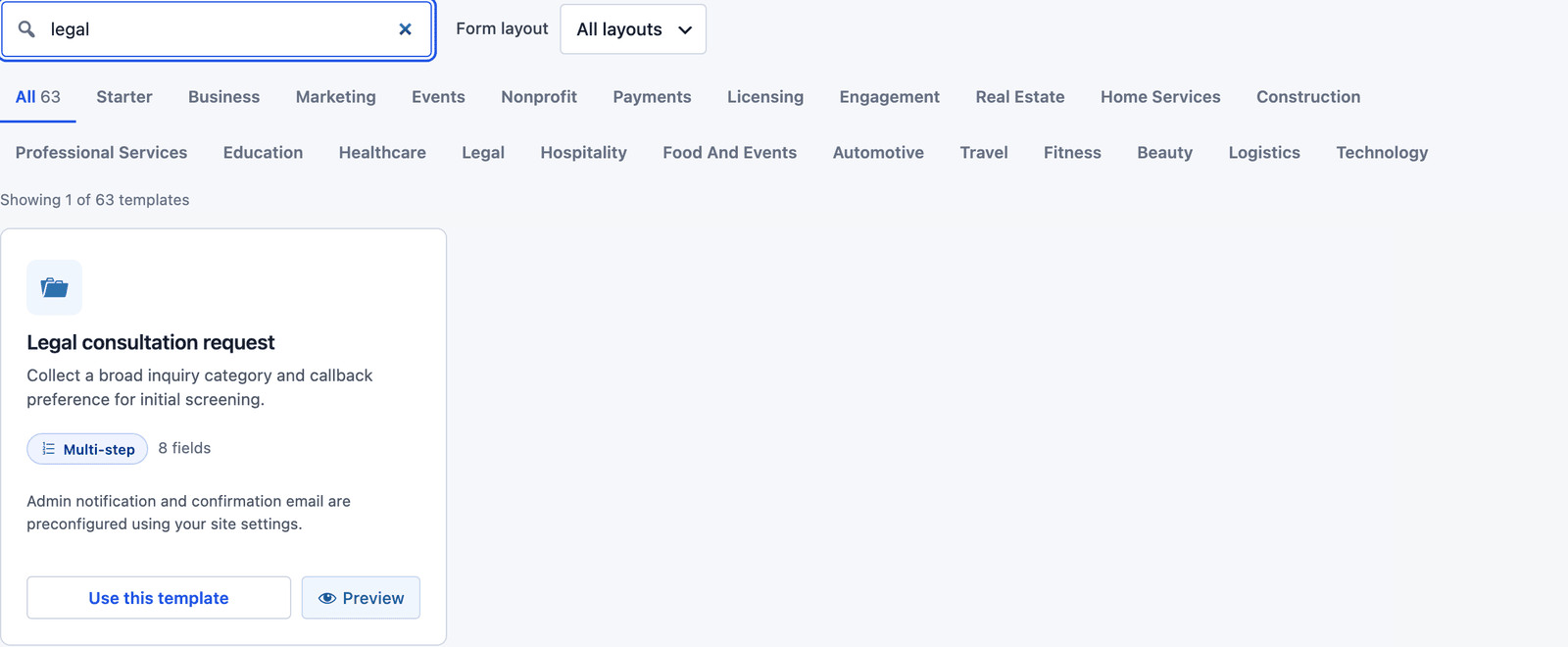 The card notes that the admin notification and the confirmation email are already set up.
The builder opens with 3 steps: “Your details” holds name, email and phone, “Your request” holds the area, location, reply preference and message, and “Confirm” holds the consent checkbox and the button.
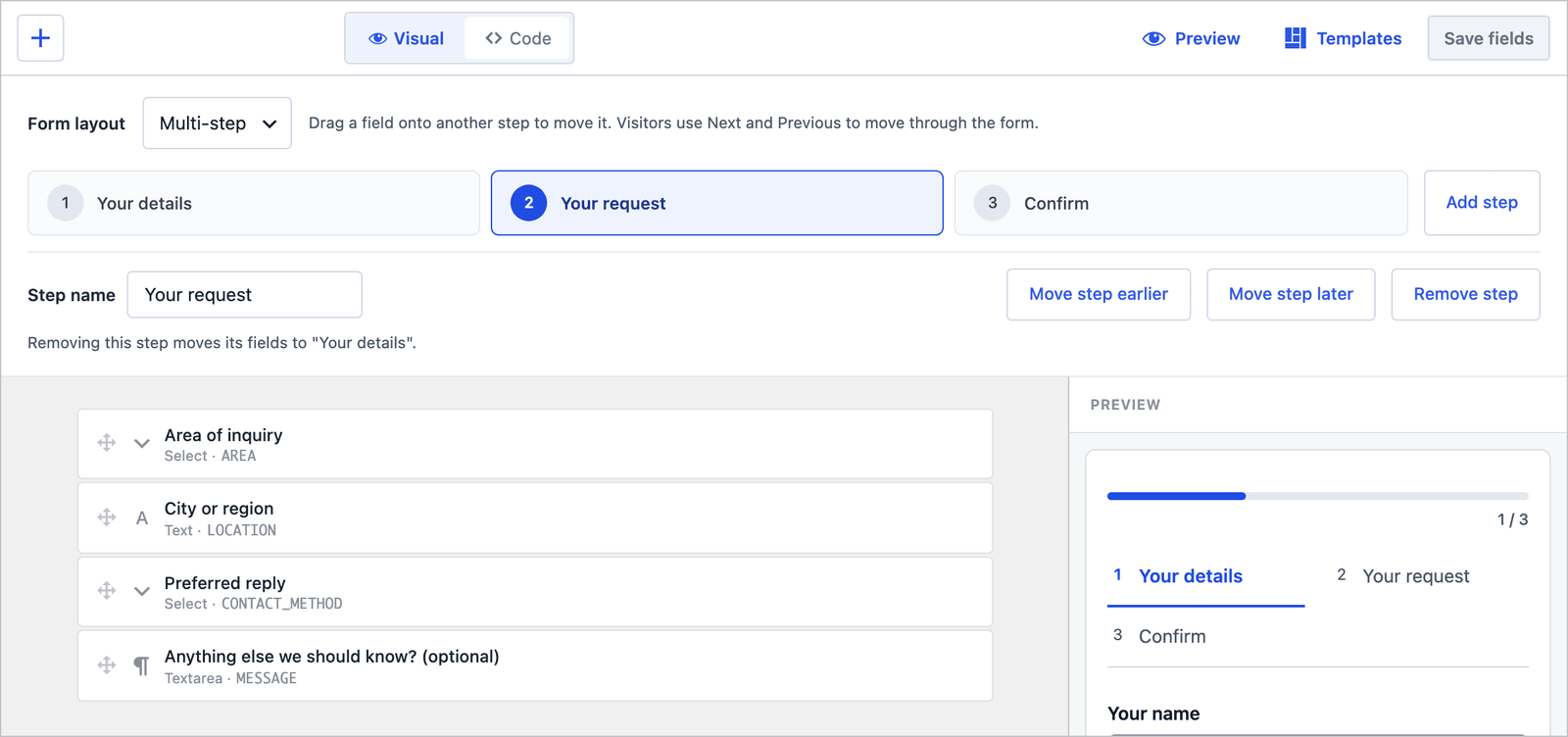 Replace the 5 areas with your practice areas. Five plainly named ones beat 15 the visitor has to decode.
One field is worth adding, and one is worth changing. Add a short How did you hear about us? select on the “Your request” step, because referrals are how firms grow and the answer is free here. And change the message field’s label to “Anything else we should know? Please do not include confidential details,” which tells the visitor where the line is before they cross it.
The 3-Step Layout
On the front end the visitor sees one step at a time, with a progress bar and the step names above the fields.
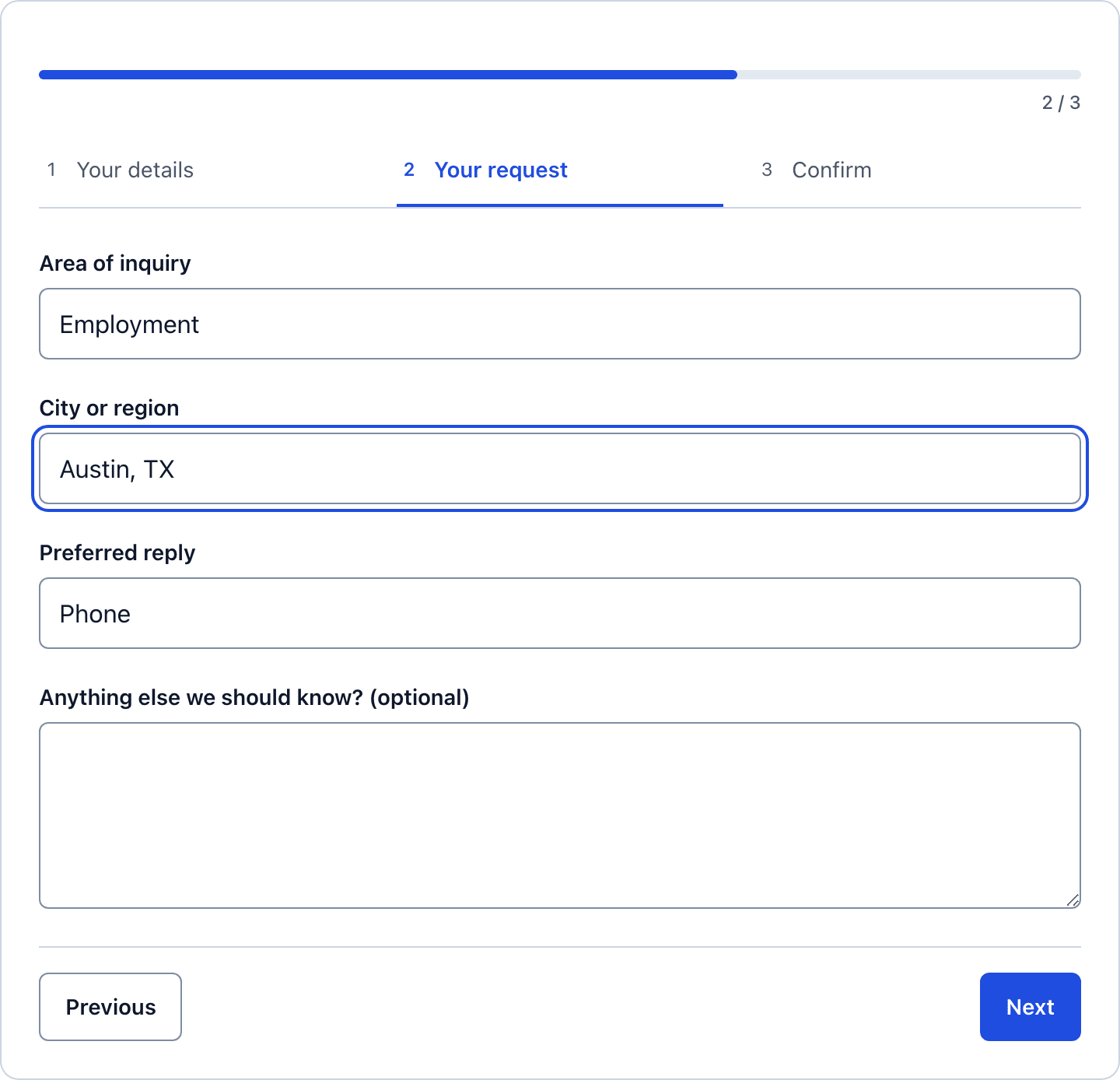 The routing questions get a screen of their own, and the message box is the last thing on it.
The consent step at the end is the one that matters for a firm. It says, in the visitor’s own click, that they agree to be contacted about this request, and nothing else. It does not create a client relationship, and the auto-responder is where you say so.
Collapse It to One Page
For a practice-area page that already explains what you do, a single page can work better. In the builder, change Form layout from Multi-step to Single page and click Save fields. The step assignments are kept, so you can switch back.
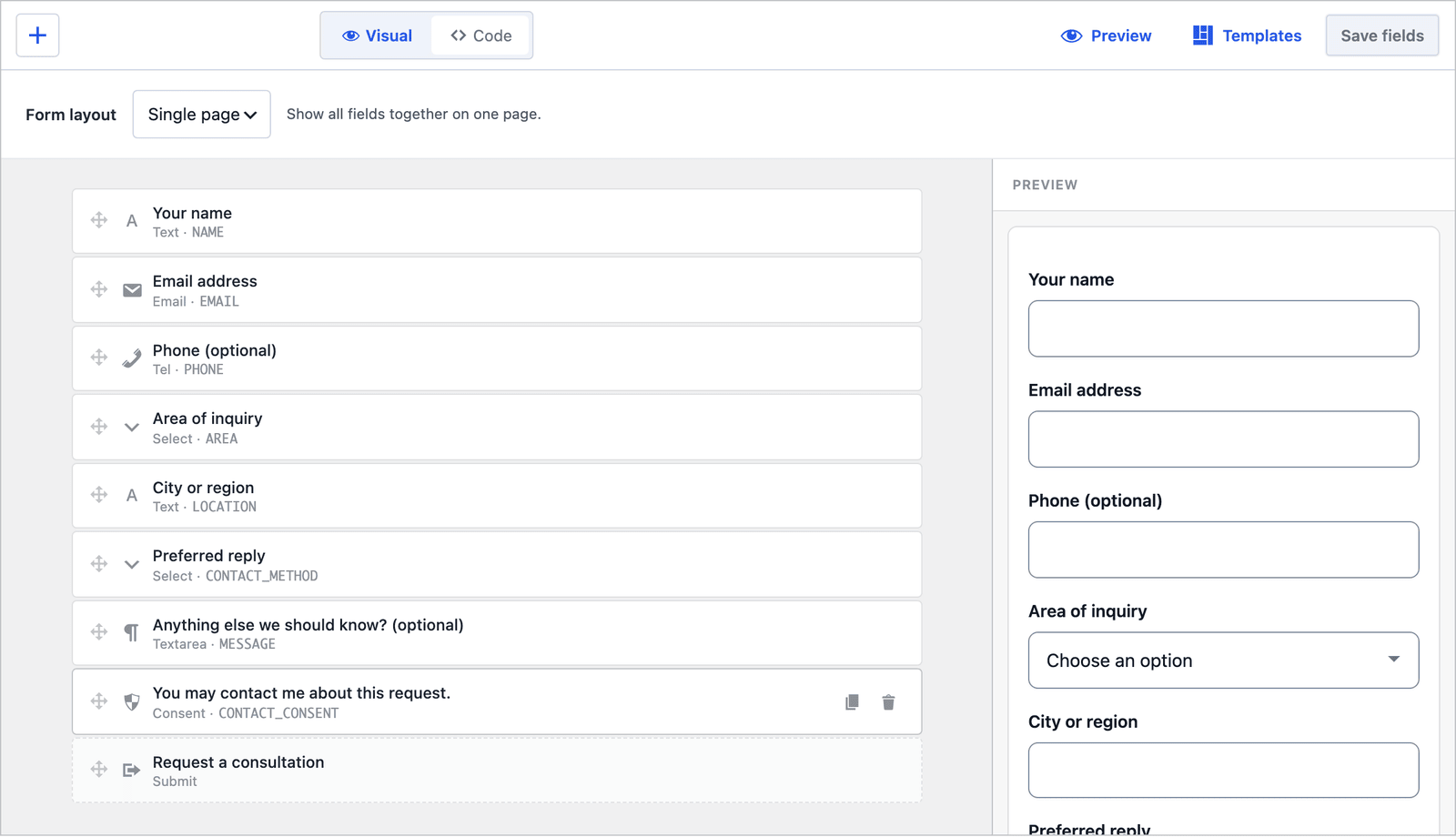 Same fields, same order, no steps.
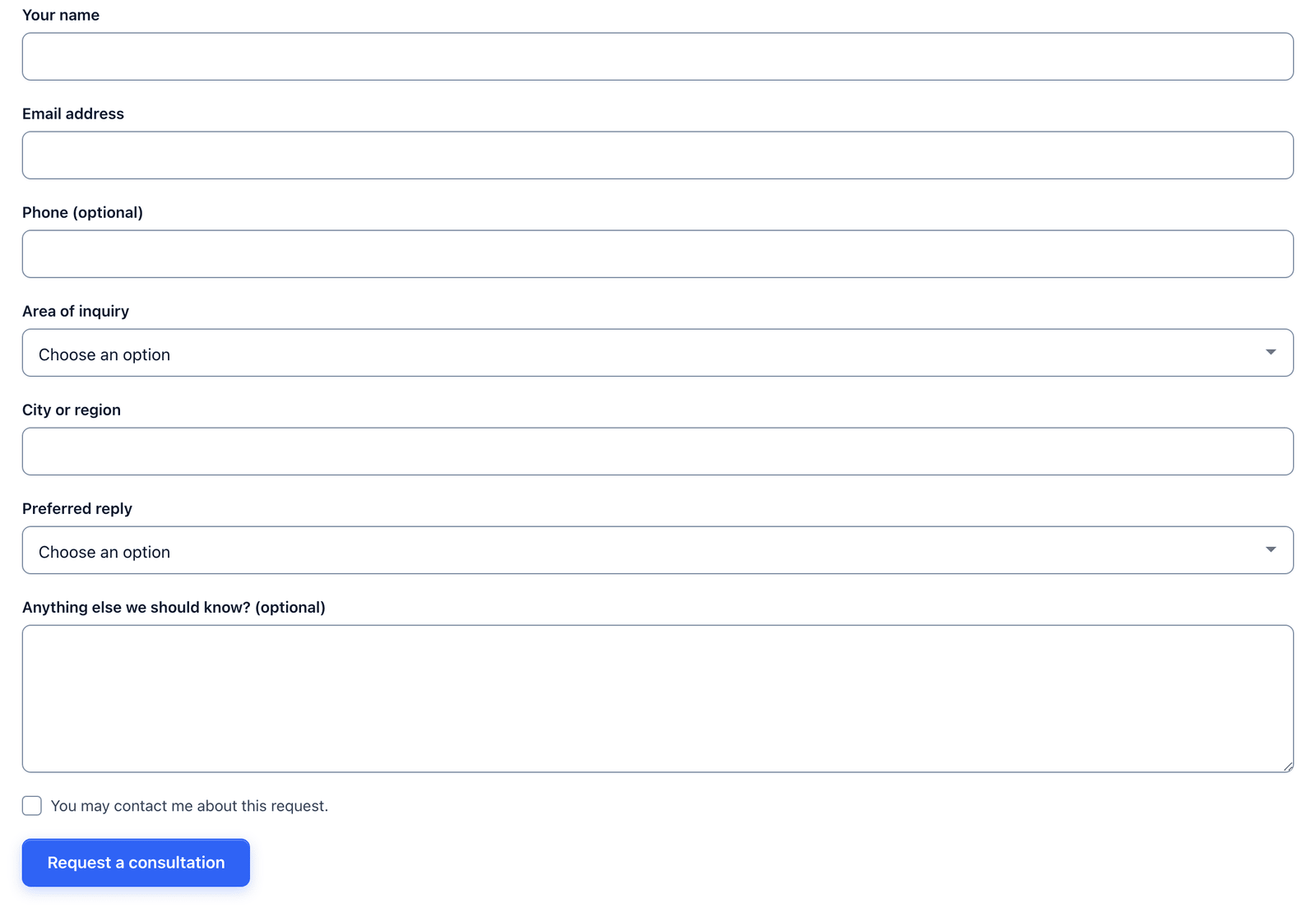 8 fields on one page, and the consent checkbox sits right above the button.
For a firm I would keep the 3 steps on the main contact page and use the single page on each practice-area page with the area preselected. A visitor on the employment law page should not have to tell you it is about employment.
Two Emails Out of the Box
The template ships with 2 actions already configured:
- Send Email notifies the admin address with the subject “Legal consultation request: [NAME]” and a Reply-To header set to the requester.
- Auto-Responder sends the requester “Legal consultation request - Request received,” with the same success text they saw on screen and an invitation to reply with more details.
The auto-responder needs one paragraph added before the form goes live, and the firm’s own wording matters more than mine: that submitting the form does not create an attorney-client relationship, that the firm will run a conflict check before any consultation, and that the visitor should not send confidential details by email until the firm confirms it can act. Most firms have this sentence already. Put it in the email as well as on the page.
Route by Area of Inquiry
If different people handle family and business matters, recipient routes in the Send Email action send each request to the right desk:
- Open the Actions tab and expand Send Email.
- Under Recipient routes, click + Add route.
- Set When field to Area of inquiry, Operator to equals and the value to
family. - Enter the family practice address in Send to, add a route for
businessand click Save Changes.
The value is the stored option, family, not the label. The first matching route wins and replaces the default recipient, and the feedback form guide shows the routes screen. A request that picks Other goes to the default address, which should be whoever does intake.
The Settings the Template Turns On
The Settings tab for an industry template arrives with more switched on than a basic starter:
- Save submissions is on, so every request is stored even if the email fails.
- Prevent duplicates is on.
- Rate limit is set to 10 submissions per IP per hour.
- Anti-spam shows the honeypot on.
For a firm, 2 more settings deserve a decision. Save submissions stores the request in your WordPress database, which is fine for name, area and city, and is the reason the message field should not invite confidential details. And the form’s scheduling can close it outside office hours with a message that gives the phone number for urgent matters, which is kinder than a form that promises a reply it cannot make.
Publish the Legal Client Intake Form
The shortcode is shown next to the form’s name in the editor:
[cf_form slug="legal-consultation-request"]
Paste it into your Contact or Request a consultation page, or use the Core Forms block. Above the form, say 3 things: whether the first consultation is free, how soon you reply, and that the form is for a first contact and not for sending case details. That last line does more for the quality of what arrives than any field.
Read the Requests
Every request lands in the form’s Submissions tab, with the area, city and reply preference in their own columns.
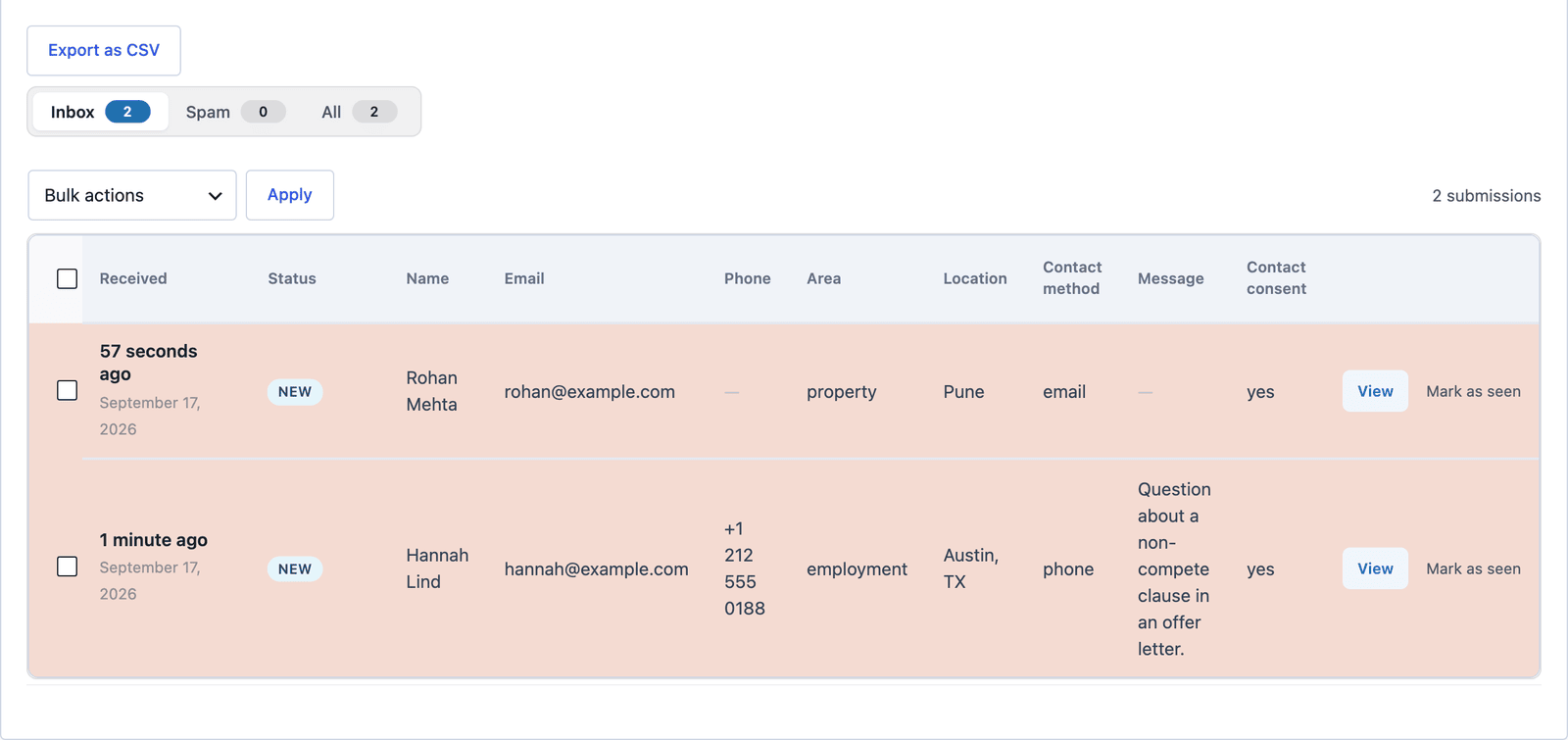 Filter by Area and the employment inquiries are together for the person who handles them.
Click View to read the message and answer from the Send Reply box on the same screen. “Thank you, we have run our checks and can talk on Thursday” is the reply, from here, and for a firm that manages matters in a practice system, a webhook action sends the request there once the conflict check clears.
Build the Second Form
Once the first call is done and the client is a client, the real intake questionnaire is a second Core Forms form, and 3 settings make it fit:
- Build it as a multi-step form, one step per topic, because a 40-question intake on one page is abandoned halfway. The multi-step form guide covers the steps.
- Turn on save and resume, so a client who has to find a document can come back.
- Put it on a page that is not in the navigation, and send the link by email. Nobody should reach the intake questionnaire from Google.
Add file upload fields there, not on the public form. A client sending an offer letter or a lease after the engagement is a different situation from a stranger uploading a document to a website.
The Limits
The form does not run a conflict check. It collects the name and the area so a person can, and the auto-responder should say the check happens before any consultation.
It is not a client portal. Documents, the engagement letter and the matter itself live in the firm’s practice system or its secure portal, and the form feeds the first step only.
Consent to be contacted is not consent to anything else. The checkbox lets you reply about this request, and it says nothing about representation, fees or marketing.
The 5 areas are placeholders. A firm that does immigration and criminal defense replaces them, and the message box catches whatever the list misses.
What Quietly Ruins a Legal Client Intake Form
Asking what happened. A message box labeled “Describe your legal issue” invites confidential details from someone who is not yet a client, on a form stored in a website database.
A file upload on the public form. Anyone can send anything, and a firm that receives an unsolicited document from a stranger has a problem it did not need.
Fifteen practice areas the visitor has to choose between. Five plainly named ones and Other route just as well and lose fewer people at the dropdown.
No reply time. A person looking for a lawyer is often in a hurry, and a form that does not say “within one business day” sends them to the next firm on the search page.
Final Remarks
You now have a legal client intake form that takes a first contact the right way, screening by area of law and location, keeping the matter off the public page, acknowledging every request with the firm’s own disclaimer and sending each one to the desk that handles it. If you keep one idea from this guide, keep this one: the public form routes the inquiry, and the intake questionnaire comes after the conflict check, not before.
The legal consultation request template page has the fields and a live demo, and the client intake form examples show the longer forms that come next. If something here does not behave the way this guide describes, the support team can help.
I hope the next request through it is a matter you are glad to take.
FAQ
Can I preselect the area of law on a practice-area page?
Yes. Make one copy of the form per practice area with the select’s default set to that area, or hide the field and set the value in the shortcode. The routing still works because the stored value is the same.
Is a WordPress form secure enough for legal intake?
For a first contact that collects a name, an area and a city, yes, on a site with HTTPS and a current WordPress install. For the matter itself, documents and anything privileged, use the firm’s practice management system or a client portal built for it, and keep the public form to routing.
Can the form go to a practice management system?
Through a webhook action, yes, to any system with an inbound API, and through Zapier or Make to the ones with a connector there. Send it after the conflict check if the system creates a matter on receipt.