
WordPress Survey Plugin: What to Buy and What to Skip
A WordPress survey plugin keeps responses in your database. Here is how it differs from a poll, from Google Forms and from Typeform, and which capabilities actually matter.

A WordPress survey plugin is software that asks several questions on your site and stores each person’s answers in WordPress. That sounds obvious until you notice how many “surveys” are a Google Form in an iframe, a Typeform embed or a poll plugin doing the wrong job.
I build Core Forms, which includes surveys, so this is not a neutral catalog. It is a buying map: what the plugin has to do, where hosted tools still win and when a poll is the better tool. The click-by-click build is the guide to creating a survey in WordPress. This page is the decision before that guide.
There are generally three ways people run surveys from a WordPress site.
You can send visitors off-site to Google Forms or Typeform, then download a CSV when someone asks how last month went. The answers never sit next to the customer who left them.
Or you can install a survey plugin that is really a poll, one question with a pie chart, and wonder why there is no follow-up when someone picks “unhappy.”
But being extreme isn’t a good idea at all. Hosted survey tools are better at polish and branching at scale. A WordPress survey plugin is better at ownership, follow-up on the same site and not paying per response. It is wise to pick WordPress when the answers belong in your database, and to stay hosted when the survey is the product.
A survey is a form with a research job. If the plugin cannot store a person, it is a poll.
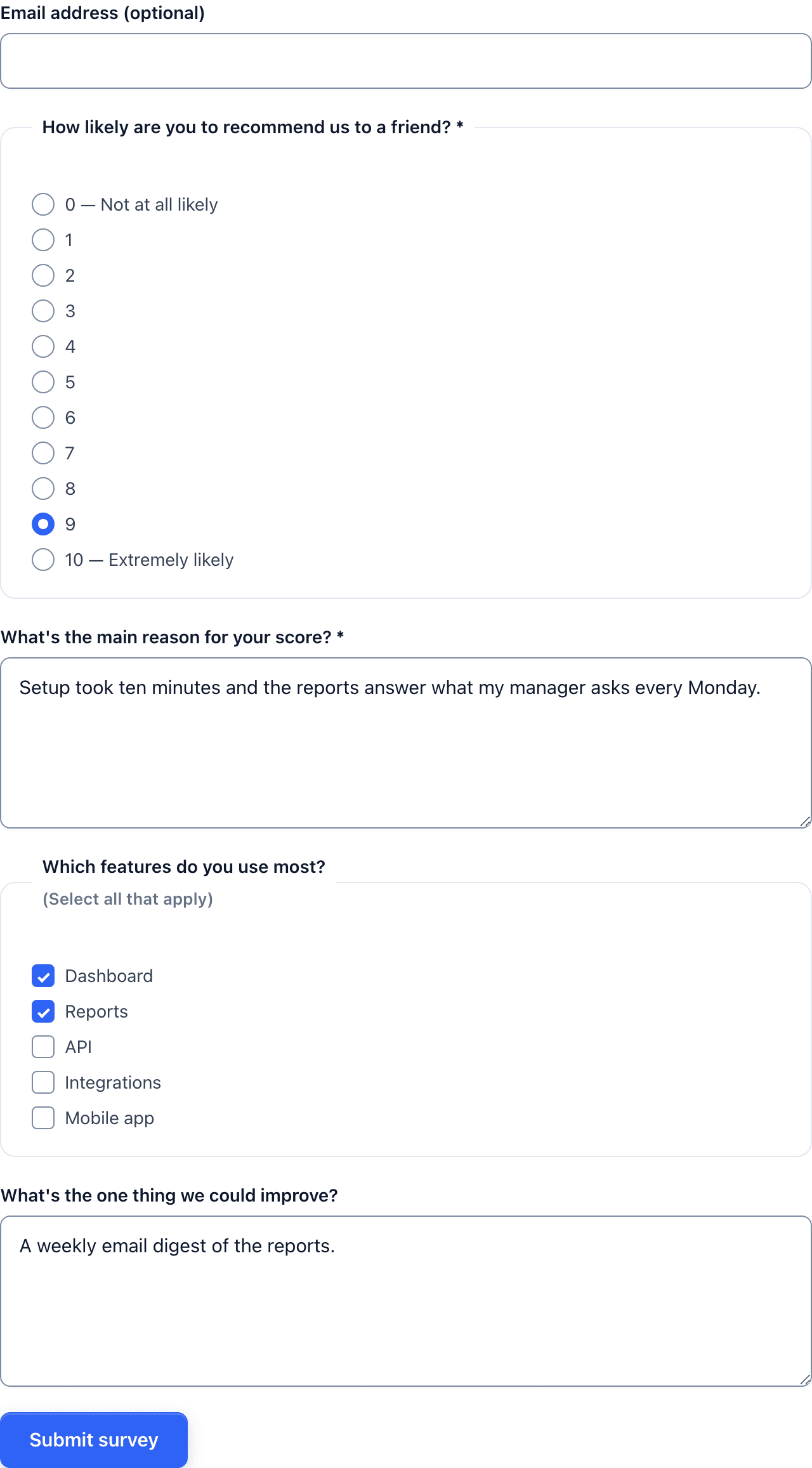 Several questions, one person, one row. That is the plugin you are shopping for.
Survey Plugin, Poll Plugin, Hosted Tool
These three get sold as each other.
A survey is several questions for one respondent. You need the answers together: a score, a reason, a permission to follow up. The row is the point.
A poll is one question, usually with a public tally. “Which day works for the webinar?” is a poll. Core Forms ships polls as a separate tool for this reason. The poll guide is that path.
A hosted tool (Google Forms, Typeform, Tally) runs the questions on someone else’s origin. WordPress is a poster. You get their analytics, their response cap and their processor in the privacy policy.
A WordPress survey plugin is the first of these. If the product page leads with vote animations and a live bar chart, you are looking at a poll.
What a WordPress Survey Plugin Has to Do
Skip any plugin that cannot do this list. The rest is theme.
- Store every respondent as one submission, not as four independent vote rows.
- Keep the answers on your site, in a table you can export and delete.
- Support a scale (1 to 5, 0 to 10, NPS) without hacking a text field.
- Show a follow-up only when it is needed. An unhappy score without a “what went wrong” box is a missed survey.
- Send you mail, and optionally them mail, without a separate ESP plugin for the first notification.
- Filter spam on a public survey the same way you would on a contact form.
- Let you change copy without a page builder session. Questions get edited more than contact forms.
Nice to have, not the buying test:
- multi-step or one-question-at-a-time layout
- calculated scores
- quizzes with a result screen
- payments
- a 200-template library
Core Forms does the must list, plus multi-step, NPS, quizzes and the action loop. The honest catch is the same as on every comparison I write: smaller ecosystem than Gravity Forms, and I shipped it, so weigh the bias.
WordPress vs Google Forms vs Typeform
| WordPress survey plugin | Google Forms | Typeform | |
|---|---|---|---|
| Where answers live | Your database | Typeform | |
| Response cap | Plugin license | Google account limits | Plan cap (100 free, then 100 / 1,000 / 10,000) |
| Look | Your theme, or a full-screen mode | Google’s sheet | Typeform’s motion |
| Branching | Conditional fields in the plugin | Built in, capable | Best in class |
| Follow-up on your site | Autoresponder, CRM action, a page you own | Email from Google | Typeform logic and follow-ups |
| Privacy | Your policy, your host | Google as processor | Typeform as processor |
Google Forms wins when the survey is internal, the audience already lives in Google and nobody cares how it looks. Typeform wins when the survey is the brand moment and the response cap is not the bill you are trying to leave. The Typeform alternatives post is that comparison in full, including September 2026 prices.
A WordPress survey plugin wins when the people filling it are already on your site, and when the answer should sit next to their order, their membership or their last support ticket.
Layout: One Page, Steps or Full Screen
The plugin should not force one layout.
One page is right for 3 to 6 short questions. People can see the end. Completion is higher when the form does not pretend to be an interview.
Steps are right when a later question depends on an earlier answer, or when a scale plus a comment plus a permission is too tall on a phone. The survey guide builds that split.
Full screen, one question at a time is the Typeform shape. It is worth it for NPS plus one follow-up. It is theatre for a 4-field feedback form. Core Forms has a full-screen display mode for the cases that earn it. The full-screen forms post is the caution.
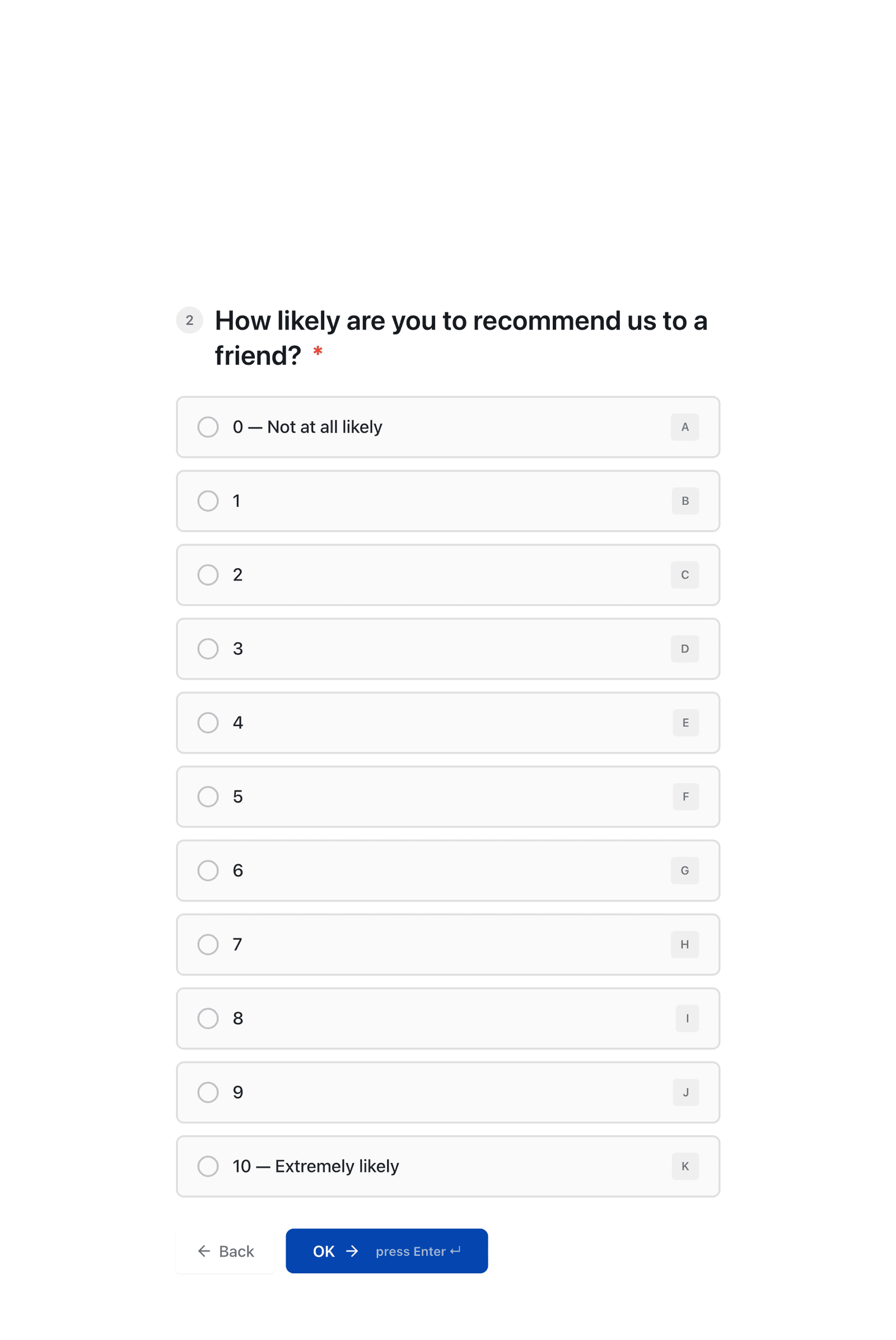 One question on the glass is a choice, not a default.
Templates That Are Actually Surveys
A survey plugin with no starting point wastes the first hour on radio buttons. These are the Core Forms templates that are surveys rather than contact forms in a trench coat:
The 75 survey questions piece is the copy, not the plugin. Steal questions from there. Do not steal 75 of them into one form.
Who Should Not Buy a WordPress Survey Plugin
You need Typeform’s logic jumps and recall. “If they said X in question 3, rewrite question 12” is still Typeform’s house. Conditional fields cover the common case. They do not cover a research instrument with 8 branches.
You have no WordPress. A survey plugin is not a reason to install WordPress. Use Tally, Typeform or Google Forms.
You wanted a poll. One question, public results, no email follow-up. Buy a poll, or use the poll tool in a plugin that keeps them separate.
You wanted Google Sheets as the system of record. A plugin can send to Sheets. If Sheets is where the team lives, skip the middleman and start in Forms.
The Limits
This is not a review of every survey plugin in the directory. WPForms, Gravity Forms, Formidable, Quiz and Survey Master and a dozen others can all store a survey. The test above still applies. If the plugin is a poll with a survey in the name, skip it.
I also do not have a matched benchmark of completion rate for Core Forms full-screen versus Typeform. Layout taste is not a number I am going to invent.
Pricing for Core Forms is $59 a year or $249 lifetime, unlimited sites, surveys included. Hosted tools charge per response. That is the commercial difference. It only matters if you will actually read the answers.
What Quietly Ruins It
A 40-question survey because the stakeholder “might want to know.” The plugin will collect it. Nobody will read it. Pick the decision the survey is for, then the questions that change that decision.
No spam control on a public NPS. You will survey bots, and the score will look like a launch.
Storing surveys in a plugin that cannot export or delete a person. GDPR does not care that it was “just feedback.”
Final Remarks
A WordPress survey plugin is worth buying when the answers belong next to the rest of the site. It is a form with a scale, a follow-up and a row per person. Everything else is layout.
If that is the job, skip Google as the system of record, skip a poll plugin and skip a 40-question wish list. Start from a customer or NPS template, keep it short and read the inbox.
The how-to is already written. This page was the part that should happen first.