
How to Create a Patient Appointment Request Form in WordPress
Build a WordPress patient appointment request form that asks for the visit type, a preferred date and the best time to call, without collecting medical details, plus the privacy limits to know first.

A patient appointment request form on a clinic’s website has a narrow job: let someone ask for an appointment and tell you when to call them back, without collecting anything about their health.
I build Core Forms, and every screen here comes from its Clinic appointment request template running on a test site.
Every practice has its own intake process and its own privacy rules, so one guide cannot replace advice on the law where you are. But almost every appointment request needs the same things, the type of visit, a preferred date and a good time to call, and in this one I will try my best to cover those properly, along with the line between a request form and a patient intake form, which this template does not cross.
The template ships with the plugin, so you can follow along click for click. Or, if you get stuck halfway, support is a message away.
What This Form Is Not
Before the fields, one thing needs saying plainly. This is an appointment request form, not a clinical chart. The patient intake form template is the administrative half of intake, and it stops at the same line: who is coming, and when to call. It does not collect symptoms, history or insurance.
A patient intake form collects health information: symptoms, medications, history, insurance details. That information is protected in most countries, under HIPAA in the United States, the GDPR’s rules on health data in Europe and similar laws elsewhere, and it needs hosting, storage, access controls and agreements that a general-purpose website form does not provide on its own. A form plugin, this one included, does not make a WordPress site compliant by itself.
The Clinic appointment request template stays on the safe side of that line on purpose. It asks for a visit category, a date and a time to call. It has no upload field, no symptoms box and no insurance field, and the consent pattern guide covers how a contact consent checkbox should be worded and stored.
What a Patient Appointment Request Form Asks
The template collects 8 things across 3 steps:
- Your name and Email address are required, and Phone is optional.
- Appointment category is a required select: New patient appointment, Follow-up appointment or General inquiry.
- Preferred date is a required date field.
- Best time to contact you is a required select: Morning, Afternoon or Evening.
- Anything else we should know? is an optional text area with a 2,000 character limit.
- You may contact me about this request is a required consent checkbox on the last step.
The contact time select is the field that makes this a callback form rather than a booking form. The clinic calls, confirms the slot and takes any medical detail by phone or in person, where it belongs.
Create the Patient Appointment Request Form
The industry templates ship in the multi-step layout only, so the search shows one card:
- Go to Core Forms > Add New.
- Type
clinicin the template search. - Click Use this template on the Clinic appointment request card.
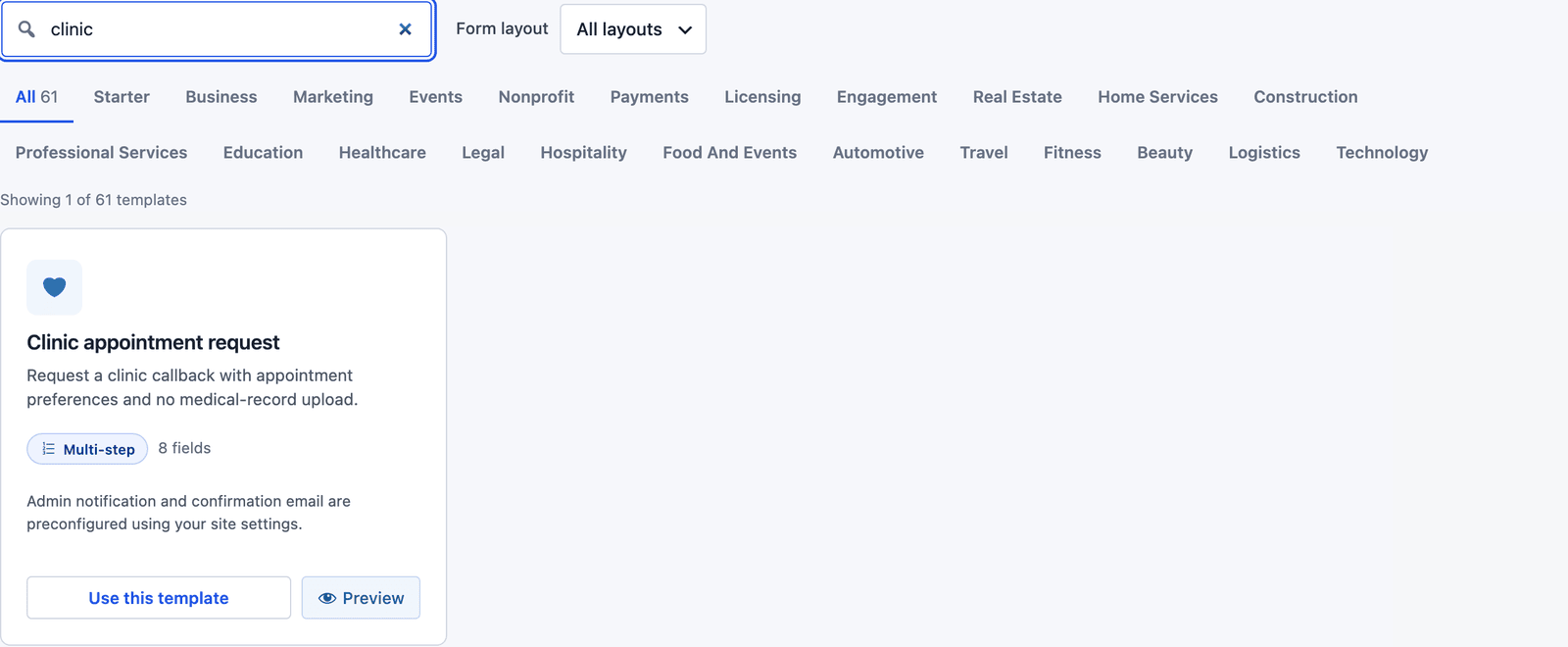 The card says it in 1 line: a callback request with no medical-record upload.
The builder opens with 3 steps: “Your details,” “Your request” and “Confirm.”
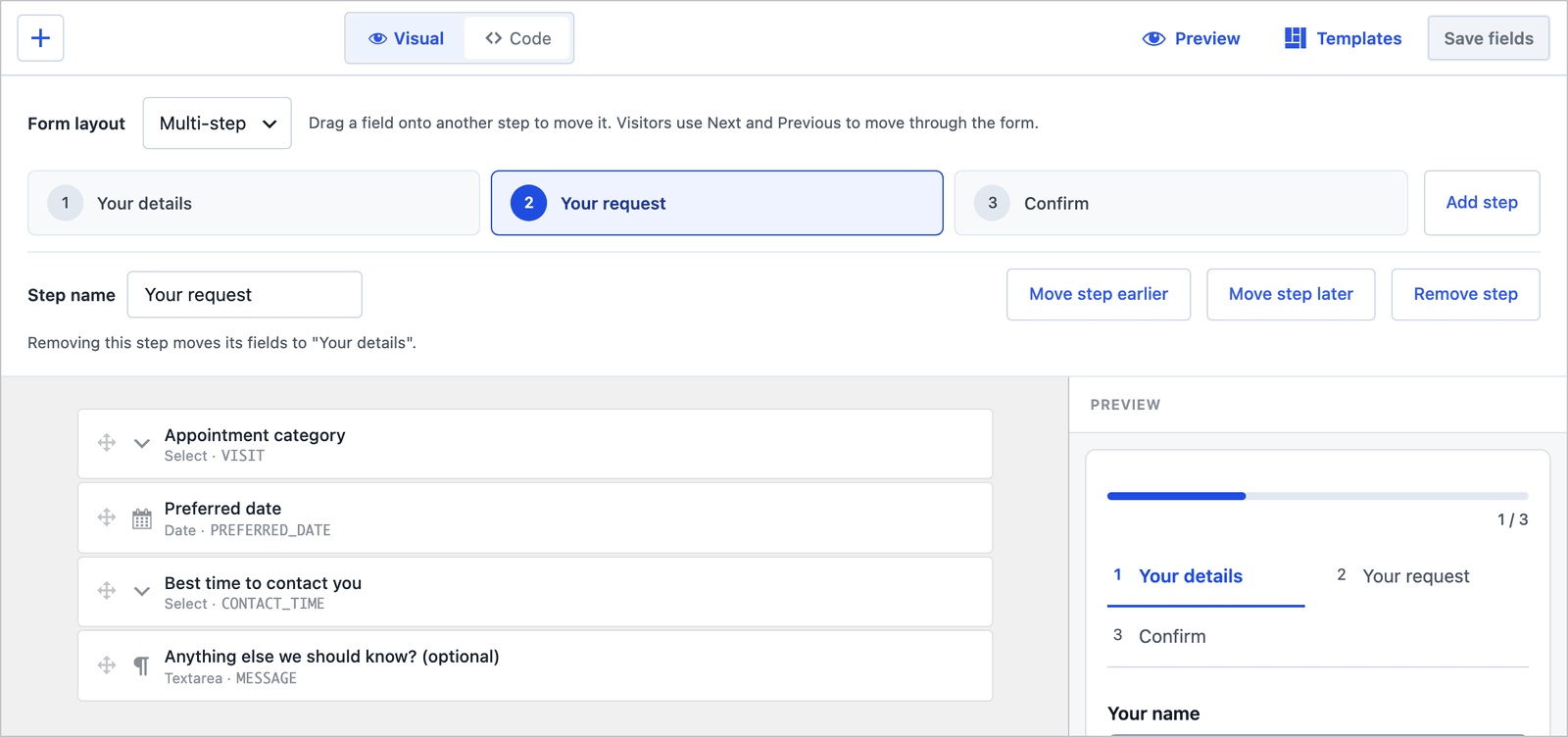 Category, date and contact time sit together on the second step.
If you add anything, add a Practitioner select for patients who want to see a particular doctor. Do not add a symptoms field, a file upload or a date of birth. Each of those moves the form across the line described above.
The 3-Step Layout
On the front end the patient fills one step at a time, with a progress bar and the step names above the fields.
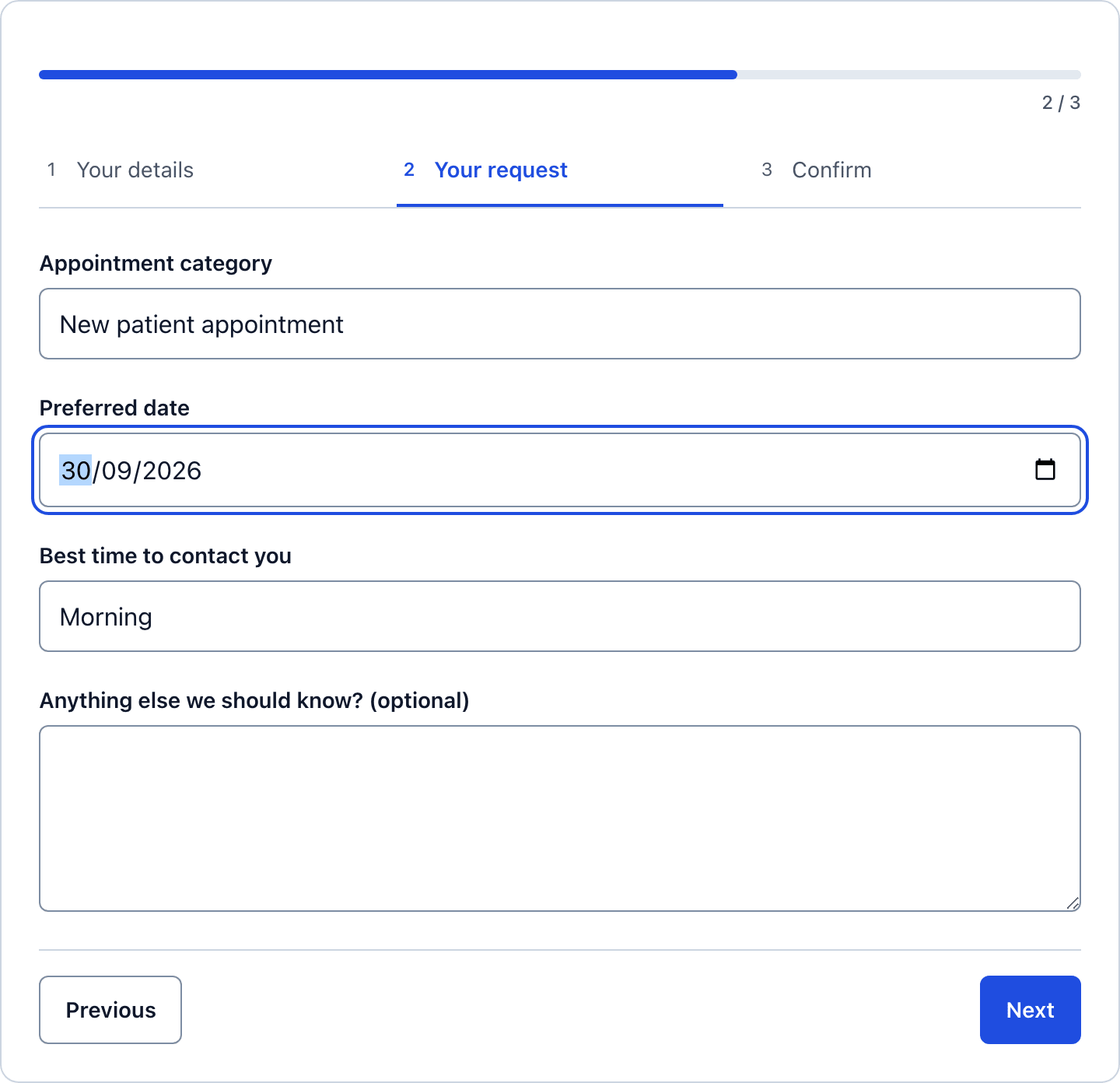 Three short fields, which is the whole request for a patient on a phone.
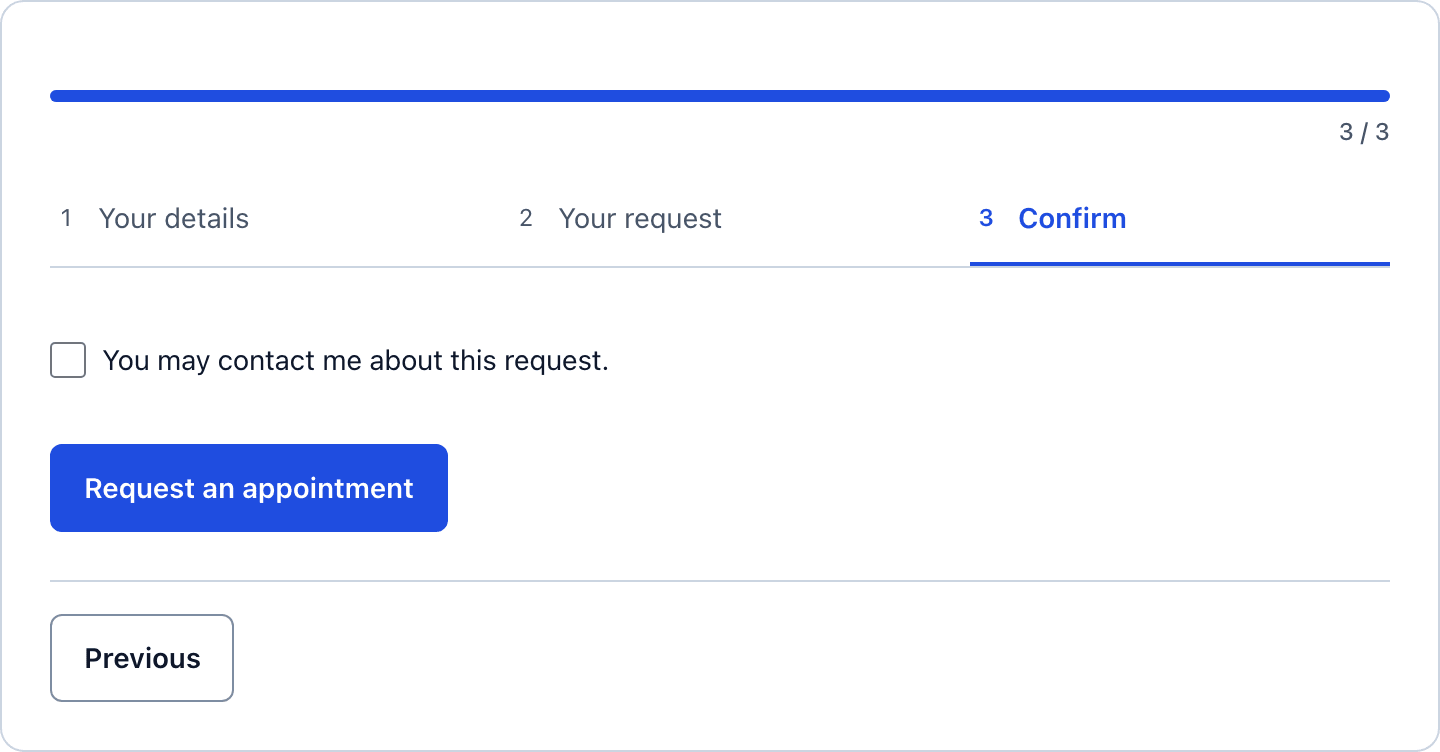 The consent checkbox covers contact about this request, and nothing else.
Collapse It to One Page
For a form on a Contact page that people open at a desk, a single page can be quicker. In the builder, change Form layout to Single page and click Save fields. The step assignments stay saved.
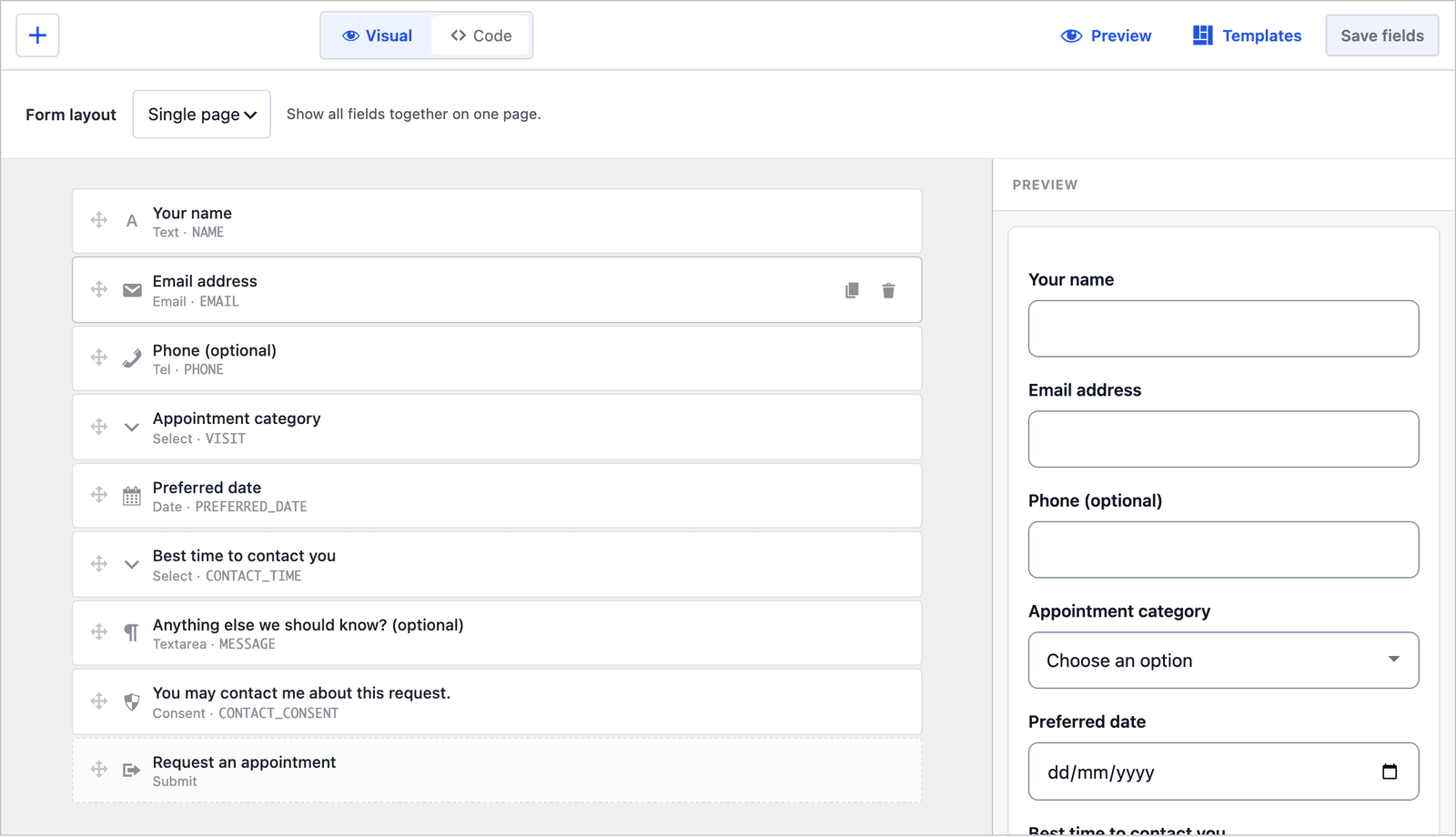 Same fields, same order, no steps.
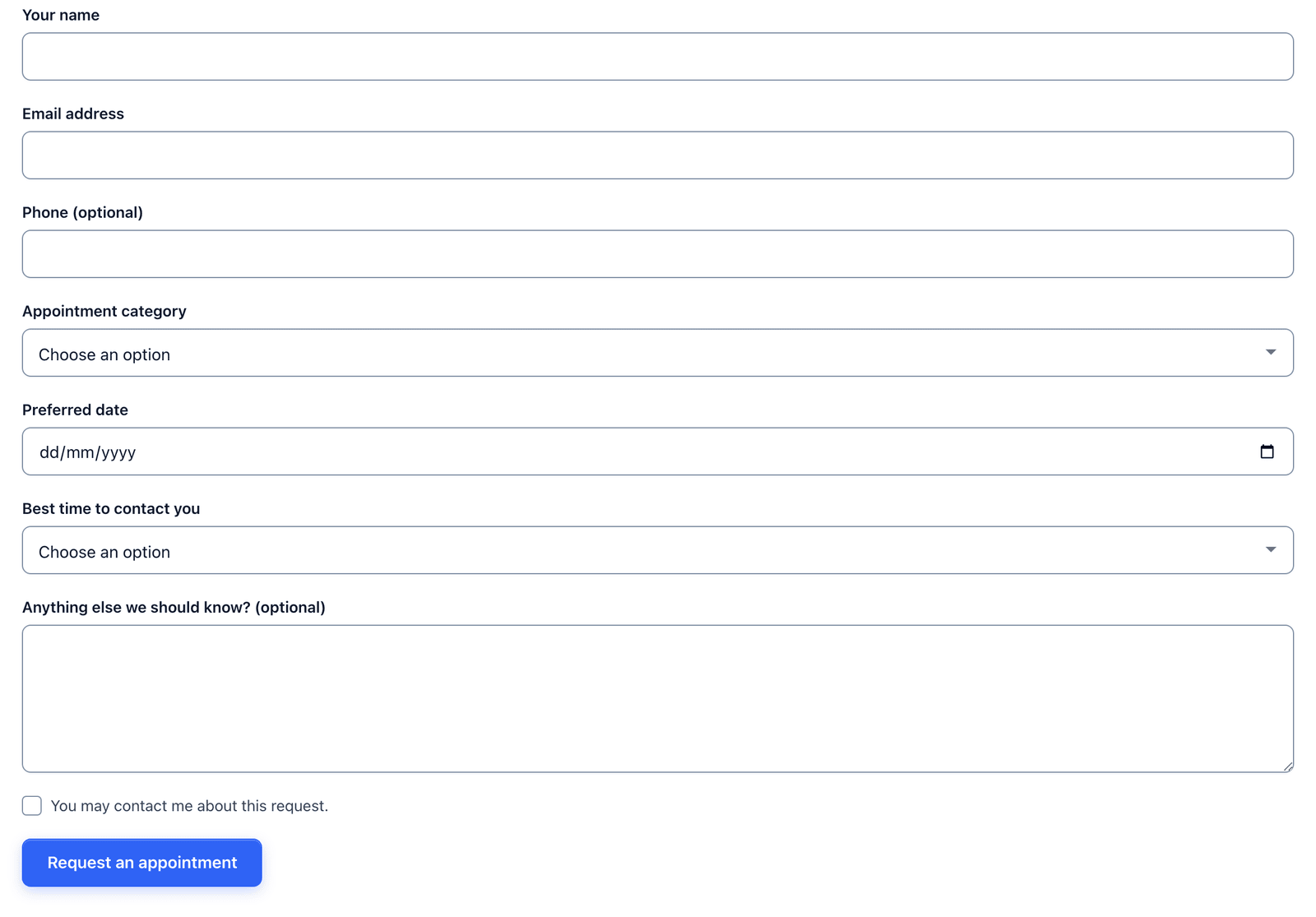 Both layouts are short. The steps suit a phone, the single page suits a desktop contact page.
Two Emails Out of the Box
The template ships with 2 actions already configured:
- Send Email notifies the admin address with the subject “Clinic appointment request: [NAME]” and a Reply-To header set to the patient.
- Auto-Responder sends the patient “Clinic appointment request - Request received,” with the same text they saw on screen: the request was received and the clinic will contact them to confirm availability.
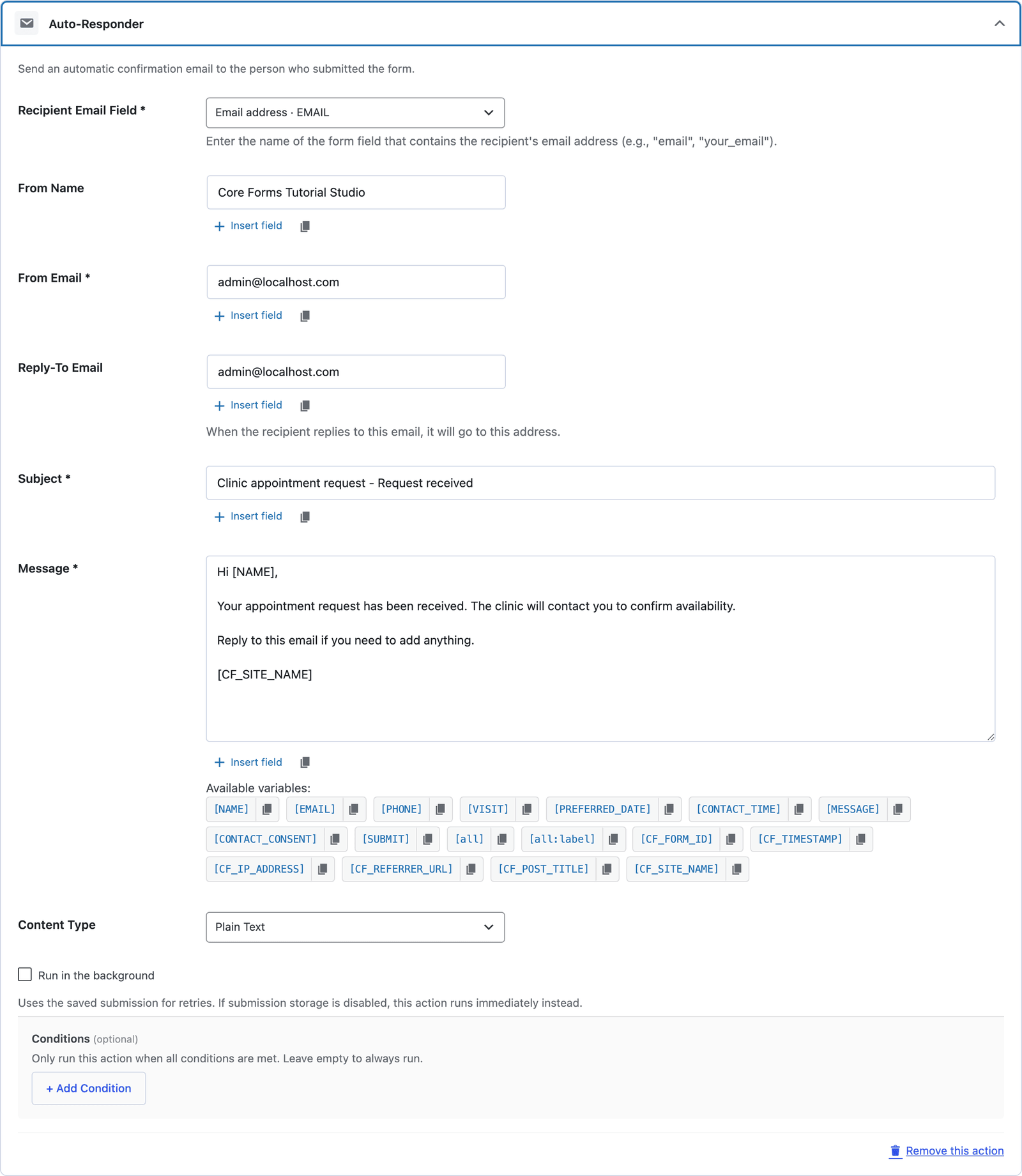 Change the From name to the practice name, and check who receives the notification before publishing.
One thing to check on the notification: the message is [all:label], which prints every field the patient filled in, including the optional message. If a patient types a symptom there despite the label, it travels in the email. Change the recipient to a practice mailbox that is handled like patient correspondence, not a general inbox.
The Settings the Template Turns On
The Settings tab arrives with the sensible defaults for a public request form:
- Save submissions is on, so every request is stored even if the email fails.
- Prevent duplicates is on.
- Rate limit is set to 10 submissions per IP per hour.
- Anti-spam shows the honeypot on.
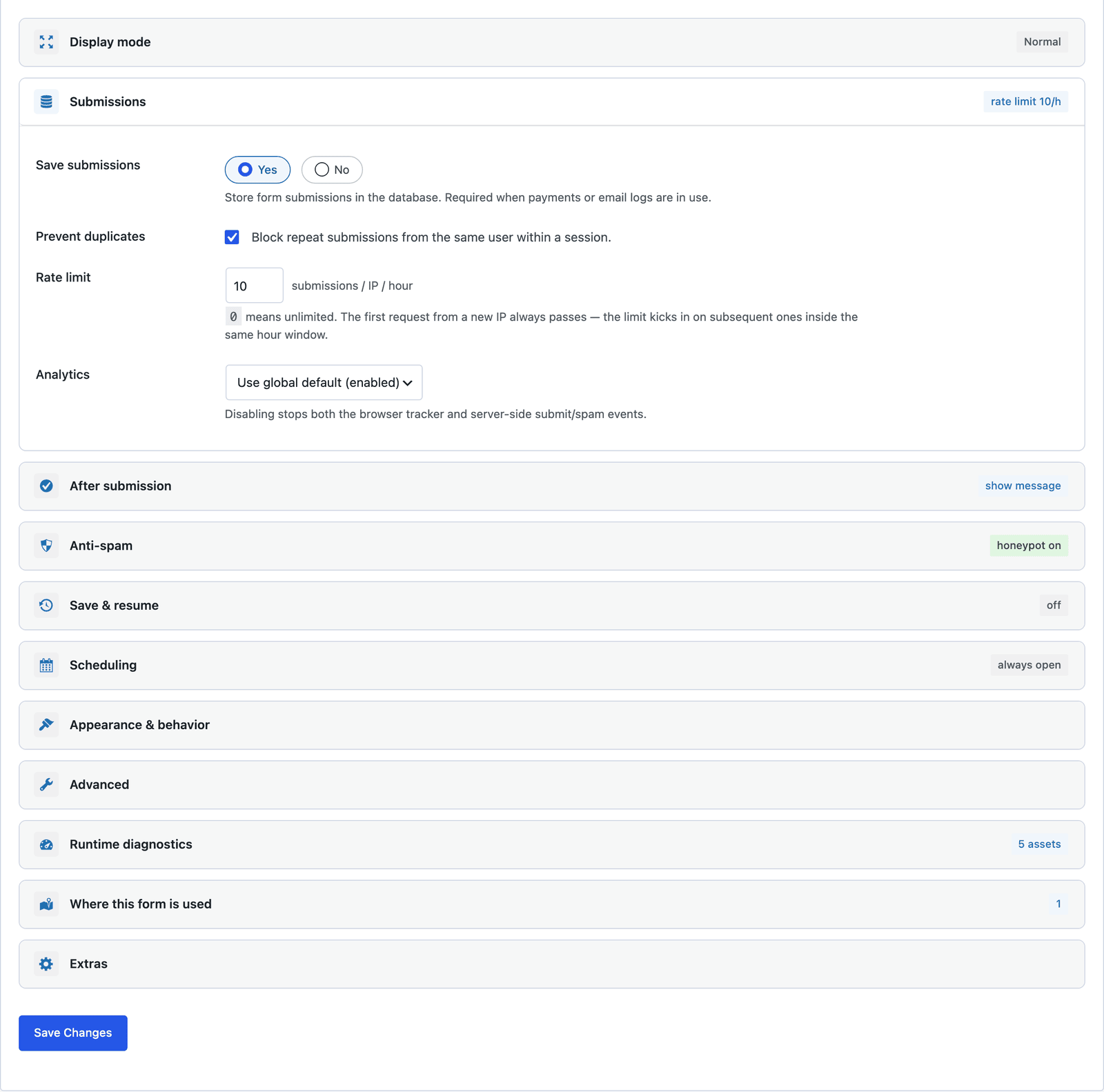 Save and resume is off, which is right here. A half-finished request should not sit in the browser.
Saved submissions live in your WordPress database. For a clinic, that means the WordPress admin, the hosting and the backups are all places where patient names and requested dates now exist, and each one needs the same care as the practice inbox. The submissions inbox feature explains how to limit who sees entries, and deleting old requests on a schedule is a habit worth keeping.
Publish the Patient Appointment Request Form
The shortcode is shown next to the form’s name in the editor:
[cf_form slug="clinic-appointment-request"]
Paste it into your Appointments page, or use the Core Forms block. Put a line above the form saying what to leave out, such as “Please do not include medical details, we will ask for those when we call,” because some patients will type them unless told.
Read the Requests
Every request lands in the form’s Submissions tab, with the category, preferred date and contact time in their own columns.
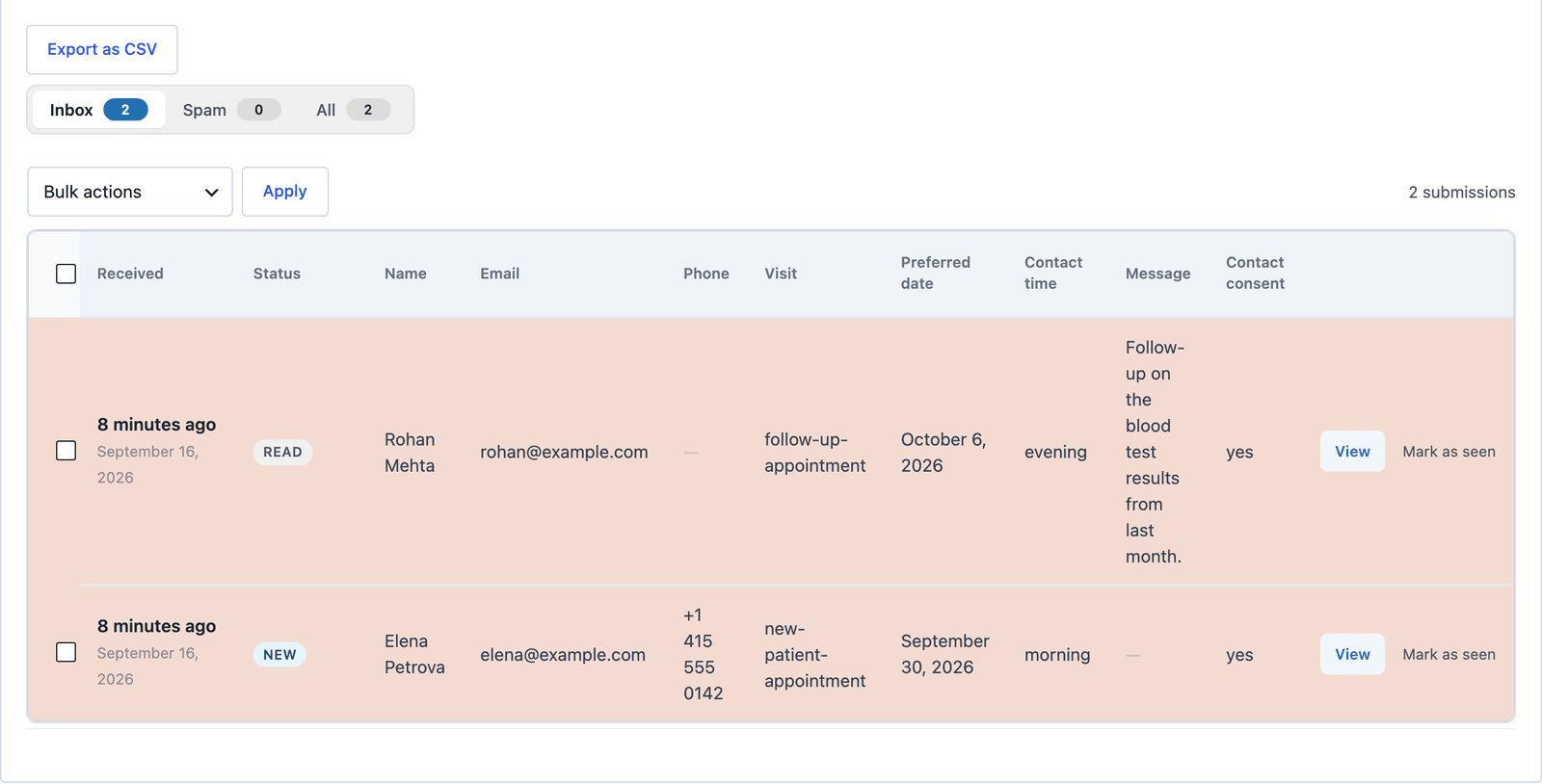 Sort by the Preferred date column and this week’s requests come first.
Click View to read the whole request and answer from the Send Reply box on the same screen. For a clinic, the phone is usually the better reply, and the contact time field tells you when.
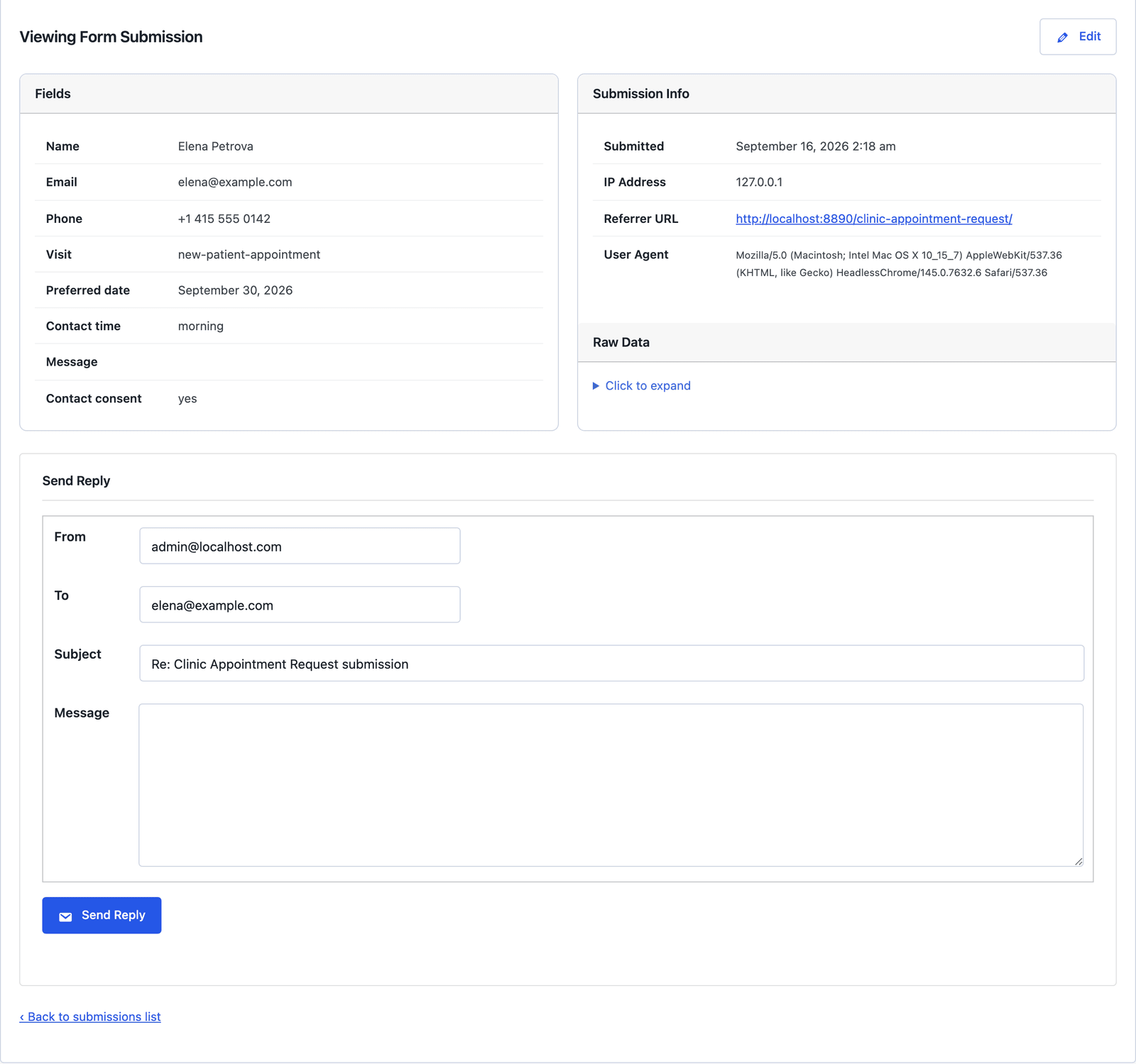 The morning and evening callback windows are the reason this form exists.
The Limits
The form does not book the appointment. The clinic calls to confirm, which is what the acknowledgement says.
It does not make a website compliant with health privacy law. A request form with no medical fields is a smaller risk than an intake form, not a zero one, because names and requested dates are still personal data. Hosting, access, retention and the agreements with your host are yours to arrange.
It does not integrate with practice management software. A webhook can post each request as JSON to a system that accepts it, and most of those systems have their own rules about what may come in from a website.
The message field is free text, and patients will sometimes put health details in it. The label asks them not to, and the note above the form helps, but the field either stays optional with that risk or gets removed.
What Quietly Ruins a Patient Appointment Request Form
Adding a symptoms field “to save time on the call.” It turns a request form into an intake form, and the rest of your website was never set up to hold what arrives in it.
Adding a file upload for insurance cards or referrals. Same problem, and now the files sit in the uploads folder of a WordPress site.
Sending the notification to a shared front-desk inbox that everyone reads. The request carries a name and a date, and that is enough to need the same handling as any other patient correspondence.
Keeping every request forever. The inbox is useful for a week. After the appointment happens, the request has no job, and a monthly clear-out is cheap.
Final Remarks
You now have a patient appointment request form that asks for the visit type, a date and a good time to call, walks the patient through it in 3 short steps, acknowledges the request and keeps medical detail out of your website. If you keep one idea from this guide, keep this one: the form’s job is to get the phone call started, and everything a doctor needs to know belongs in that call.
The clinic appointment request template page has the fields and a live demo, and the appointment booking form guide covers the general version with a time picker for practices that are not clinical. If something here does not behave the way this guide describes, the support team can help. The other 15 industry forms are listed in the industry form templates guide.
I hope it makes the front desk’s mornings a little calmer.
FAQ
Is this form HIPAA compliant?
No form is on its own. The template avoids collecting health information, which keeps it out of the hardest rules, but names and requested dates are still personal data, and compliance depends on your hosting, access controls, retention and agreements, not on the plugin.
Can I add a date of birth field?
You can, but I would not. A name plus a date of birth identifies a person far more precisely than a name alone, and the clinic can ask for it on the confirmation call.
Can patients choose a doctor?
Yes. Add a select field on the “Your request” step with the practitioners’ names and a no-preference option. The choice arrives in the submission and the notification email.