
Calculated forms
How to Build a WordPress Calculator Form With Calculated Fields
Build a WordPress calculator form with calculated fields, safe expressions, live output, server verification, and a complete quote example.

A WordPress calculator form turns named inputs into a live result: price, area, score, quantity, fee, eligibility, or another value the visitor can understand before submitting. The difficult part is not the arithmetic. It is keeping the expression safe, the output accessible, and the server result authoritative.
This guide builds a simple project quote calculator with quantity, rate, and an optional support fee. The same structure works for loan estimates, event pricing, measurement tools, survey scores, and product configurations.
A WordPress calculator form has three layers
Treat inputs, expression, and output as separate layers. The browser updates the result for speed. The server recalculates it for trust.
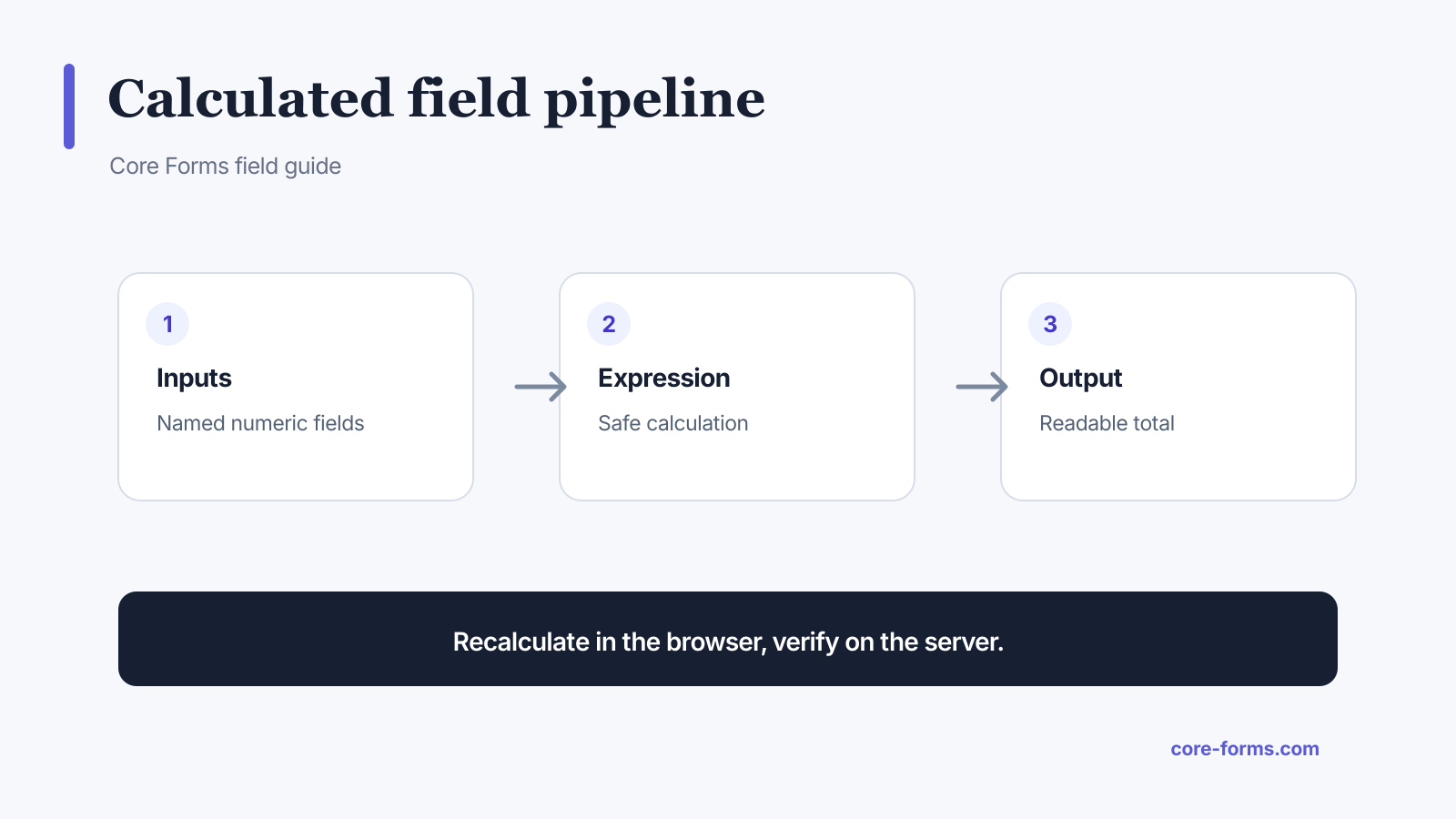 Recalculate immediately in the browser, then verify the same expression on the server.
The layers are:
- Inputs: named numeric fields with units, bounds, and defaults.
- Expression: allowed operators and functions applied to those names.
- Output: a readable result plus a stored field when the form is submitted.
Never trust a total posted by the browser. Anyone can change a hidden field or handcraft a request.
Define the formula before building fields
For a project quote:
subtotal = HOURS × HOURLY_RATE
total = subtotal + SUPPORT_FEE
Write down:
- the unit for every input;
- minimum and maximum accepted values;
- rounding rule;
- currency or measurement format;
- whether blank means zero or an error;
- which parts are estimates rather than final prices.
Ambiguous math creates ambiguous forms. “Size” could mean feet, meters, square feet, or quantity. Put the unit in the label.
Create the calculator fields
The HTML can remain ordinary and accessible:
<p>
  <label for="calc-hours">Estimated hours</label>
  <input id="calc-hours" name="HOURS" type="number"
         min="1" max="500" step="1" value="10" required>
</p>
<p>
  <label for="calc-rate">Hourly rate (USD)</label>
  <input id="calc-rate" name="HOURLY_RATE" type="number"
         min="1" max="1000" step="0.01" value="100" required>
</p>
<p>
  <label for="calc-support">Support package</label>
  <select id="calc-support" name="SUPPORT_FEE">
    <option value="0">No support package</option>
    <option value="250">30 days, $250</option>
    <option value="600">90 days, $600</option>
  </select>
</p>
Use numbers as option values when they feed the calculation. Keep the human explanation in the option label.
Add a calculated output
Core Forms calculated fields use a data-calculation expression referencing submitted field names. A simplified output looks like this:
<p>
  <label for="calc-total">Estimated total</label>
  <output id="calc-total" name="TOTAL"
          data-calculation="HOURS * HOURLY_RATE + SUPPORT_FEE"
          aria-live="polite">$1,000.00</output>
</p>
The exact expression syntax, supported operators, and functions are documented in Calculated Fields.
Use an output label that names the result. A screen reader hearing only “1,000” cannot know whether it is dollars, square feet, points, or monthly payments.
Keep the expression safe
Do not pass user input into JavaScript eval(), PHP eval(), or a database expression. A calculator needs a parser that accepts a small grammar and rejects everything else.
A safe expression layer should:
- tokenize numbers, field identifiers, operators, and approved functions;
- reject unknown identifiers;
- reject property access and function construction;
- handle division by zero;
- bound expensive or recursive work;
- normalize nonnumeric values explicitly;
- calculate again on the server;
- return a controlled error instead of executing arbitrary code.
Core Forms uses a constrained calculation parser rather than evaluating raw code.
Decide when to round
Rounding inside each step can produce a different result from rounding once at the end. Choose the rule for the domain.
For ordinary currency estimates:
- calculate using full numeric precision;
- round the final amount to the currency’s minor unit;
- format it for display;
- store the numeric result separately from the formatted string.
For measurements, show the input and output units. For scores, document whether ties and halves round up, down, or to the nearest value.
Recalculate when a dependency changes
The calculator should update after changes to any field referenced by the expression. Do not attach a listener to unrelated inputs.
Use restrained announcements. An aria-live="polite" result can help, but announcing a new total on every keystroke may become noisy. Debounce rapid text entry or update on input controls whose changes are discrete.
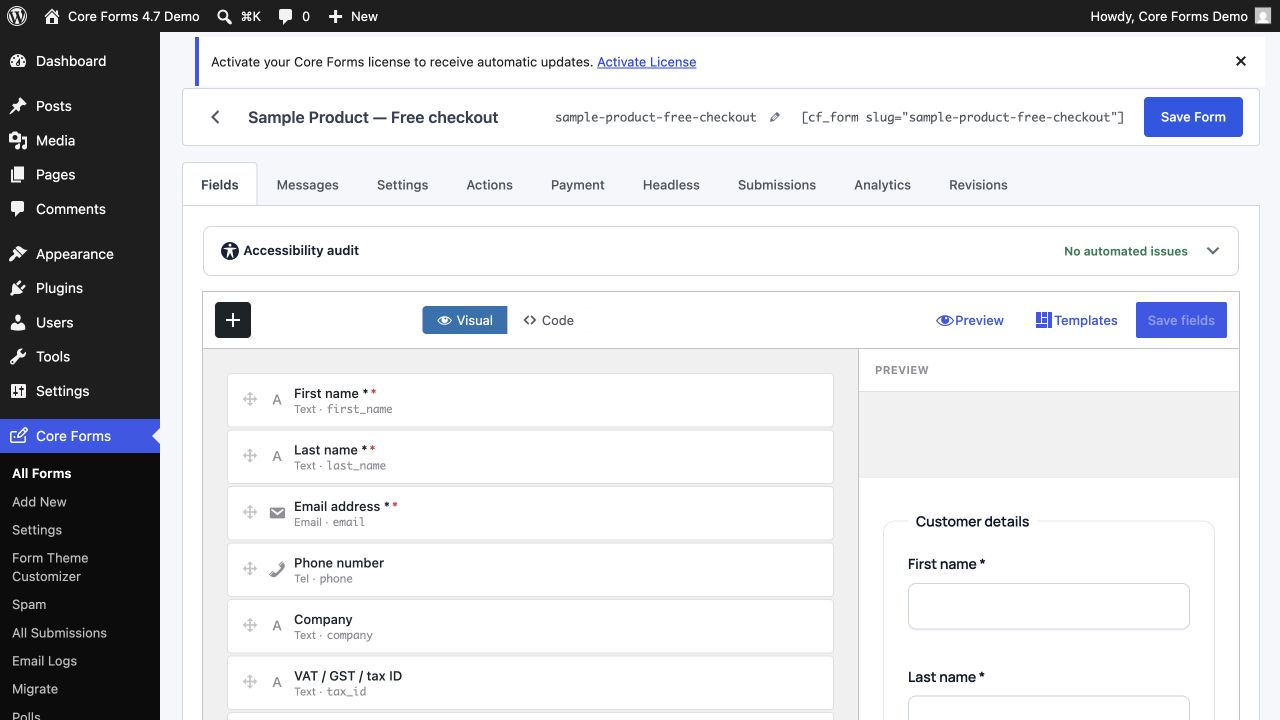 Clear field names are part of the calculation interface, not an implementation detail.
Add conditional pricing without unreadable formulas
If pricing depends on a choice, prefer numeric option values or a small set of named intermediate fields.
Readable:
BASE_PRICE + SUPPORT_FEE + (EXTRA_USERS * USER_PRICE)Hard to maintain:
if(TYPE == 2, 199 + X * 17, if(TYPE == 3, 399 + X * 13, 99 + X * 21))When the expression starts encoding the whole business model, move pricing into a server-side function or product system. A form formula is excellent for transparent estimates, not a replacement for a tax, subscription, inventory, or entitlement engine.
Validate the inputs twice
Browser constraints provide immediate help:
type="number";required;minandmax;step;- custom validity for cross-field rules.
The server must enforce the same bounds and formula. Browser validation can be bypassed. The server-side result should overwrite or compare against any posted calculated value.
If the amount starts a payment, create the provider amount from the server result only. The payment feature verifies paid state through signed gateway webhooks rather than trusting the browser return.
Make the estimate honest
Label an estimate as an estimate. State what it includes and what can change it.
Good result copy:
Estimated project total: $1,250. This includes 10 hours and 30 days of support. Taxes and third-party costs are not included.
Weak result copy:
Your price is $1,250.
The first tells the person what the number means. The second turns a provisional calculation into a promise.
Test a WordPress calculator form
Before publishing, test:
- minimum and maximum values;
- blank required inputs;
- decimal steps;
- zero and negative input;
- division by zero when applicable;
- very large values;
- changed select options;
- keyboard-only operation;
- mobile numeric keyboard;
- live output announcement;
- server-side recalculation;
- stored numeric result;
- payment or email action using the verified result.
Also write a few fixed examples with known answers. If 10 × 100 + 250 does not return 1,250, the test should fail immediately.
When to use a calculator page instead of a form
Use a standalone calculator when the visitor only needs the result and you do not need to collect personal data. Use a calculator form when submission starts a quote, saves a configuration, creates a lead, or hands a verified amount to another workflow.
The free Stripe fee calculator is a standalone tool. It runs in the browser and does not ask for contact details because the result is the whole job.
A calculated price feeds straight into a payment, and the order form guide shows the Payment tab reading the field. For an estimate rather than a charge, the request a quote form is the pattern.
FAQ
Can WordPress forms calculate totals?
Yes. A calculated field can reference numeric inputs and update an output. The server should recalculate the result before saving it or using it for payment.
Should I use JavaScript eval for a form formula?
No. Use a constrained expression parser with approved operators and functions. Raw evaluation turns form input into executable code.
How do I calculate a price from a dropdown?
Give each option a numeric value, reference that field in the expression, and keep the human-readable description in the option label.
Can a calculated form take payment?
Yes, but create the provider amount from the server-verified calculation. Confirm payment through the provider’s signed webhook, not the success redirect.
How should I display calculator errors?
Name the input or expression problem and explain how to fix it. Keep the last valid result clearly separate from an unavailable or invalid result.