
HTML forms
HTML Hidden Input: Useful Data, Not Trusted Data
An HTML hidden input carries a page ID, campaign, or return URL. Here is the markup, and the values you must never trust it to hold.

An HTML hidden input carries a value the person does not type: a page ID, a campaign name, a selected plan, or a return URL. It is not a secure place for a price, a permission, a role, or an ownership decision.
The browser submits it like any other control. A visitor cannot see it in the rendered form, and can still inspect it, edit it, delete it, and resend it.
The HTML hidden input
This is the field. The name is what your server reads. The value is whatever you put there when the page rendered.
<input type="hidden" name="campaign" value="spring-launch">Here is a complete plain HTML example. The person enters an email address; the hidden campaign value travels in the same submission:
<form method="post" action="/subscribe">
  <label for="signup-email">Email address</label>
  <input type="email" id="signup-email" name="email" required>
  <input type="hidden" name="campaign" value="spring-launch">
  <button type="submit">Subscribe</button>
</form>
For maya@example.com, the decoded fields are:
{"email":"maya@example.com","campaign":"spring-launch"}Your server still needs to implement /subscribe, validate the email and decide how it uses the campaign value. The HTML alone doesn’t save a subscriber.
Hidden, Disabled or Hidden With CSS?
These controls can look equally absent while behaving differently in a submission:
| Control | Submitted when named and enabled? | What to watch |
|---|---|---|
type="hidden" | Yes | The person can inspect and change its value. |
An input with disabled | No | Its value is omitted from normal form data. |
| A text input hidden with CSS | Yes | Hiding doesn’t disable it or remove its validation rules. |
You can set a hidden input’s value with JavaScript before submitting, but that doesn’t make it trusted. The HTML hidden-input reference explains why visibility and security are separate decisions.
A WordPress form can fill that value from the current post or the URL:
<input type="hidden" name="page_id" value="{{post.ID}}">
<input type="hidden" name="campaign" value="{{url_params.utm_campaign}}">
<input type="hidden" name="user_id" value="{{user.ID}}">
The data variables documentation explains the difference between render-time {{tag.field}} values and post-submission [field_name] variables. Treat every one of those values as a claim until the server checks it.
Safe uses for hidden fields in HTML forms
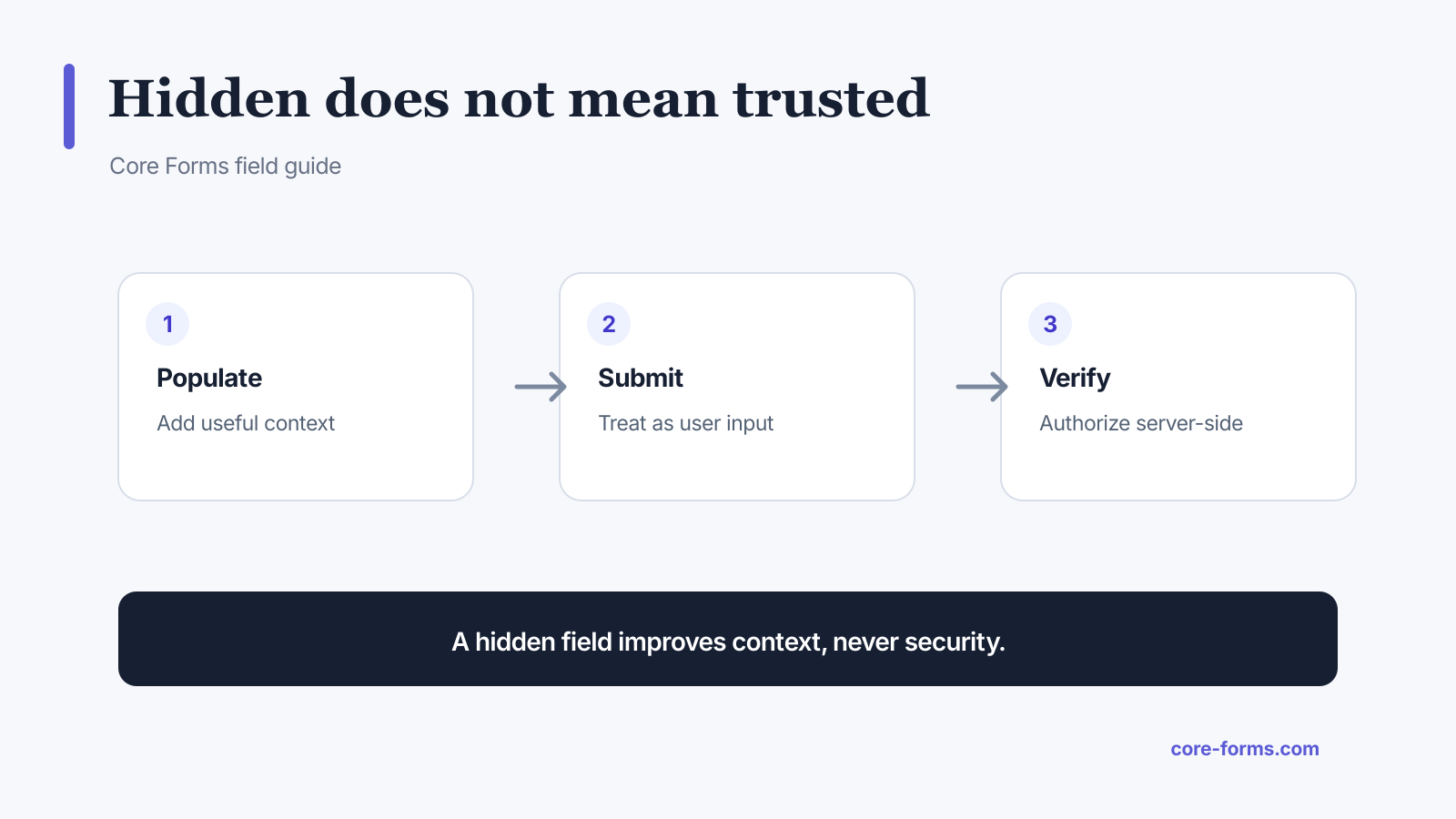 A hidden field improves context. The server still decides whether that context is valid.
Good candidates include:
- the ID of the page containing the form;
- a campaign or referral label;
- a non-sensitive form version;
- the intended subject or routing category;
- a UI state that the server independently validates;
- a return path selected from an allowlist.
Values that do not belong in hidden inputs
Never trust a hidden value for:
- product price or discount amount;
- WordPress role or capability;
- account ownership;
- paid status;
- authorization to view or change a record;
- webhook secret, API key, or nonce substitute;
- inventory or eligibility decisions;
- file-system paths or unrestricted redirect destinations.
MDN explicitly warns that the value of an input type="hidden" can be edited in browser developer tools. Hidden means visually absent, not tamper-proof.
Recalculate trusted values on the server
Suppose a form contains this input:
<input type="hidden" name="price" value="49.00">An attacker can change 49.00 to 0.49. The server should accept a stable product ID, look up the current price in its own database, apply valid discounts there, and send the trusted amount to the payment provider.
The same rule applies to access:
<input type="hidden" name="role" value="subscriber">Do not pass that value straight into user creation. Choose the allowed role in server-controlled settings. Core Forms’ WordPress user action restricts roles and never allows a public form to create an administrator.
Hidden field versus nonce
A WordPress nonce is often delivered in a hidden field, but its protection comes from the server-generated token and server-side verification, not from being hidden.
A nonce helps establish that:
- the request originated from a page or action generated by the site;
- the token belongs to an expected action window;
- basic cross-site request forgery attempts can be rejected.
A nonce does not prove that every submitted value is honest, and WordPress nonces are not a replacement for capability checks. Validate the nonce, confirm permissions, and sanitize the data as separate steps.
Signed values when context must survive
Sometimes the server needs to hand a value to the browser and later detect changes. Sign the value instead of trusting it directly.
A signed package can include:
value = product_42
expires = 1788259200
signature = HMAC(secret, value + "." + expires)
When the form returns, the server:
- checks the expiry;
- recomputes the signature;
- compares it in constant time;
- loads the product from trusted storage;
- applies current authorization and pricing rules.
Do not put the signing secret in HTML or JavaScript.
Avoid hidden-field data leaks
Hidden inputs remain part of the page source and submission. Do not use them for values you would not expose to the visitor.
Review whether a value can leak through:
- page source and browser extensions;
- analytics and session replay;
- email templates using
[all]; - submission exports;
- webhook payloads;
- server and proxy logs;
- cached HTML.
If [all] includes an internal routing field, use explicit variables or [all:label] only after confirming which values appear. The person receiving an autoresponder should not see internal risk scores or staff notes.
A server-side acceptance checklist
For every hidden field, answer:
- Who created this value?
- Can the browser change it?
- Is there an allowlist?
- Does it affect money, identity, access, or ownership?
- Can the server derive it instead?
- Should it be stored, emailed, exported, or discarded?
- Does the current user have permission for the resulting action?
If a value affects a security decision, derive or verify it on the server. That single rule prevents most hidden-field mistakes.
Two places hidden fields earn their keep: the UTM tracking setup, which carries the campaign source, and the conditional logic guide, where a hidden value routes the submission.
FAQ
Can users edit hidden form fields?
Yes. They can edit the DOM, construct their own request, or replay a modified submission.
Are hidden fields encrypted?
No. Their values are visible in page source and network requests unless the value itself is separately protected.
Can I store a price in a hidden field?
You can display or carry it as a hint, but the server must look up and calculate the trusted price again.
Is a WordPress nonce just a hidden field?
It may be transported in one, but its value comes from server generation and verification. Hidden placement is not the protection.
What should I use instead of a hidden role field?
Choose the permitted role in trusted server-side configuration and enforce an allowlist when processing the form.