
Drop-off
Where Users Quit a Form and What to Change First
Diagnose form field drop-off using traffic, starts, last-field events, validation, and action logs, then change the largest measured problem first.

Form field drop-off data is useful only when it changes the order of your investigation. It should tell you whether to inspect traffic, the first screen, a specific field, validation, or the post-submit action first.
This is a diagnostic framework based on the events Core Forms records. It is not a claim that one universal field always causes abandonment. Your form needs enough real sessions before a local pattern deserves a conclusion.
Diagnose form field drop-off in this order
Start outside the field. Wrong traffic, a weak offer, or a failed action can look like a form-design problem when the dashboard is too narrow.
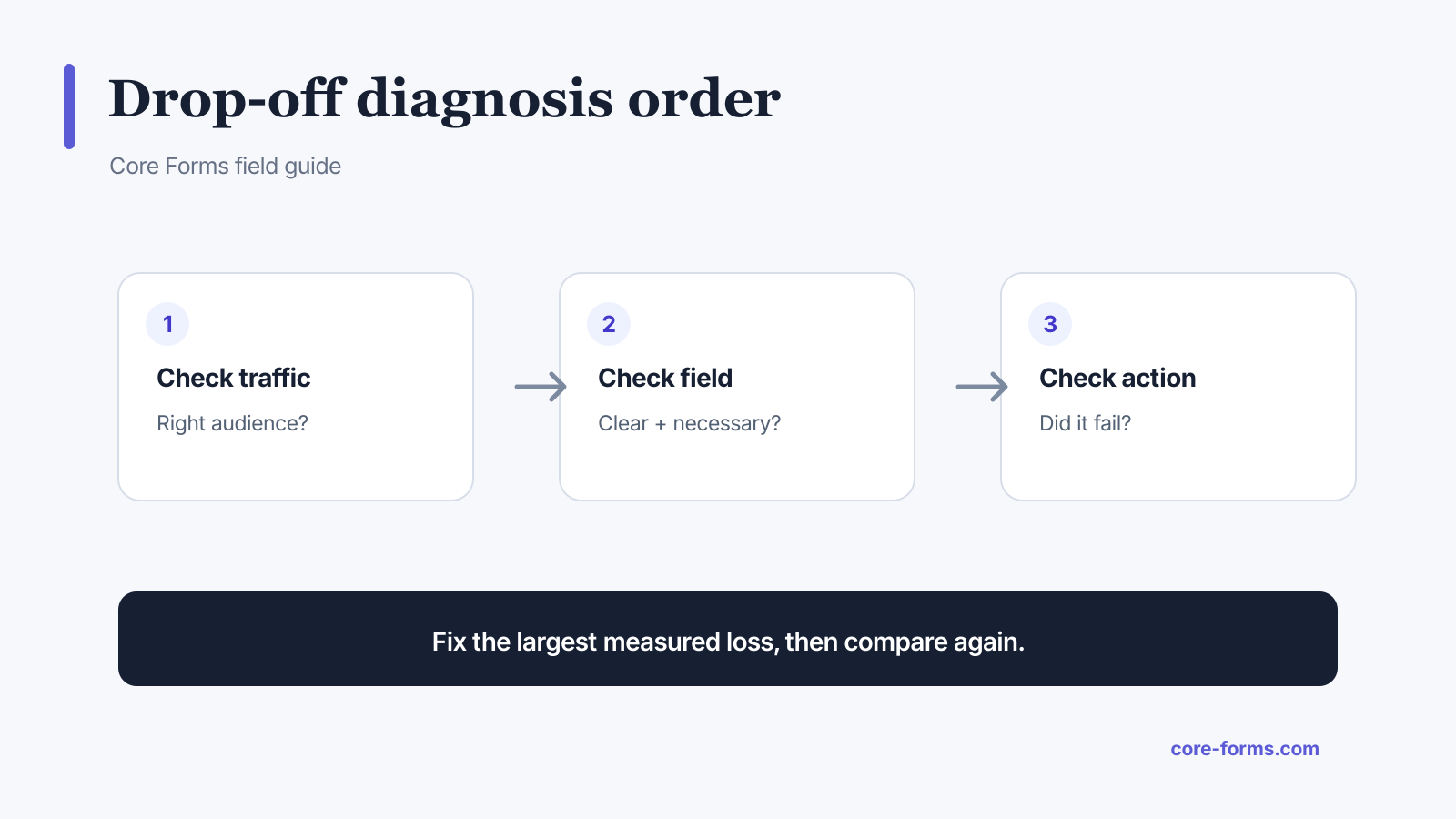 Check the audience, the field, and the downstream action before declaring a cause.
Use this order:
- verify the intended audience reached the page;
- compare form views with starts;
- compare starts with successful submissions;
- inspect last-field and step data;
- inspect validation errors;
- inspect server and action failures;
- compare outcome quality, not just volume.
If views are low, the form is not the first problem
Check placement, page traffic, indexing, campaign delivery, and whether the form actually entered the viewport under your view definition.
A form in the footer can have many page loads but few real views. A campaign may send visitors to the wrong page. A tracking script may fail because consent or caching rules block it.
Do not remove fields to fix missing traffic.
If views are high but starts are low
Inspect the page and first screen:
- Is the outcome clear?
- Does the button or heading match the source promise?
- Is the form visible without an unexpected click?
- Are trust and privacy questions answered?
- Does the first field feel too sensitive?
- Does the form look broken or overwhelming on mobile?
- Is the visitor eligible to complete it?
The first field can matter, but the page earns the start.
If one field has concentrated drop-off
Ask six questions before removing it:
- Is the field necessary for the promised outcome?
- Is its purpose visible before entry?
- Does the label use the audience’s language?
- Is the value easy to know at this stage?
- Does validation accept legitimate formats?
- Is the next field or action actually where failure occurs?
High-cost fields include:
- phone number before trust exists;
- exact budget before scope is known;
- account or order identifiers the person must search for;
- file uploads on mobile;
- long explanations;
- sensitive personal data;
- dates or addresses with rigid format rules.
Options include removing the field, making it optional, moving it later, explaining why it is needed, accepting broader formats, or using conditional disclosure.
If validation errors cluster
Report the error type and whether people recover.
For email:
- accept valid international and plus-address formats;
- use
type="email"for browser help; - do not reject unusual but valid domains from a simplistic pattern;
- show an example in the error;
- keep the entered value.
For phone:
- decide whether the form needs a national or international number;
- allow spaces and common punctuation, then normalize server-side;
- show the country assumption;
- do not require a pattern the label does not explain.
For files:
- state type and size limits before upload;
- show upload progress;
- preserve other answers after failure;
- name the rejected file and rule;
- consider a link field when uploads are too costly.
If starts and submit attempts are healthy but completions fall
Inspect the server path:
- nonce or origin failures;
- CAPTCHA or spam false positives;
- rate limiting;
- required fields hidden by conditional logic;
- calculation errors;
- upload failures;
- database errors;
- payment handoff;
- network timeouts.
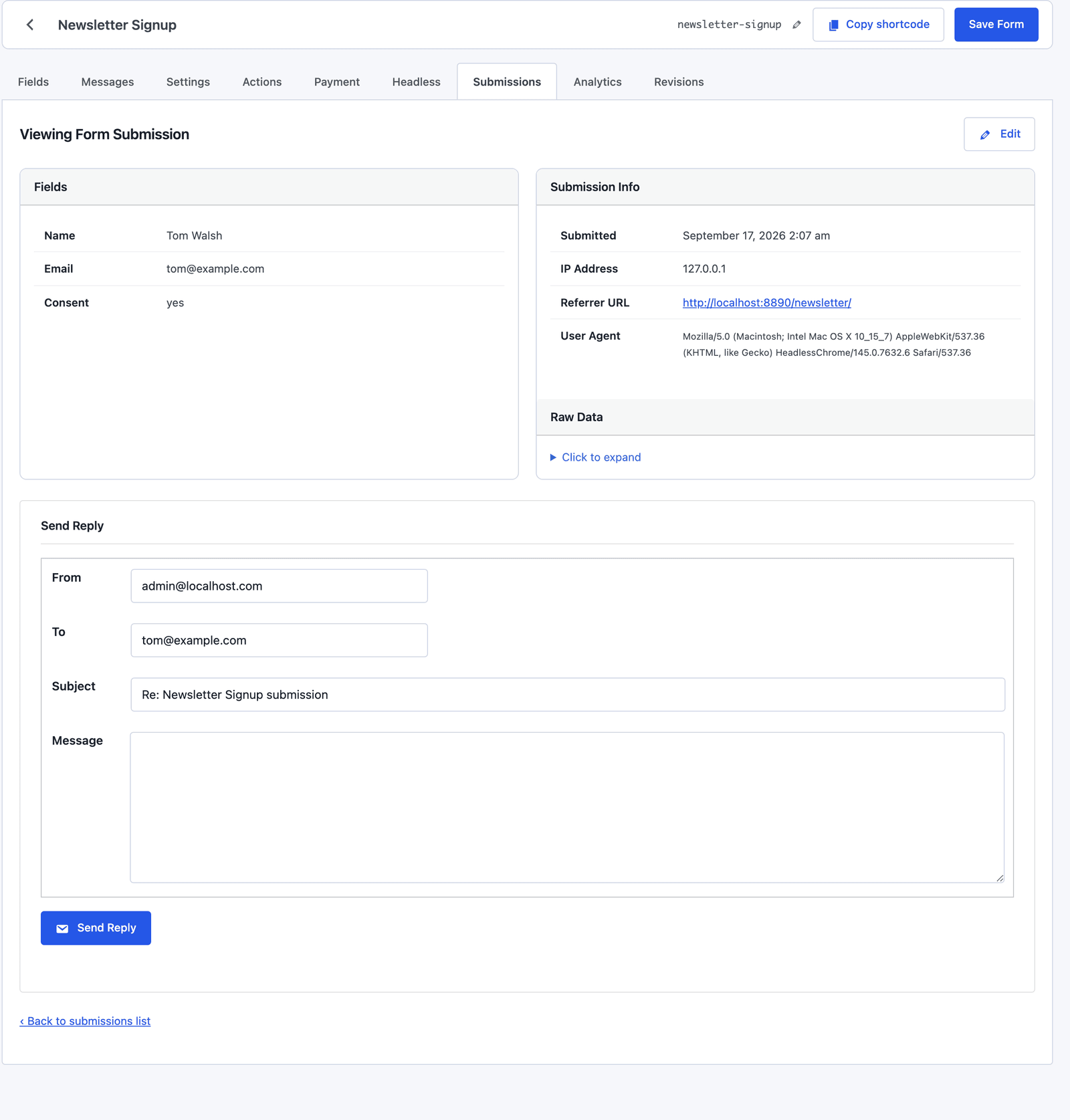 Accepted data and downstream workflow state need separate evidence.
A frontend “something went wrong” spike may be a server error, not user reluctance.
If the form completes but the workflow fails
Track actions separately:
- notification email;
- autoresponder;
- CRM record;
- spreadsheet row;
- webhook;
- payment checkout;
- license or order fulfillment.
The form may be healthy while leads vanish in a failed integration. Use retry logs and an owned submissions inbox before rewriting fields.
Use a stable comparison window
Record the date and nature of every meaningful change. Compare similar traffic sources, devices, and weekdays when possible.
Do not change:
- the headline;
- three fields;
- button copy;
- traffic campaign;
- and confirmation flow
all at once. A better result will not tell you which change mattered.
Change the largest measured problem first
Prioritize by:
- affected sessions;
- severity;
- confidence in the cause;
- ease and reversibility of the fix;
- value of the resulting submissions.
A field affecting 5% of sessions may matter more than a field affecting 20% if it blocks all high-value applications. Numbers need business context.
The form analytics dashboard supplies the funnel, field drop-off, attribution, and recommendations. Use the submissions inbox to check whether the completed results are actually useful.
Do not publish universal drop-off claims from one form
Local analytics can support statements such as:
From July 1 to July 21, 38 of 214 started sessions ended after the required phone field. After making phone optional, the next comparable 214 starts produced 19 exits at that point.
It cannot support:
Phone fields cut conversion by 50%.
The first statement defines the form, period, counts, and change. The second erases context and overstates causality.
The numbers come from the form analytics dashboard, and the rules the fixes follow are in the form design best practices.
FAQ
What is form field drop-off?
It is the point where a started form session ends without successful submission, usually represented by the last field or step reached.
Does the last field prove what caused abandonment?
No. It identifies where to investigate. The next field, validation, a technical failure, or unrelated interruption may be the cause.
Which form fields cause the most drop-off?
High-effort or sensitive fields deserve scrutiny, but there is no universal ranking that replaces local data and context.
How much data do I need?
Enough comparable sessions for the pattern to repeat. Use raw counts with rates and avoid strong conclusions from a handful of sessions.
What should I change first?
Fix clear technical and accessibility failures immediately. Otherwise choose the largest measured, high-value problem with a plausible and reversible fix.