
Best WordPress Newsletter Plugins in 2026: What the Free Tiers Cost and Which One Fits
The WordPress newsletter plugins worth shortlisting in 2026, MailPoet, MailerPress, FluentCRM and The Newsletter Plugin, compared on subscriber limits, who does the sending, what the paid tiers buy and which one fits which kind of site.

Some links here are affiliate links. If you buy through one, I earn a commission at no cost to you. Core Forms is mine, so weigh my bias there too.
A WordPress newsletter plugin is chosen on 2 things before anything else: who sends the email, your server or theirs, and what the free version stops at.
I run my own newsletter on one of the plugins below, and I build Core Forms, which appears at the end as the signup form side of the job rather than a newsletter plugin. The 4 plugins were checked against their own pricing pages on the day of writing.
One guide cannot cover Mailchimp, Kit, Brevo and the other hosted services, and there is a separate piece on this site for that decision. This one covers the 4 plugins that keep the subscriber list in your WordPress database, the free tiers honestly, the sending question that decides most of it, and which one fits which site.
There is nothing to download. Or, if you are choosing for a client and want a second opinion, I am always available for a chat.
Quick Verdict
- MailPoet for a site that wants sending included, without setting up an email API, and is fine with a subscriber cap on the free plan.
- MailerPress for a blog or creator that wants a modern editor, no subscriber limit and its own sending service behind it.
- FluentCRM for a site that needs a CRM with automations and tags, where the newsletter is one part of a larger email program.
- The Newsletter Plugin for the site that wants the plainest tool with unlimited subscribers free and a one-time price for the extras.
- A form plugin with email marketing actions, Core Forms in my case, for the signup form itself, feeding any of the 4 or a hosted service.
The rest of the page is the reasoning.
Who Does the Sending
This is the question the feature tables skip, and it decides the price and the deliverability.
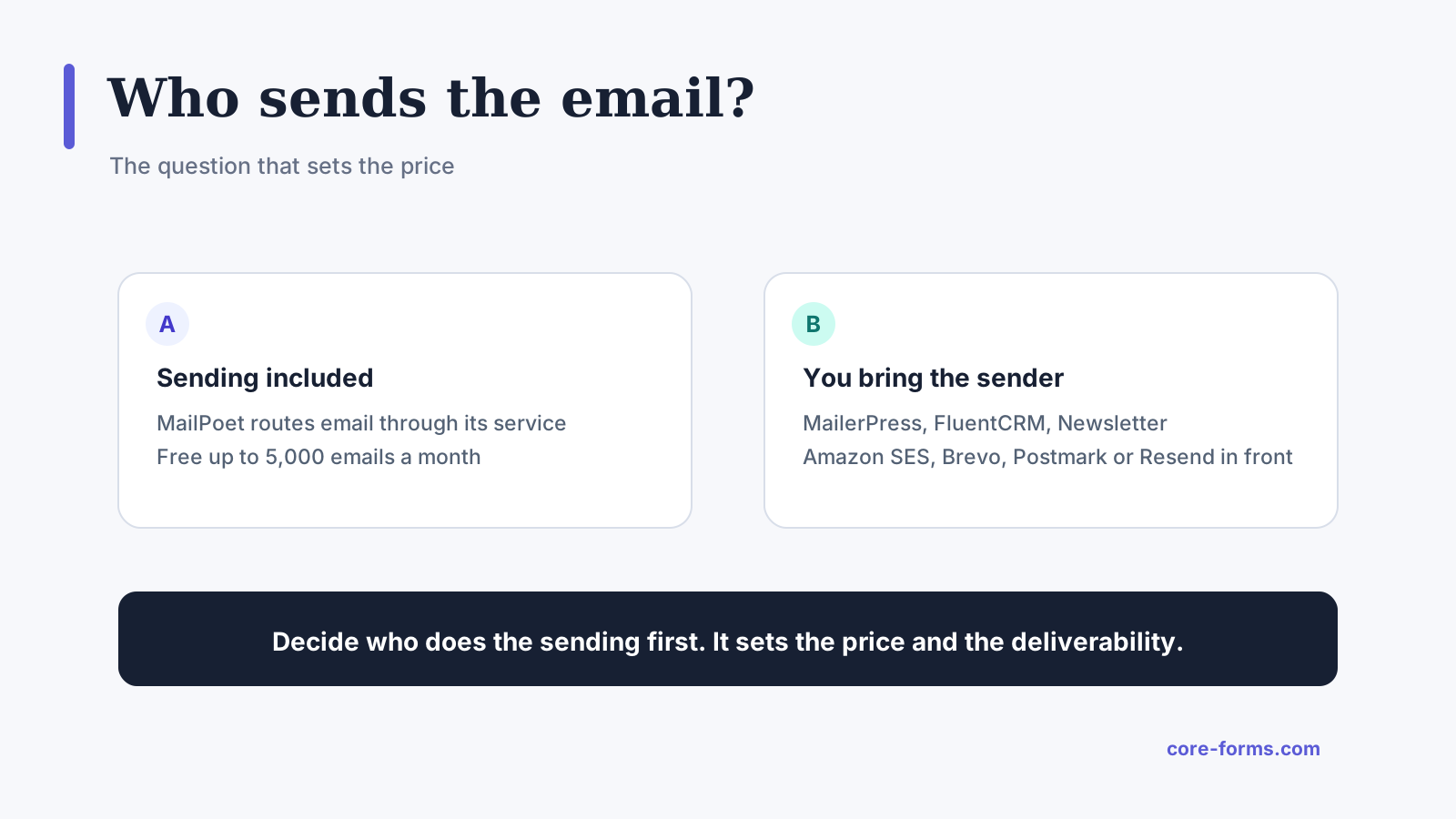 Sending included on the left, your own sender on the right. The price and the deliverability follow from this.
- MailPoet includes its own sending service on the free and Business plans. Emails go through MailPoet’s servers, and the free plan caps that at 5,000 emails a month.
- MailerPress, FluentCRM and The Newsletter Plugin send through your site. Out of the box that means the WordPress mail function, which for a newsletter means an SMTP or email API plugin in front of it: Amazon SES, Brevo, Mailgun, Postmark or Resend.
A newsletter from a shared host’s mail function lands in spam. Budget the sending service into the comparison, because Amazon SES at about 10 cents per thousand emails is close to free, and a plugin that uses it costs the plugin’s price plus almost nothing per send.
What the Free Versions Stop At
Every plugin here has a free version, and the limits differ in kind:
| Plugin | Free subscriber limit | Free sending | The first thing you pay for |
|---|---|---|---|
| MailPoet | 500 | 5,000 emails a month through MailPoet | More subscribers, or unlimited sends |
| MailerPress | Unlimited | Through your own SMTP or API | Premium integrations, AI features, automations |
| FluentCRM | Not stated on the pricing page | Through your own SMTP or API | Advanced automations and integrations |
| The Newsletter Plugin | Unlimited | Through your own SMTP or API | Autoresponders, delivery integrations, reports |
MailPoet’s cap is on subscribers, which is the one that forces an upgrade as the list grows. The other 3 cap features, not people, so a list of 20,000 can stay on the free version if the free features are enough.
MailPoet
MailPoet is the most installed of the 4 and the only one that bundles sending. It is an Automattic product, sits closest to WooCommerce, and its free plan covers 500 subscribers and 5,000 emails a month with the sending service included.
Its paid plans, on the day of writing, are priced by subscriber count on a slider rather than as fixed tiers:
- Business includes the sending service and unlimited emails a month, with the price rising with the subscriber count.
- Creator is the Business feature set without the sending service, for a site that has its own.
- Agency covers 50 sites with the sending service included.
The MailPoet pricing page has the slider. Put your real subscriber count in it, because that number is the price.
Pick it when you do not want to set up an email API, the list is small or the budget is fine with a subscriber-based price, and the site runs WooCommerce.
MailerPress
MailerPress is the newest of the 4 and the one I moved my own newsletter to. The free version has no subscriber limit and no campaign limit, the editor is built on the block editor, and it sends through whatever SMTP or API you connect.
Its paid tiers, per year on the day of writing:
- Starter at $49 for 1 site.
- Business at $99 for 3 sites.
- Enterprise at $199 for unlimited sites.
All 3 have the same features, and the difference is site count. There is a 14-day refund, and the MailerPress pricing page has the tiers. I wrote up the move in a MailerPress review, including the parts that were rough at the time.
Pick it when you write the newsletter in the block editor anyway, the list is large enough that MailPoet’s per-subscriber price stings, and you are happy to connect Amazon SES or a similar service.
FluentCRM
FluentCRM is a CRM that sends newsletters, not a newsletter plugin that stores contacts. It has tags, lists, segments, automation funnels and a contact timeline, and the newsletter is one campaign type inside that.
Its paid tiers, per year on the day of writing, with the pricing page showing a discount against the regular price:
- Solo at $103 ($129) for 1 site.
- Small Business at $199 ($249) for 5 sites.
- Agency at $399 ($499) for 50 sites.
It sends through the WordPress mail function and its own SMTP connections, and its pricing page prices Amazon SES into the comparison at 10 cents per thousand emails. The FluentCRM pricing page has the tiers.
Pick it when the newsletter is part of an email program with tags, sequences and a sales funnel, and a plain newsletter tool would have you bolting on a CRM within a year.
The Newsletter Plugin
The Newsletter Plugin is the oldest of the 4 and the plainest. The free version has unlimited subscribers and unlimited newsletters, a visual composer, subscription forms and basic reports, and it asks for nothing until you want the extras.
Its premium plans, on the day of writing, are one-time payments with a year of support and updates:
- Essential at $69 for 1 site.
- Professional at $99 for 3 sites, which adds autoresponders and email series, delivery service integrations and advanced reports.
- Agency at $299 for unlimited sites.
After the year the add-ons keep working, and updates stop until you renew. There is a 30-day refund, and the Newsletter Plugin pricing page has the tiers.
Pick it when you want the fewest moving parts, the list is large, and a one-time price with a plain editor beats a subscription with a fancy one.
The Signup Form Is a Separate Decision
Every plugin above ships a signup form, and every one of those forms is the weakest part of the product. A form plugin does the form better, with consent handled properly, spam protection, conditions and a confirmation email, and hands the subscriber to whichever newsletter plugin or service you chose.
Core Forms does this with a Newsletter signup template and email marketing actions for MailerPress, FluentCRM, Mailchimp, Kit, ActiveCampaign, Brevo, MailerLite, Drip and HubSpot, and one test submission with your own address shows the subscriber landing before a visitor does. The newsletter signup form guide builds it, and the MailerLite guide shows one action end to end.
What it is not: a newsletter plugin. It does not send campaigns, keep a subscriber list of its own or track opens. It collects the subscriber, with consent, and passes them on.
The Comparison in One Table
| MailPoet | MailerPress | FluentCRM | The Newsletter Plugin | |
|---|---|---|---|---|
| Free subscriber limit | 500 | Unlimited | Not stated | Unlimited |
| Sending included | Yes, 5,000 a month free | No, your SMTP or API | No, your SMTP or API | No, your SMTP or API |
| Cheapest paid tier | By subscriber count | $49/yr | $103/yr | $69 once |
| Pricing model | Per subscriber | Per site | Per site | Per site, one-time |
| Automations | Basic on free | Paid | Yes, the core of it | Professional and up |
| Best for | WooCommerce, no email API | Block editor writers | Email programs with a CRM | Plain and large lists |
Prices are what each pricing page showed on September 17, 2026, and FluentCRM’s page shows a discount against a regular price, so the number at renewal may be higher.
The Limits
This is a researched comparison of pricing pages and documentation, plus my own use of one of them. It is not a deliverability benchmark, and no plugin here was measured for inbox placement for this page.
MailPoet’s paid price depends on your subscriber count, so the table cannot give it as one number. Use the slider on its page.
FluentCRM’s pricing page does not state the free version’s limits, so the table says so rather than guessing.
Core Forms is mine, and it is on this page as the form, not as a newsletter plugin. If you already have a signup form you like, nothing above needs it.
What Quietly Ruins a Newsletter Plugin Choice
Sending a newsletter through the host’s mail function. The plugin works, the first issue goes to spam, and the sending service that would have fixed it costs a few dollars a month.
Buying on the free subscriber limit alone. A list grows, and a per-subscriber price that was fine at 500 is the line item that gets questioned at 5,000.
Choosing a CRM for a monthly newsletter. FluentCRM is excellent at what it does, and a site that sends one issue a month will never open the automation screen.
Using the plugin’s built-in signup form on a page that gets spam. The form is the door, and a door without a honeypot and a consent checkbox fills the list with addresses that bounce.
Final Remarks
You now know who sends the email on each of the 4, where the free version stops, what the first paid tier buys and which kind of site each one fits. If you keep one idea from this guide, keep this one: decide who does the sending first, because that answer sets the price and the deliverability before any feature does.
When someone asks me which to pick, I tell them 2 things. If setting up Amazon SES sounds like a chore you will put off, take MailPoet, because a newsletter that goes out beats one with a better editor that does not. And if the list is going to be large, take one of the 3 that never charge per subscriber, and spend the difference on the sending service.
The newsletter signup form guide builds the form that feeds any of them, and the FluentCRM, HubSpot and Mailchimp comparison covers the hosted side of the decision. If you would rather talk it through for a specific site, I am always available for a chat.
I hope the plugin you pick is one you never think about on the morning an issue goes out.
For the hosted route, the fast Mailchimp signup form shows how to connect Mailchimp without its 90 KB embed.
FAQ
Which WordPress newsletter plugin is free with unlimited subscribers?
MailerPress and The Newsletter Plugin both have free versions with no subscriber limit. Both send through your own SMTP or email API, so budget a sending service alongside them.
Do I need an SMTP plugin with a newsletter plugin?
With MailPoet on a plan that includes its sending service, no. With MailerPress, FluentCRM or The Newsletter Plugin, yes, or the equivalent API connection, because a newsletter sent through a shared host’s mail function is filtered as spam.
Can I use a form plugin as the signup form?
Yes, and it is usually the better form. Core Forms’ Newsletter signup template collects the name, the email and a consent checkbox, and an email marketing action adds the subscriber to the plugin or service you chose.