
Lead or deal
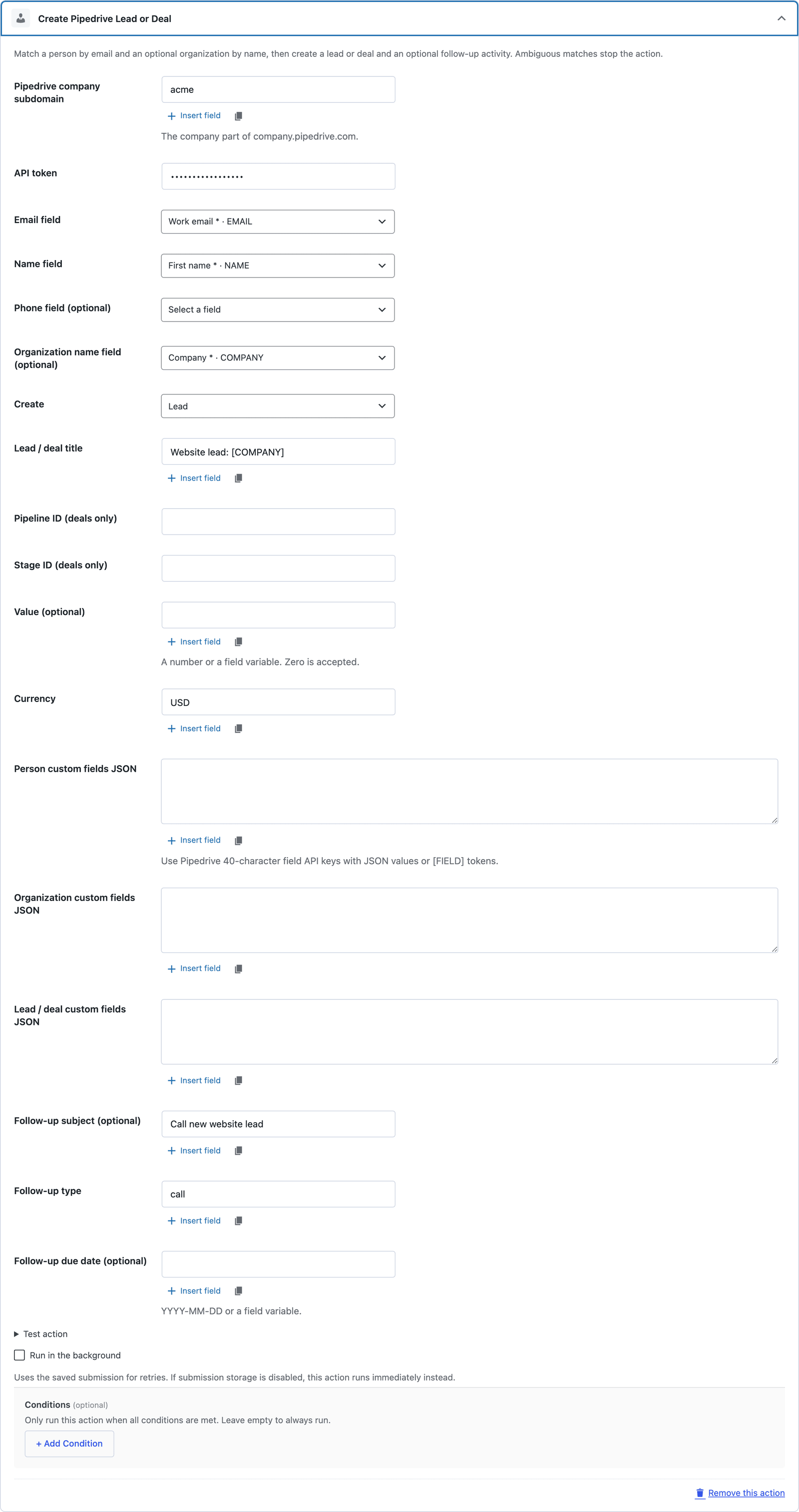
Pick Lead or Deal per form. Deals take a pipeline and stage ID, and Core Forms checks that the stage belongs to that pipeline before it creates anything.
CRM & automation
Create Pipedrive leads or deals, matched to the right person and organization.
Bundled with Core Forms, the WordPress forms plugin with every premium feature in the box. No add-on tax.
Core Forms turns a submission into a Pipedrive lead or deal. It matches the person by email and the organization by exact name, creates whichever is missing, then opens the lead or deal and an optional follow-up activity.
When more than one person or organization matches, the action stops instead of guessing. You clean up the duplicate in Pipedrive and retry, and nothing gets attached to the wrong contact.
Pick Lead or Deal per form. Deals take a pipeline and stage ID, and Core Forms checks that the stage belongs to that pipeline before it creates anything.
People match on exact, case-insensitive email and organizations on exact name. Existing people keep their email list.
Separate JSON maps for person, organization and lead or deal fields, keyed by Pipedrive's 40-character field API keys. Field tokens keep their submitted type.
Add a subject, activity type and due date to create a linked task or call for the rep who picks it up.
Set a fixed value or map one from a field. Zero is accepted, with a three-letter currency code.
Each step is recorded, so retrying a failed activity does not create the lead or deal a second time.
In Pipedrive, open Personal preferences → API and copy the token. Note your company subdomain from company.pipedrive.com.
Form → Actions → Add Action → Create Pipedrive Lead or Deal. Enter the subdomain and token.
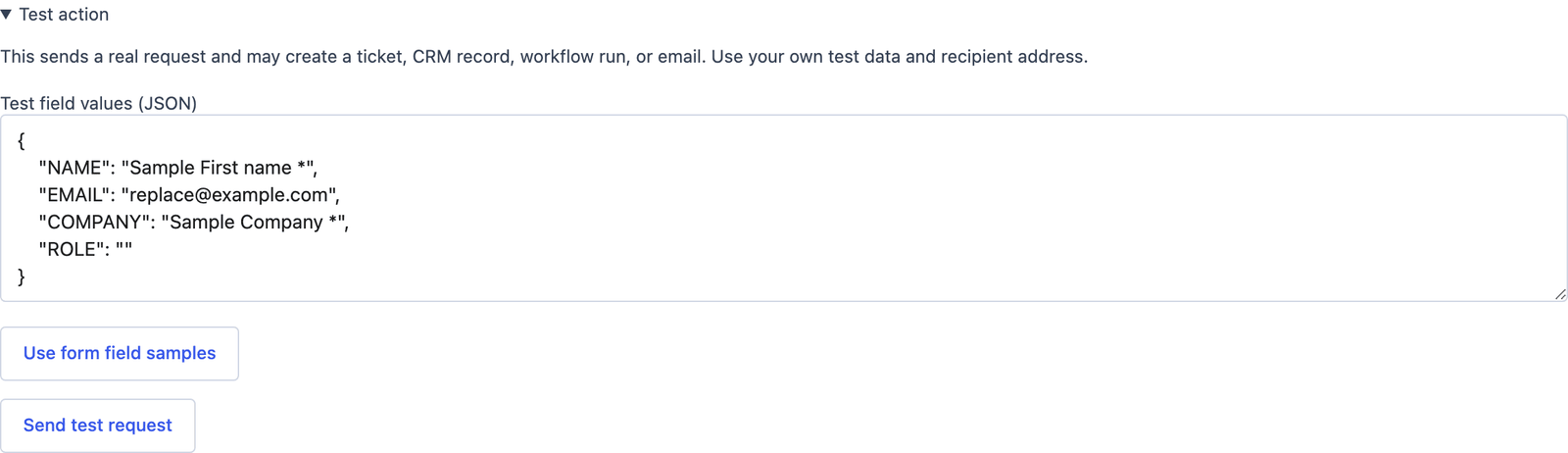
Map email, name, phone and organization, choose Lead or Deal, set the title, then run Test action with sample data.
Want the long version? Read the step-by-step guide with screenshots of every setting.
Pipedrive and every Core Forms-built integration on this site are included with your license.