

Automatic submission tracking
Successful Core Forms submissions appear in Independent Analytics without a manual event or per-form action.
Analytics & attribution
Track submissions, conversion rates, campaigns, and user journeys automatically.
Available through Independent Analytics and maintained by its team. No Core Forms add-on or manual event setup.
Core Forms records the submission. Independent Analytics Pro shows which landing page, referrer, UTM campaign, device, location, and user journey led to it. Tracking starts automatically when both plugins are active.
Independent Analytics builds and maintains this integration. It uses direct PHP tracking, so you do not have to create GA4 events or add an analytics action to each form.
Successful Core Forms submissions appear in Independent Analytics without a manual event or per-form action.
Compare submissions and conversion rates across all forms or filter the report to one Core Form.
See which traffic sources and campaign parameters produced the submissions, not only the visits.
Review the session timeline that led to a submission, including landing page, pages viewed, and campaign context.
Break conversion performance down by page, device type, country, and city.
Build or publish the Core Forms form you want to measure.
Form Tracking is a Pro feature. Keep both plugins active on the same WordPress site.
Send a test submission, then confirm the form, conversion rate, and journey data in Independent Analytics.
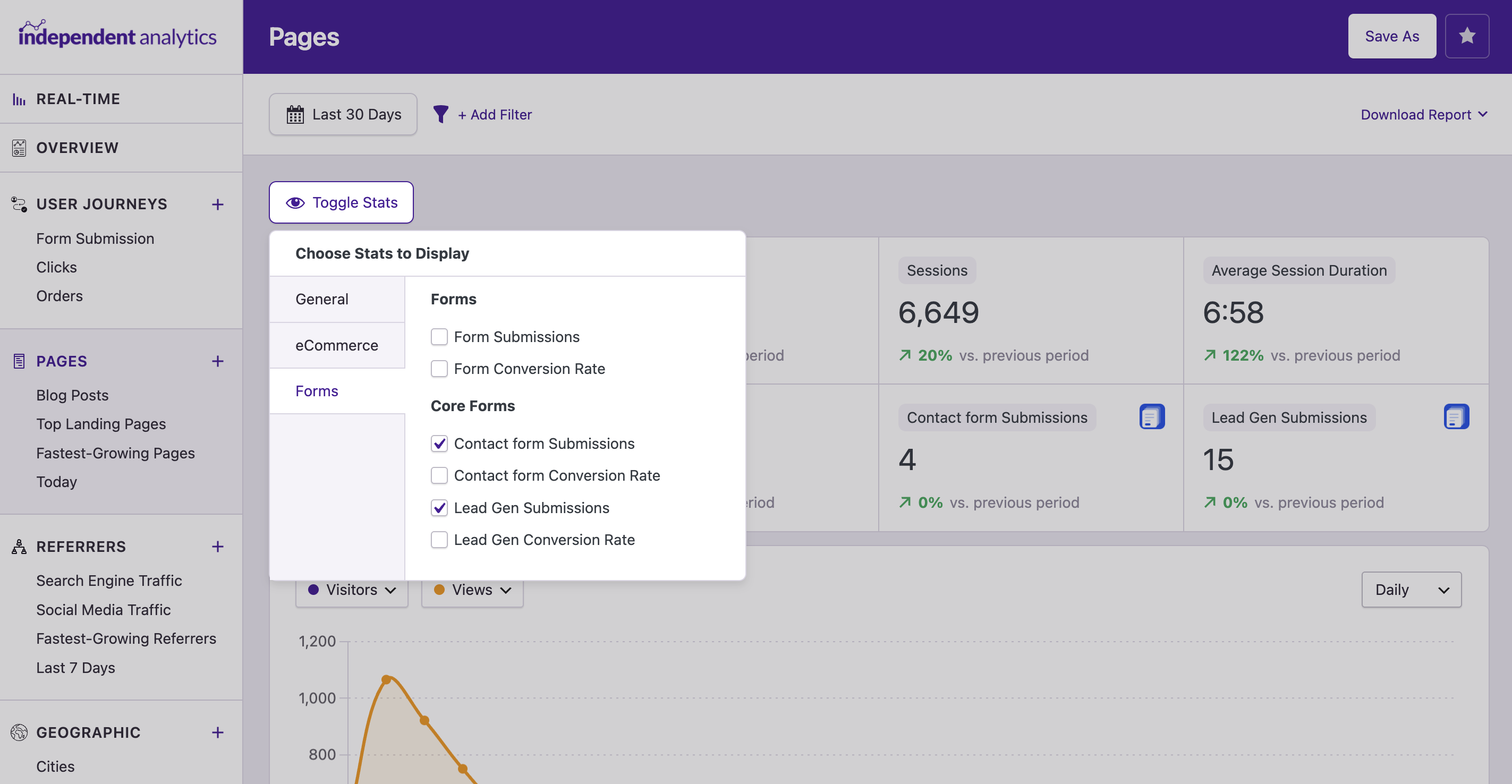
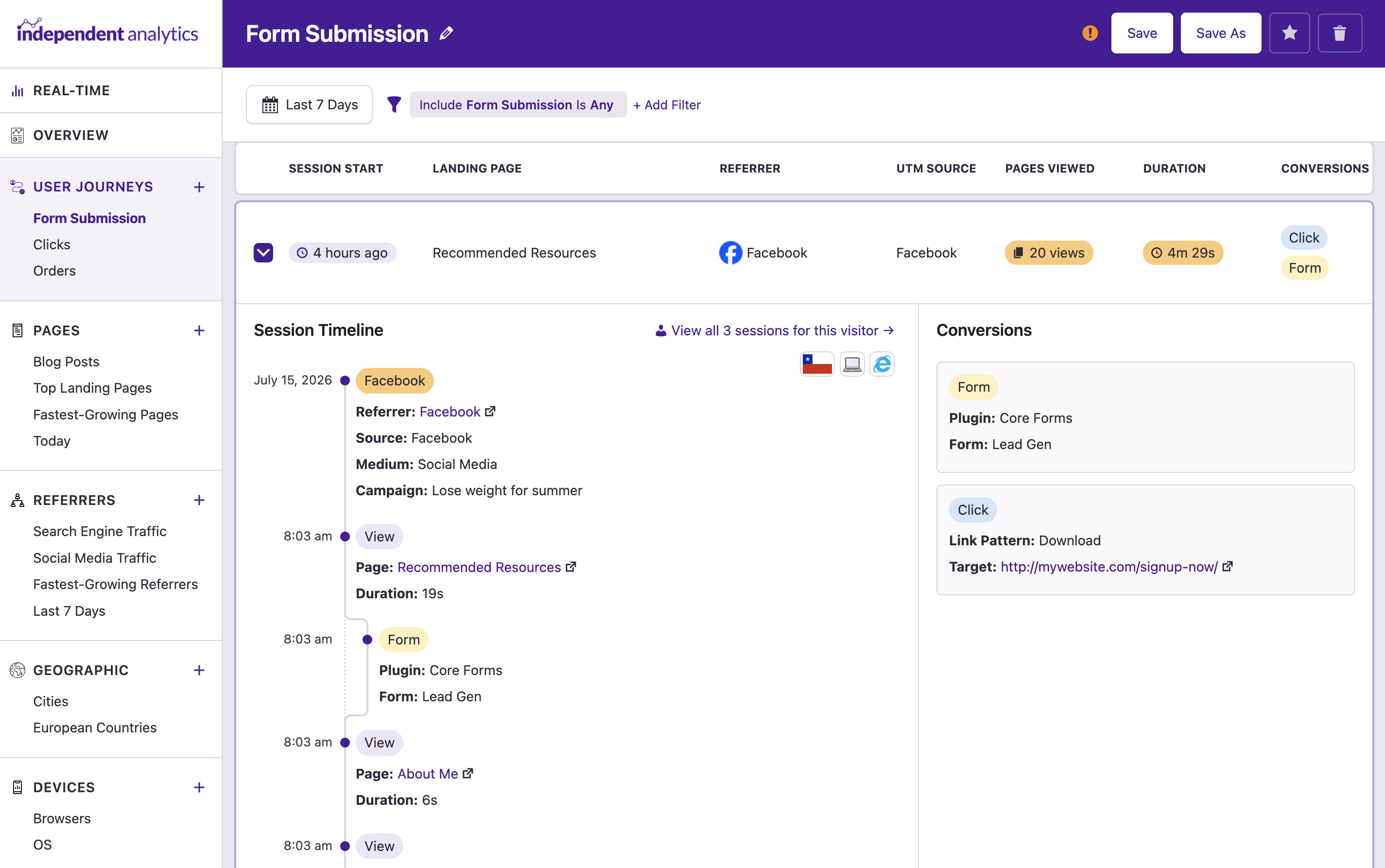
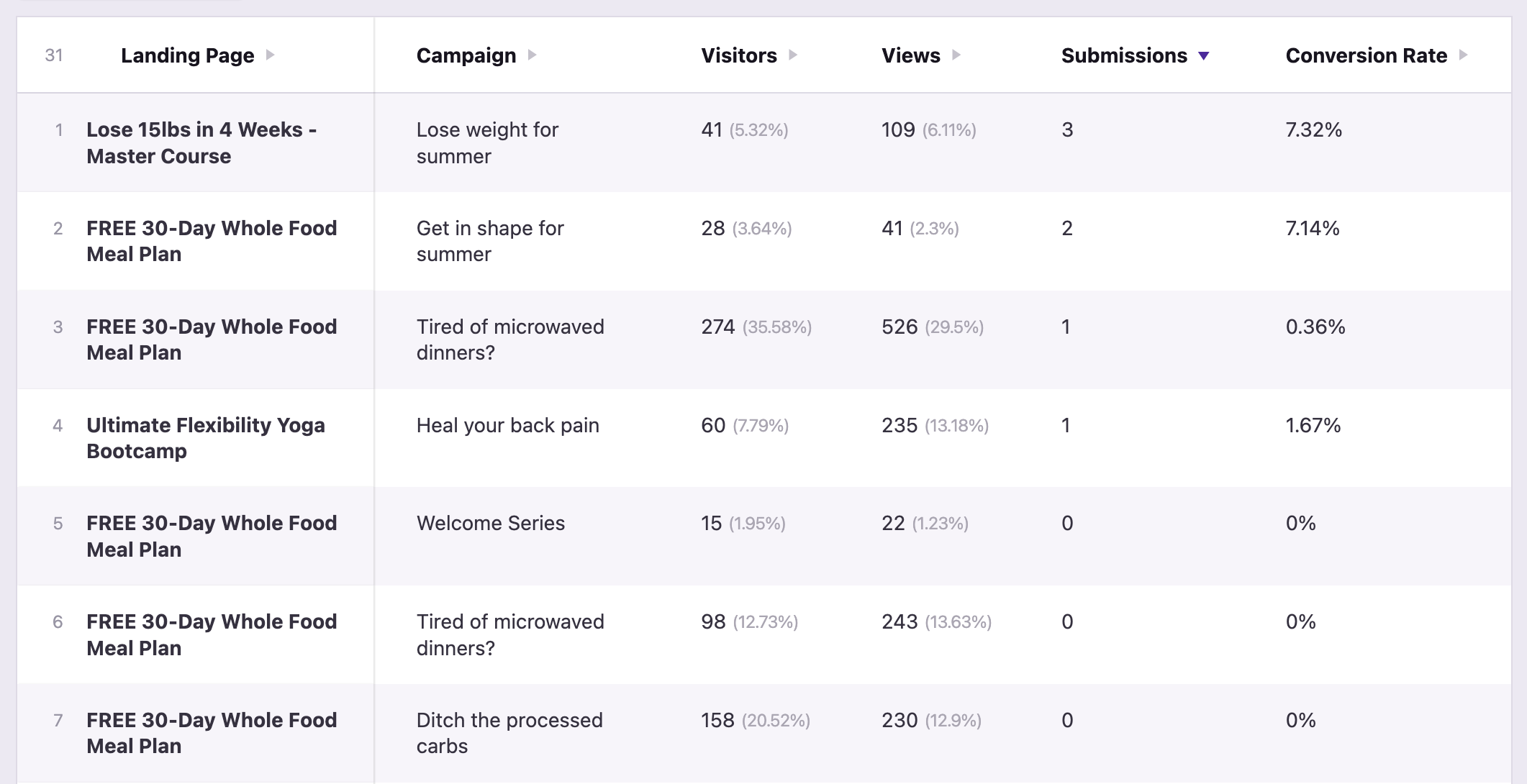
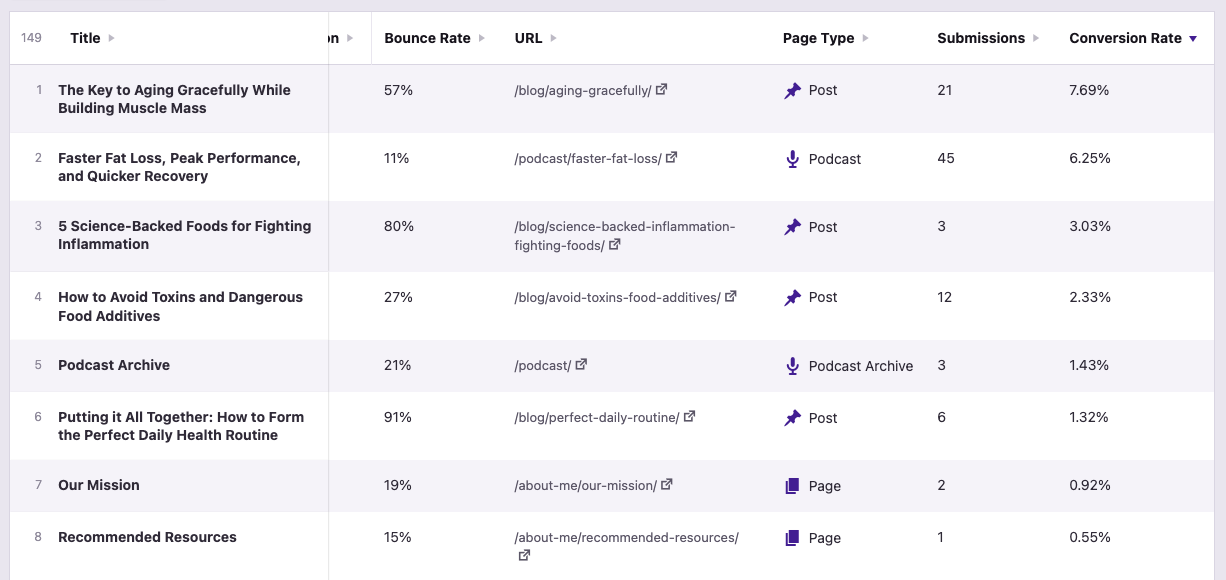
Core Forms handles the form. Independent Analytics connects the successful submission to its campaign, referrer, page, device, location, and user journey.