
Hosted checkout
Uses Stripe's Checkout Sessions API. Cards, Apple Pay, Google Pay, link — Stripe handles the surface.
Commerce & payments
Take one-time payments via Stripe Checkout when a form is submitted.
Bundled with Core Forms, the WordPress forms plugin with every premium feature in the box. No add-on tax.
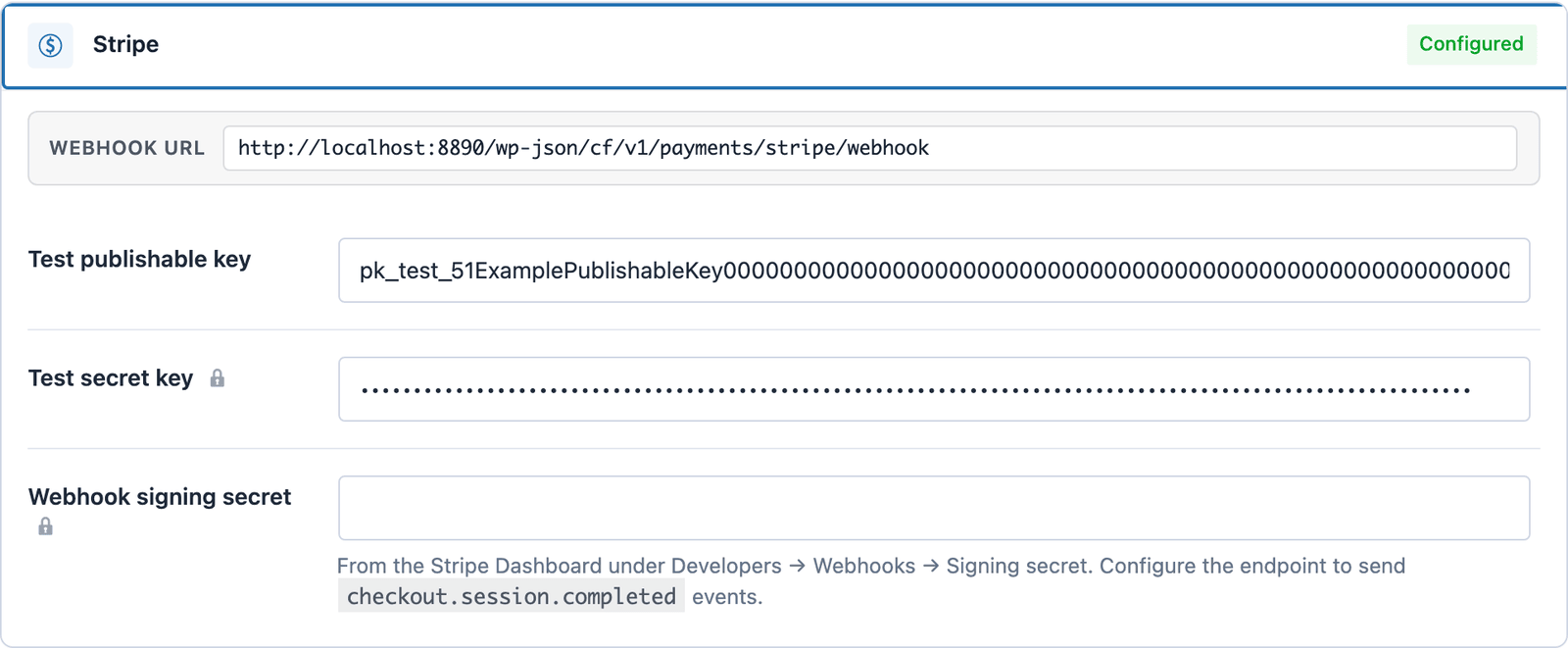
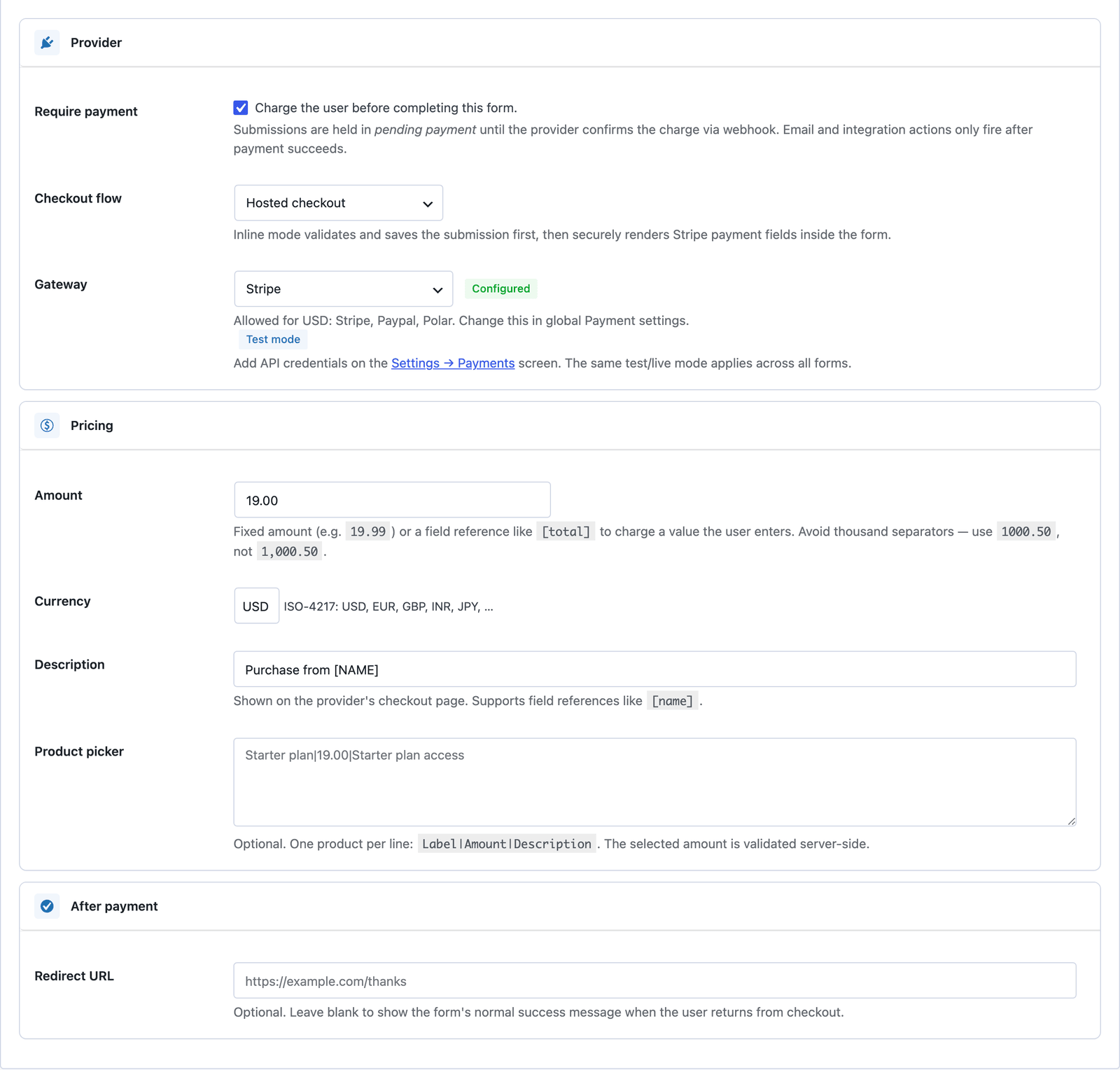
Add Stripe credentials once on the global Settings → Payments screen, then flip the Payment toggle on any form. Submissions are held in <em>pending payment</em>, the user is redirected to a Stripe-hosted Checkout session, and the submission flips to <em>paid</em> the moment Stripe's webhook confirms — at which point email and integration actions fire automatically.
Uses Stripe's Checkout Sessions API. Cards, Apple Pay, Google Pay, link — Stripe handles the surface.
Both modes configurable side-by-side. Toggle test/live globally without re-entering keys.
Submissions only flip to paid after a signed webhook delivery. Browser return is a UX hint, not the source of truth.
Charge a fixed price, or reference a form field like [TIER] for tier-based pricing.
Settings → Payments → Stripe. Paste your publishable + secret keys for each mode.
Stripe Dashboard → Developers → Webhooks → add the URL shown on the Payments settings card.
Form → Payment tab → flip Require payment, choose Stripe, set amount and currency.
Want the long version? Read the step-by-step guide with screenshots of every setting.
Stripe and every Core Forms-built integration on this site are included with your license.