
Payment forms
WordPress Payment Form Workflow: Submit, Pay, Confirm, Fulfill
Build a reliable WordPress payment form workflow with server-calculated amounts, pending submissions, verified webhooks, and one-time fulfillment.

A WordPress payment form must track more than whether the browser reached a thank-you page. The customer can close the tab, the redirect can fail, and some payment methods remain pending after checkout.
The reliable workflow saves a pending submission, creates the payment from server-trusted values, waits for the provider’s signed webhook, and fulfills the order exactly once.
The WordPress payment form state machine
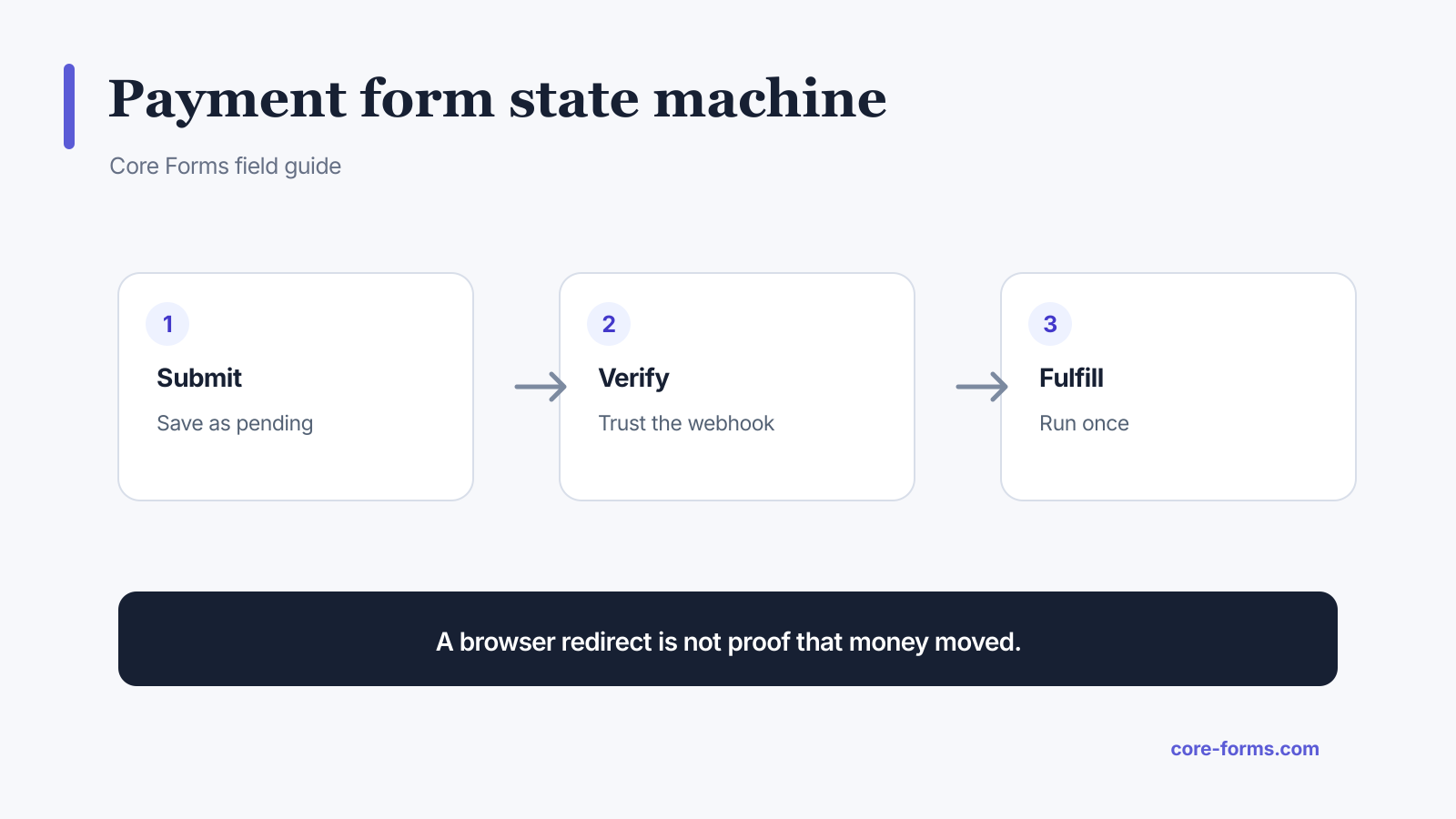 A return-page redirect is useful feedback, but the signed webhook is payment authority.
Use explicit states:
pending_payment: form accepted and payment created, but not confirmed;paid: provider webhook verified a successful payment;payment_failed: provider reported failure or cancellation;refunded: a later provider event confirmed a refund.
Core Forms stores payment provider, payment ID, amount in minor units, currency, and status with the submission. Its payments overview documents provider setup and webhook handling.
Calculate the amount on the server
Do not trust an amount from a visible or hidden field. The browser can change it.
Send stable choices such as:
product_id=license_pro
quantity=2
coupon=LAUNCH20
Then the server should:
- load the product and current price;
- validate quantity and availability;
- validate the coupon and customer eligibility;
- calculate tax and final amount;
- create the provider checkout or order;
- store the exact currency and minor-unit amount.
The hidden fields guide explains why a browser-supplied price=49.00 cannot be payment authority.
Save before leaving for checkout
Store the form submission before redirecting to a hosted payment page. That gives the site a stable record to reconcile when the provider calls back.
Include only necessary provider metadata:
- internal submission ID;
- internal order or operation ID;
- form ID;
- customer reference when permitted.
Do not place the full form payload or sensitive answers in provider metadata.
Trust the signed webhook
The success URL can improve customer experience, but it cannot prove payment. A visitor can open it directly, and the provider may redirect before a delayed payment method settles.
On the webhook:
- read the raw request body;
- verify the provider signature;
- identify the event and payment;
- load the matching pending submission;
- compare expected currency and amount;
- transition the state;
- run fulfillment once;
- return a fast success response.
Stripe likewise recommends webhook-driven fulfillment because it is server-to-server and works even when the customer does not reach the landing page. See Stripe’s fulfillment guidance.
For custom endpoints, follow the webhook signature verification guide.
Make fulfillment idempotent
Payment webhooks can be repeated or delivered out of order. Fulfillment must recognize work already completed.
Examples:
- issue a license only if no license reference is stored;
- send the receipt only if
receipt_sent_atis empty; - decrement stock through a conditional transaction;
- create membership access by stable payment ID;
- reject a second fulfillment for the same provider event.
Store the event ID and final result. The webhook retries guide provides the duplicate-control pattern.
Write honest customer states
On the return page, show the state you know:
- Paid: “Payment received. Your receipt and access details are on their way.”
- Pending: “We are confirming your payment. We will email you when it clears.”
- Failed: “The payment was not completed. No fulfillment has been created. Try again or choose another method.”
- Unknown: “We cannot confirm the payment yet. Reference CF-48219. Check your email before trying again.”
Do not encourage an immediate second payment while the first is still pending.
Reconcile and support the workflow
Operations need searchable references:
- Core Forms submission ID;
- provider payment or order ID;
- amount and currency;
- current payment state;
- provider event IDs;
- action and fulfillment logs;
- refund reference;
- customer email when authorized.
Run periodic reconciliation between pending submissions and the provider. Alert on paid-but-unfulfilled records, amount mismatches, repeated signature failures, and unusually old pending payments.
FAQ
Can a thank-you page confirm payment?
No. Use the payment provider’s signed server-to-server webhook as authority.
Should the form send the price to the server?
It can send a display value, but the server must calculate the trusted amount from product and pricing data.
When should the receipt email be sent?
After the verified webhook marks the payment paid, not merely after form submission.
Why are payment amounts stored in minor units?
Integer minor units avoid floating-point rounding errors and match common provider APIs.
What happens if the webhook arrives twice?
Record a stable event ID and make fulfillment idempotent so the second delivery produces no duplicate action.