
Donor-chosen amounts
Reference a form field like [AMOUNT] so the donor types the value they want to give.
Commerce & payments
Charge form users via PayPal — fixed amounts or donor-driven.
Bundled with Core Forms, the WordPress forms plugin with every premium feature in the box. No add-on tax.
Pair Core Forms with PayPal's Orders API for one-time payments and donations. The buyer is sent to PayPal, completes payment, and bounces back. The submission stays pending until PayPal's webhook confirms the capture.
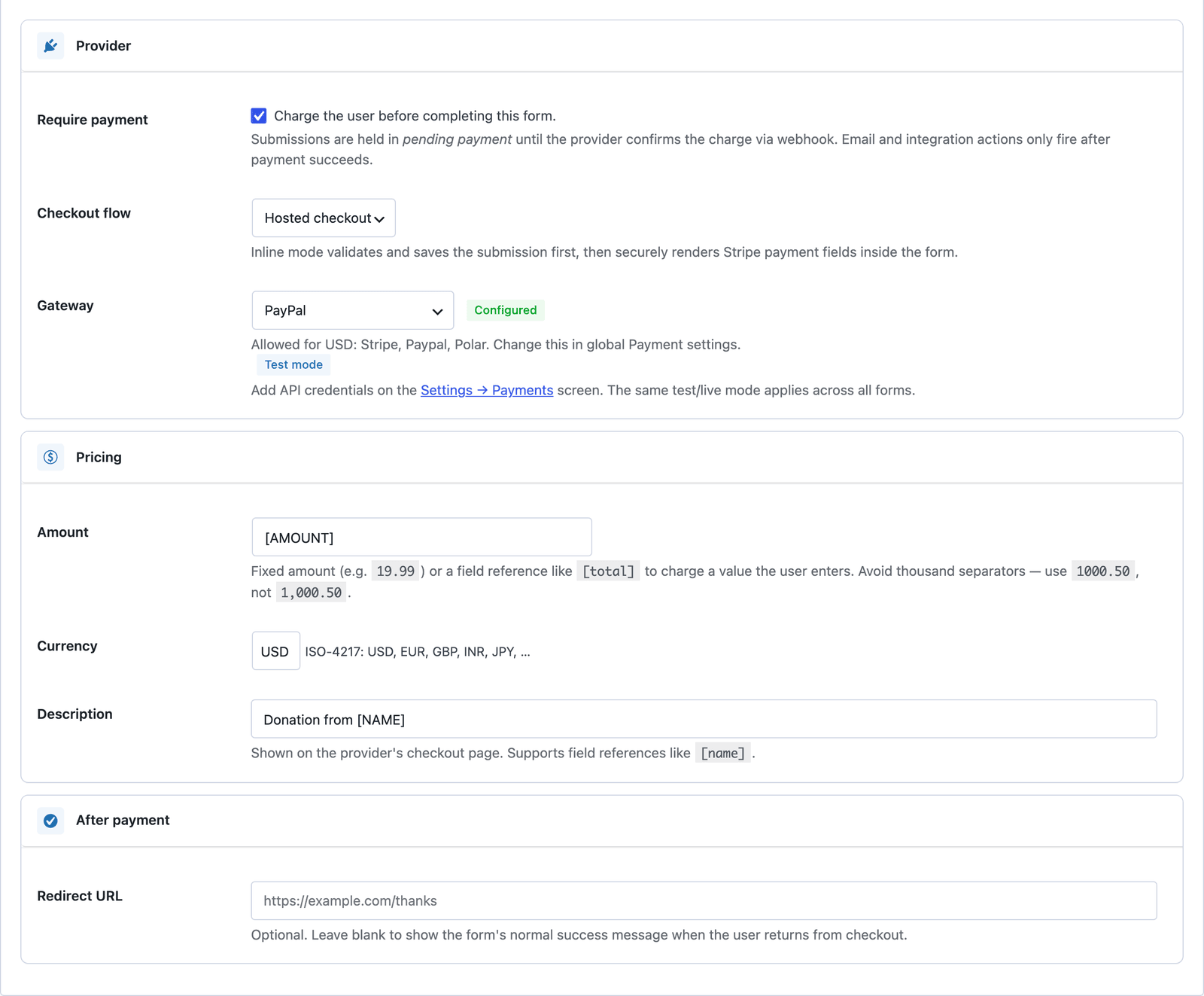
Reference a form field like [AMOUNT] so the donor types the value they want to give.
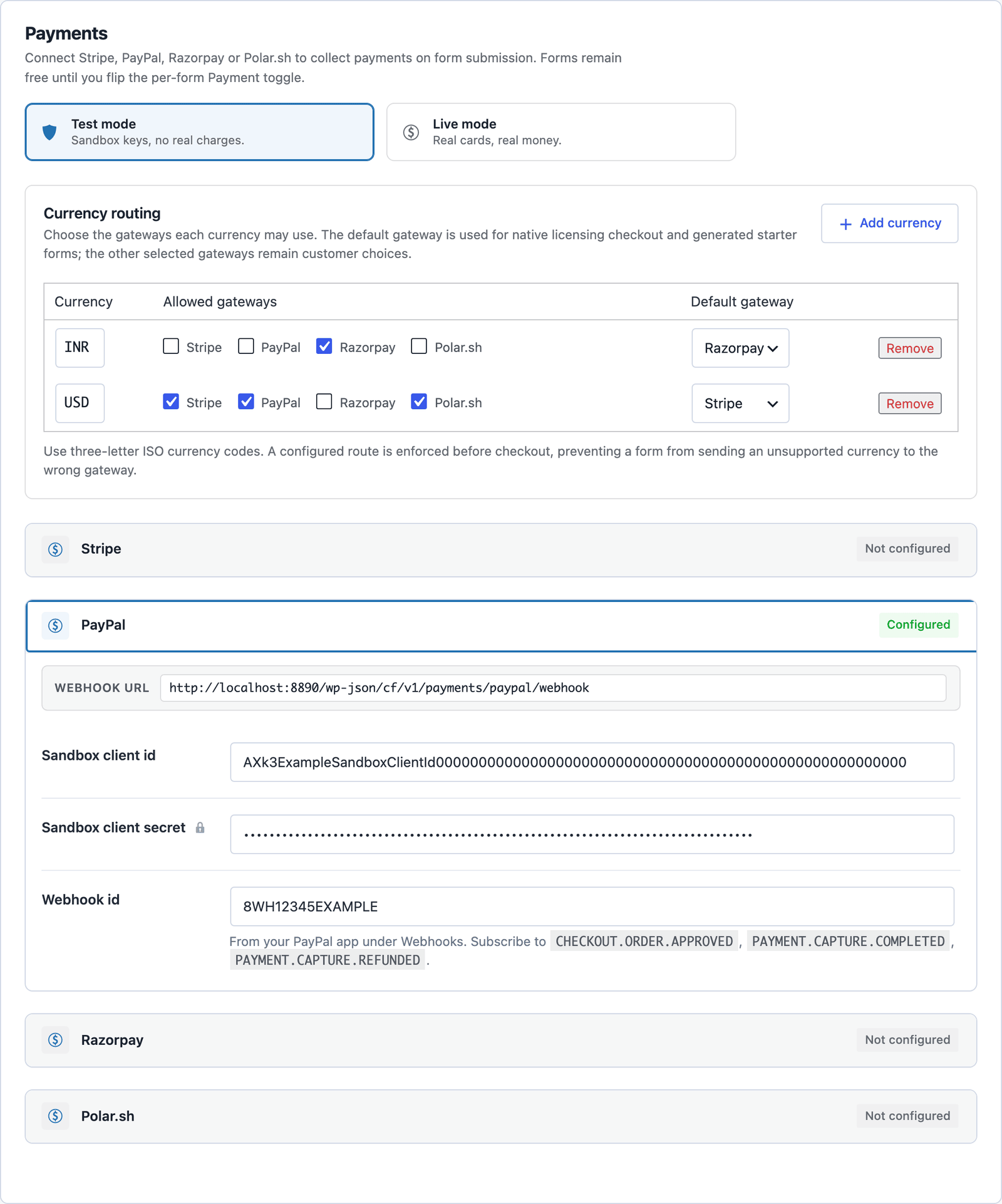
Both environments supported, switchable per-site via the Payments mode toggle.
Same correlation semantics as the other gateways — webhook is the source of truth.
PayPal Developer → Apps → grab Client ID + Secret for sandbox + live.
Settings → Payments → PayPal. Add the webhook ID generated in your PayPal app.
Form → Payment tab → choose PayPal, set amount (fixed or [field-reference]) and currency.
Want the long version? Read the step-by-step guide with screenshots of every setting.
PayPal and every Core Forms-built integration on this site are included with your license.