
Incoming webhooks
Uses Slack’s standard incoming webhook URL — no app install or OAuth.
Productivity & workspace
Post submissions to a Slack channel via incoming webhooks.
Bundled with Core Forms, the WordPress forms plugin with every premium feature in the box. No add-on tax.
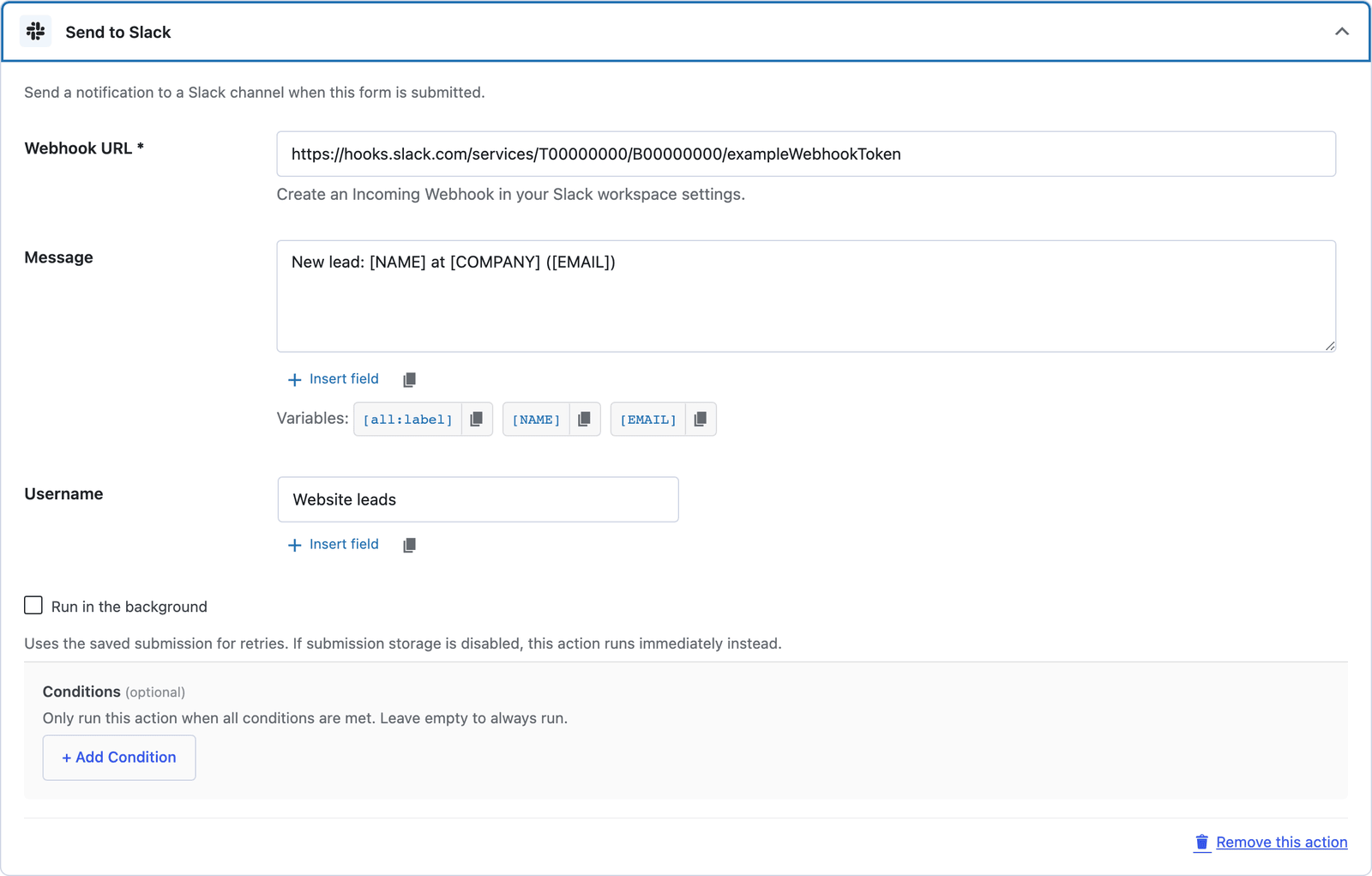
Drop every form submission into the Slack channel where your team already lives. Pick a channel webhook URL, customize the message with data variables, and ship it.
Uses Slack’s standard incoming webhook URL — no app install or OAuth.
Compose the message with [field_name] tokens and Markdown formatting.
Only ping Slack when conditions match — high-priority submissions only, for example.
In Slack, install the “Incoming Webhooks” app and pick a target channel.
Form → Actions → Slack, paste the URL.
Use data variables to format the channel notification.
Want the long version? Read the step-by-step guide with screenshots of every setting.
Slack and every Core Forms-built integration on this site are included with your
license.
Use code CFLAUNCH for 20% off either plan. Ends September 30, 2026 (IST).