
Per-form or shared hook
Use a hook such as cf_flowmattic_form_123 for one form, or the shared cf_flowmattic_submission hook and filter by form_id inside the workflow.
CRM & automation
Start FlowMattic workflows from Core Forms submissions through Plugin Actions.
Bundled with Core Forms, the WordPress forms plugin with every premium feature in the box. No add-on tax.
Core Forms fires a WordPress action hook that FlowMattic's Plugin Actions trigger listens to. Each form can have its own hook, or several forms can share one, and FlowMattic receives the fields you choose as named keys.
There is no separate Core Forms app to install in FlowMattic. The bridge uses the Plugin Actions trigger FlowMattic already documents, so both plugins stay as they are.
Use a hook such as cf_flowmattic_form_123 for one form, or the shared cf_flowmattic_submission hook and filter by form_id inside the workflow.
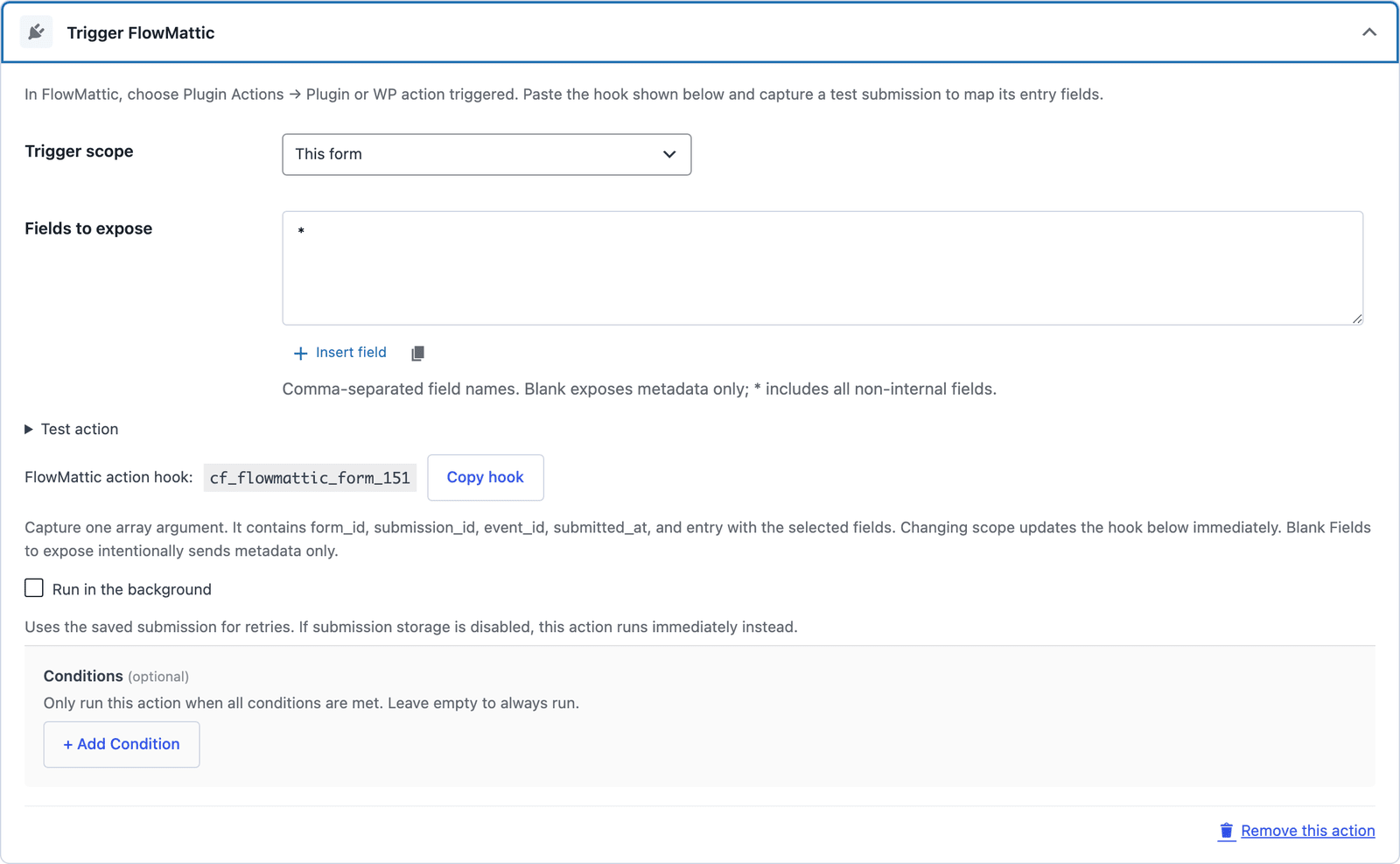
Expose specific fields, every non-internal field with *, or metadata only. The payload carries form_id, submission_id, event_id, submitted_at and entry.
Payment forms fire only after payment is confirmed, and spam submissions never reach FlowMattic.
If no workflow is listening on the hook, the action logs a configuration failure instead of reporting success.
Form → Actions → Add Action → Trigger FlowMattic. Choose This form, enter the fields to expose and save.
The action shows its hook name, such as cf_flowmattic_form_123.
In FlowMattic, choose Plugin Actions → Plugin or WP action triggered, enter the hook, capture a test submission and map the entry keys.
Want the long version? Read the step-by-step guide with screenshots of every setting.
FlowMattic and every Core Forms-built integration on this site are included with your license.