
User registration
How to Build a WordPress User Registration Form Safely
Build a WordPress user registration form with unique-email checks, least-privilege roles, secure password delivery, spam controls, and audit trails.

A WordPress user registration form is an account-creation workflow, not just a contact form with a password field. It creates a durable identity with permissions, login recovery, personal data, and abuse risk.
The safe default is to collect the minimum identity data, assign the least powerful role, let WordPress generate the account, and send the person through a secure password or login flow.
A safe WordPress user registration form workflow
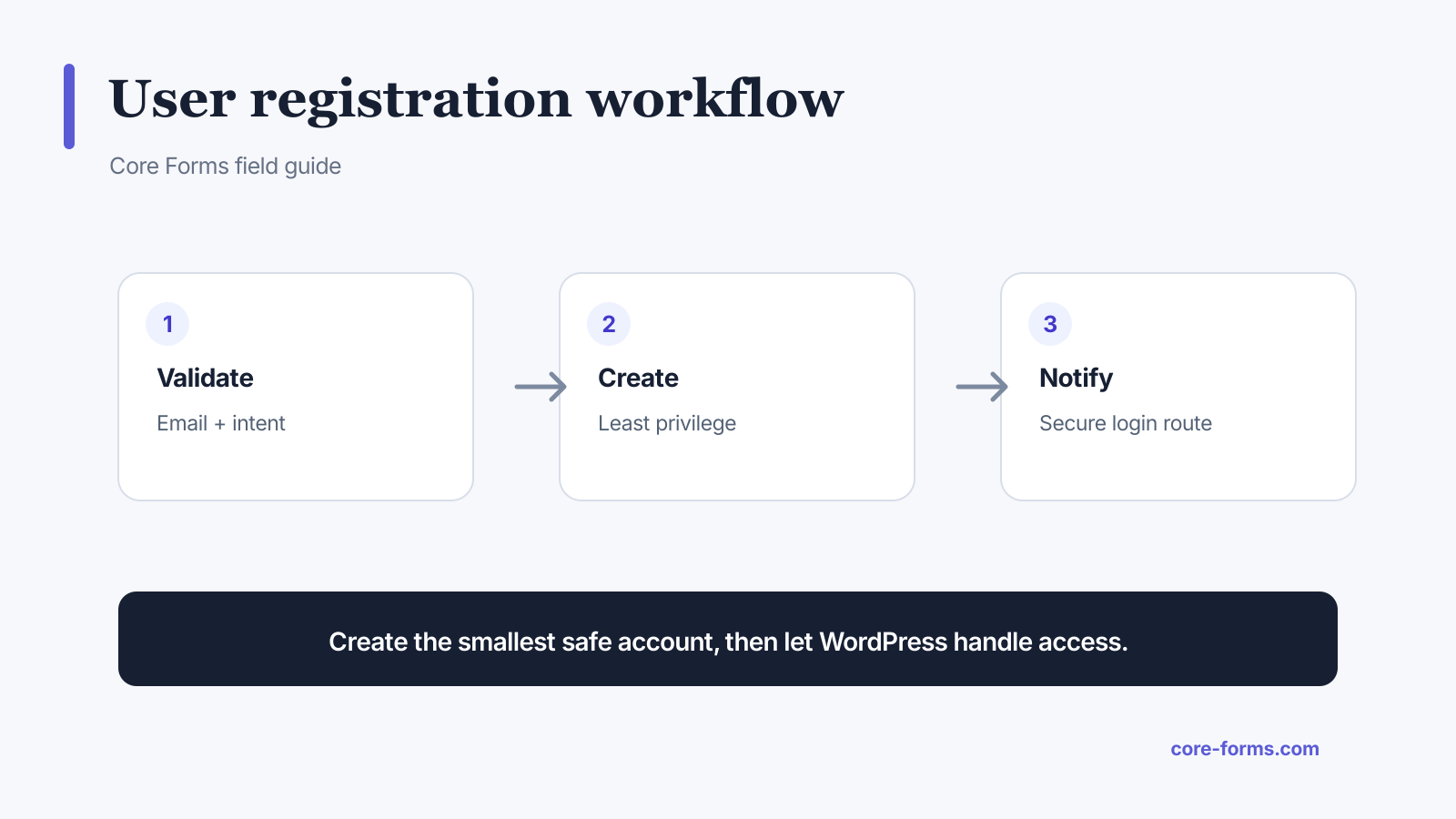 Validate identity, create the least-privilege account, then use WordPress for access.
A public registration flow should:
- Validate and sanitize the email address.
- Reject or deliberately handle an existing email.
- Generate a unique sanitized username.
- Assign a fixed, allowed role.
- Generate a strong random password or secure setup link.
- Create the user through WordPress APIs.
- Send a standard account notification.
- Log the result without logging secrets.
Core Forms includes a Create WordPress User action that maps form fields to the account and limits selectable roles. WordPress exposes the underlying wp_insert_user() function for custom implementations.
Ask for less data
Most registration forms need only:
- email address;
- name when the product uses it;
- acceptance of required terms;
- an invitation or access code when registration is restricted.
Do not collect a postal address, phone number, company, birthday, and profile biography before the account can use the product. Move optional profile details into onboarding after login.
If the email address can be the username, avoid asking for both. Core Forms can generate a username from the portion before @ and append a number when that username already exists.
Fix the role on the server
The browser must not choose arbitrary capabilities. A hidden field such as role=administrator is not a control because the visitor can modify it.
Choose the role in the action configuration. Core Forms permits:
- subscriber;
- contributor;
- author;
- editor;
- a custom role explicitly added through the server-side filter.
Administrator is never allowed through the public action. For most public sites, subscriber is the correct starting point. A separate reviewed workflow can promote accounts later.
The hidden-fields security guide explains why visually hidden role and permission values remain untrusted.
Do not email a chosen password
Avoid collecting a password and then repeating it in email. Email is not a secret-storage system, and the message may remain in several mailboxes and logs.
Prefer one of these patterns:
- generate a random password and send the standard WordPress setup notification;
- send a time-limited password reset or magic-login route;
- let the person choose a password over HTTPS, then hash it immediately;
- require email confirmation before enabling access when abuse risk warrants it.
Never log raw passwords in submission data, action logs, analytics, or support exports.
Handle duplicate emails deliberately
An existing email can mean a returning user, accidental duplicate, or an attempt to discover whether someone has an account.
Pick a response that fits the risk:
- offer a login or password reset route;
- send recovery instructions to the address without exposing account details;
- use a neutral confirmation message for privacy-sensitive communities;
- skip duplicate creation and record the action result.
Core Forms does not overwrite an existing user. That avoids silently changing roles or profile data from a public submission.
Add abuse controls without blocking people
Registration endpoints attract automated account creation. Layer controls instead of relying on one CAPTCHA.
Useful controls include:
- honeypot and timing checks;
- rate limits per form, address range, or account signal;
- email confirmation;
- disposable-domain policy only when the product truly needs it;
- Akismet or risk scoring;
- moderation for higher-privilege roles;
- audit logs and alerts for spikes.
Keep error messages usable. “This email cannot be registered” is better than a fake validation failure, unless account-enumeration risk calls for a neutral response.
Build the form markup
Core Forms uses plain HTML:
<p>
  <label for="reg-name">Name</label>
  <input id="reg-name" name="name" autocomplete="name" required>
</p>
<p>
  <label for="reg-email">Email</label>
  <input id="reg-email" name="email" type="email" autocomplete="email" required>
</p>
<p>
  <label>
    <input name="terms" type="checkbox" value="accepted" required>
    I agree to the account terms.
  </label>
</p>
<button type="submit">Create account</button>
Then add the Create WordPress User action, map email and name, set the role to subscriber, and enable the WordPress notification. Use a clear confirmation message that tells the person to check their inbox.
Test the account, not just the form
Verify these outcomes:
- a new account has the intended role;
- an existing email is not duplicated or overwritten;
- a conflicting username receives a safe unique suffix;
- invalid email never reaches user creation;
- the notification arrives and its link works;
- spam submissions do not create users;
- action failure does not show a false success;
- deletion and privacy-export workflows include the account data.
FAQ
Can a public form create WordPress users?
Yes, but the server must control roles, validate data, prevent duplicates, and use WordPress account APIs.
Which role should new users receive?
Subscriber is the safest default. Grant more capability only through a reviewed requirement and server-side allowlist.
Should users choose a username?
Not necessarily. You can generate one from the email address and handle conflicts automatically.
Should a registration form save the password as a submission?
No. Never retain a raw password in form submissions, logs, exports, or email.
How do I stop registration spam?
Combine honeypots, rate limits, email confirmation, risk checks, and monitoring instead of depending on one challenge.