
Contact forms
10 Contact Form Examples and the Fields Each One Needs
Ten contact form examples for general inquiries, sales, support, agencies, bookings, media, and more, with exact fields and routing guidance.

The best contact form examples do not collect the most data. They collect the smallest set that lets someone understand the request, route it, and reply without another avoidable round trip.
A single generic form works for a small site with one inbox. Once requests have different owners or response times, use a focused contact form or add one routing field. Do not make every visitor complete an enterprise intake form.
Start every contact form with three jobs
Every contact form must identify the person, capture a reliable reply route, and collect the question. A fourth field is justified only when it changes where the message goes or what happens next.
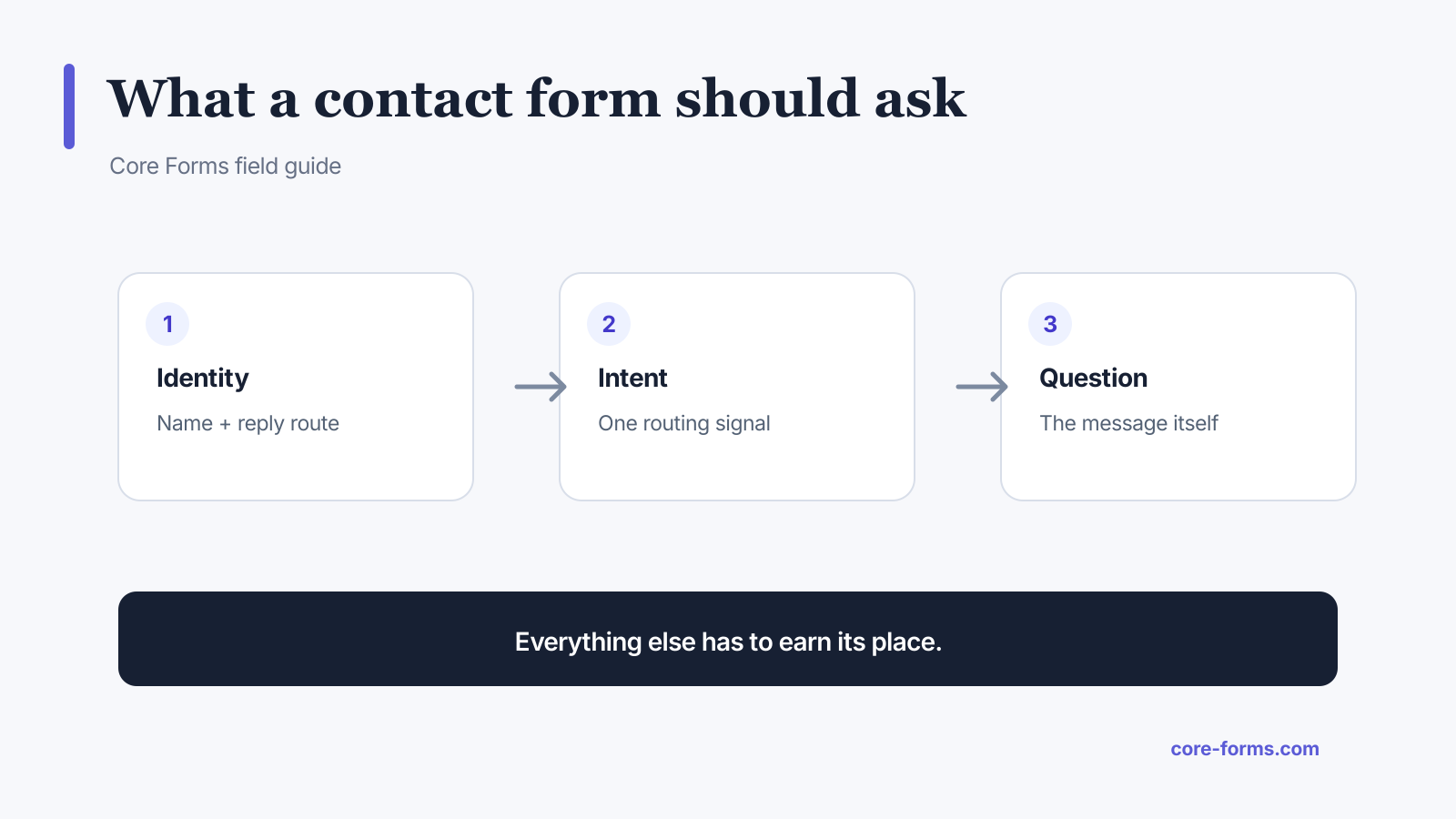 Identity, intent, and the actual question are the core. Extra fields need a reason.
The default field set is:
- Name: useful for a human reply.
- Email: required when email is the reply channel.
- Message: required because this is the reason the form exists.
- Subject or request type: optional until it changes routing.
The contact form template is the copy-ready version of that baseline.
1. General website contact form
Use a general form when one person or inbox handles every request.
Fields:
- name;
- email;
- subject, optional;
- message.
Button: “Send message.”
Do not ask for company, phone, budget, address, and preferred meeting time unless the recipient needs all five before replying.
2. Small business inquiry form
Add a service choice when it helps the owner understand the request before calling or emailing back.
Fields:
- name;
- email or phone, based on the stated reply method;
- service needed;
- short description;
- preferred contact method, only when both methods are staffed.
If phone is optional, say so. A required phone field often signals that the visitor is about to enter an unwanted sales sequence.
3. Agency project inquiry
An agency contact form should qualify scope without demanding a complete brief.
Fields:
- name and work email;
- service category;
- project outcome;
- budget range, optional;
- target date, optional.
The strongest question is not “Tell us about your project.” Ask “What are you trying to accomplish?” The answer exposes the outcome instead of inviting a feature dump. The quote request template uses this pattern.
4. Sales contact form
Sales routing needs a little more context, but every field must change qualification or assignment.
Fields:
- name;
- work email;
- company;
- role or team;
- company size or use case, choose one;
- what they want to solve.
Do not ask for both employee count and annual revenue unless your actual routing model uses both. Decorative qualification makes the form longer without making sales smarter.
5. Customer support form
Support needs evidence and a safe identity, not marketing qualification.
Fields:
- account email or order reference;
- issue category;
- short summary;
- steps already tried;
- optional screenshot or text log;
- severity only when you define each level.
Add a notice telling people not to submit passwords, API keys, card details, or other secrets. Use the bug report template for technical issues.
6. Booking or consultation request
A request form is different from a confirmed booking. Say which one it is.
Fields:
- name;
- email;
- consultation type;
- time zone;
- two or three preferred windows;
- one focused context question.
The success message should say “Request received” until a calendar or person confirms the time. False certainty creates support work.
7. Media and press contact form
Press requests are time-sensitive and need a verifiable outlet or publication context.
Fields:
- name;
- work email;
- publication or outlet;
- request type;
- deadline with time zone;
- question or interview topic.
Route deadlines to a monitored inbox. Collecting a deadline is pointless when no action uses it.
8. Partnership contact form
Partnership inquiries need intent and fit before a meeting.
Fields:
- name and company;
- work email;
- partnership type;
- relevant audience or product;
- proposed outcome;
- supporting URL, optional.
Avoid “Tell us everything.” Give a few real partnership types and keep an “Other” choice.
9. Property or local service inquiry
Location can change availability, pricing, and assignment. Ask only for the level of location needed at this stage.
Fields:
- name;
- email or phone;
- postal code or service area;
- service needed;
- timing;
- short details.
Do not require a full street address for an initial inquiry when a postal code is enough to check coverage.
10. Anonymous or sensitive contact form
Some reports need anonymity more than follow-up.
Fields:
- topic;
- message;
- optional reply email;
- optional evidence with clear handling rules.
State who can read the submission, how long it is retained, and whether anonymity can be guaranteed. Do not claim “anonymous” if the system stores IP addresses, user accounts, or identifiable logs.
Route messages without adding form clutter
One select field can route an inquiry to sales, support, billing, or partnerships. Configure a conditional email action for each value and keep a default recipient for unexpected input.
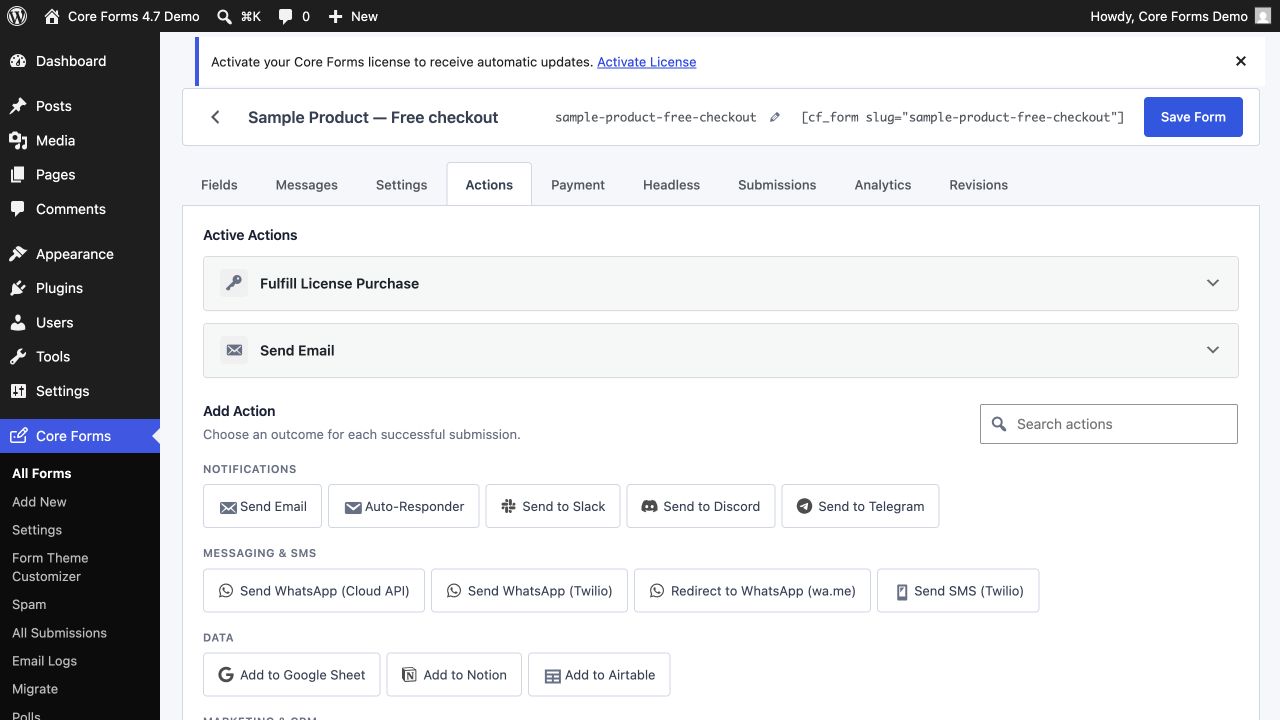 Routing belongs in the action layer. The visitor should not have to understand your org chart.
Core Forms supports conditional actions, so a request type can choose the recipient without exposing several email addresses. The same rule can send a sales lead to a CRM or a support issue to Slack after the submission validates.
Write a useful contact form success message
“Thanks” confirms very little. A good success message answers:
- Was the message received?
- When should the sender expect a reply?
- Which channel will carry the reply?
- What should they do if the request is urgent?
- Is there a reference number worth saving?
Example:
Your message is in the support queue. We will reply to the email you entered within one business day. Your reference is [CF_SUBMISSION_ID].
The same details should appear in the autoresponder when you send one.
Make the contact form accessible
For each control:
- use a visible label;
- match
label forwith the inputid; - show required status in text and markup;
- put format instructions before the field;
- use
fieldsetandlegendfor related choices; - keep a visible keyboard focus style;
- show specific error text and move focus to the error summary after a failed submit.
The W3C form guidance also recommends asking only for information required to complete the process. Accessibility and conversion agree here: irrelevant fields create work.
Contact form mistakes that look professional
Avoid these common patterns:
- placeholders used as the only labels;
- a required phone field with no reason;
- a “Submit” button that does not name the outcome;
- a giant country dropdown on a local service form;
- requiring an account before a presales question;
- sending every message to an unmonitored shared inbox;
- showing a success state before an integration or payment requirement is satisfied;
- collecting sensitive data with no retention or access policy.
The visual design can be plain. The operational design cannot.
FAQ
What fields should a contact form include?
Start with name, a reply route such as email, and the message. Add a request type only when it changes routing, and add other fields only when they prevent a necessary follow-up.
Should a phone number be required?
Only when phone is the promised or necessary reply channel. Otherwise make it optional or remove it.
Is one contact form enough for a website?
Yes for a small site with one owner and one workflow. Use focused forms or a routing field when sales, support, billing, and other requests need different questions or owners.
What should the contact form success message say?
Confirm receipt, name the reply channel, give a realistic response time, and provide a reference or urgent alternative when relevant.
How do I reduce contact form spam?
Start with a honeypot and rate limiting, then add Akismet or a challenge such as Turnstile when the traffic requires it. Do not make every real visitor solve a puzzle because a few bots exist.