
After submit
What Happens After Submit: Confirmation, Email, and Retries
Design the post-submit workflow: server validation, storage, confirmation messages, email, integrations, redirects, retries, and duplicate protection.

What happens after a form submission matters as much as the fields before it. The submit button starts a server workflow: validate, reject or accept, store, run actions, return a clear status, and recover when a downstream service fails.
A spinner and “Thanks” are not a workflow. The person needs proof that the task finished, while the operator needs a stored record and enough logging to repair delivery failures.
A reliable post-submit workflow has three outcomes
The interface acknowledges the result, the system delivers the promised action, and failures remain recoverable.
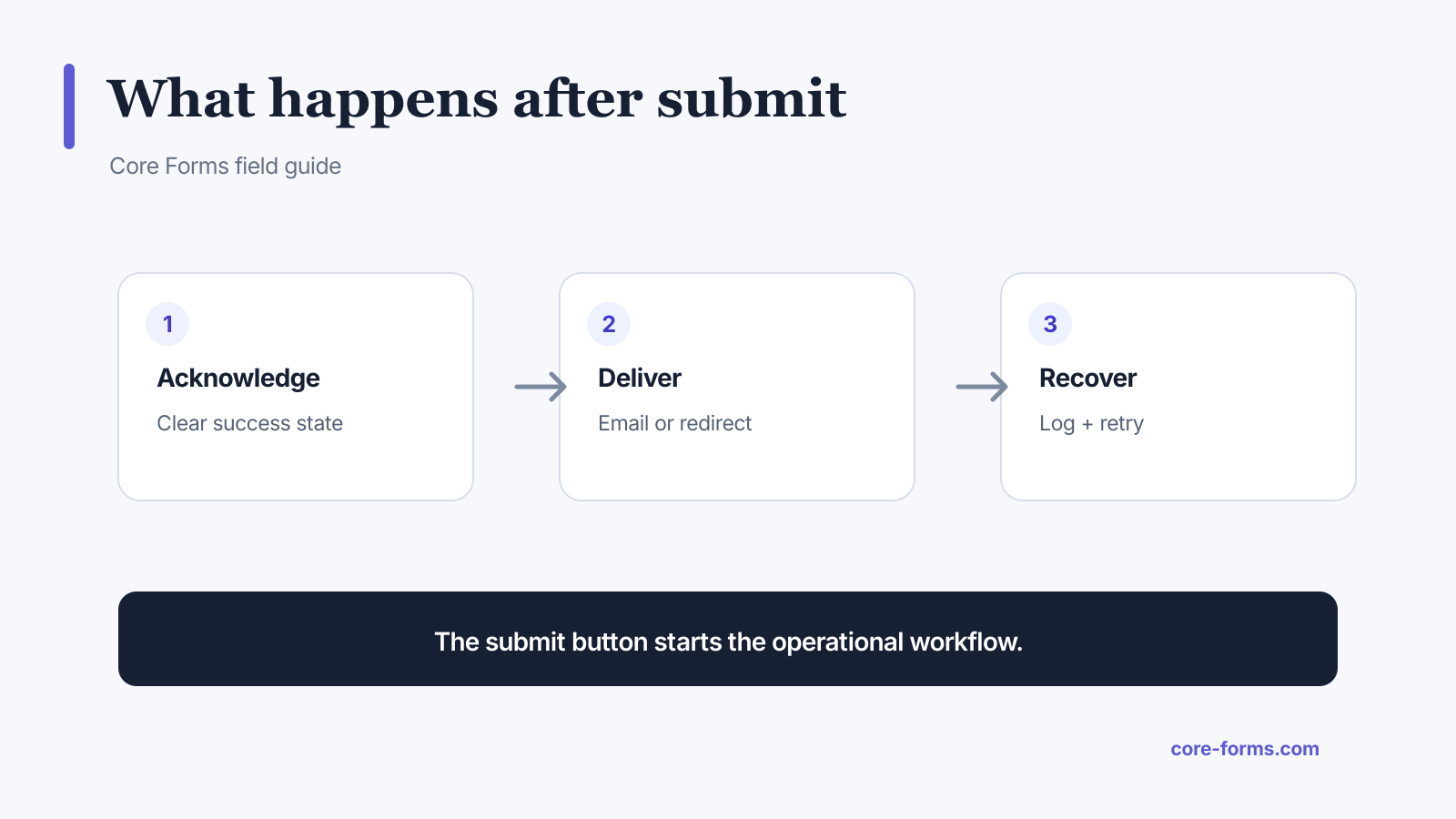 Submission success, downstream delivery, and recovery are separate states.
The basic sequence is:
- receive the request;
- validate security and fields;
- classify spam or rate-limit failures;
- save the accepted submission when storage is enabled;
- run synchronous or queued actions;
- return a specific success or error state;
- log failures and retry safe actions.
Validate before running actions
Check:
- nonce, origin, or API authentication;
- honeypot and spam controls;
- rate limits;
- required fields;
- input formats and bounds;
- file type and size;
- calculations;
- conditional requirements;
- duplicate or idempotency keys.
Do not send email, create CRM records, or start payment before the submission passes validation.
Save the accepted submission as the recovery record
When the workflow needs retention, store the accepted submission before relying on email or an external API. That gives the team a source record when an action is delayed or fails.
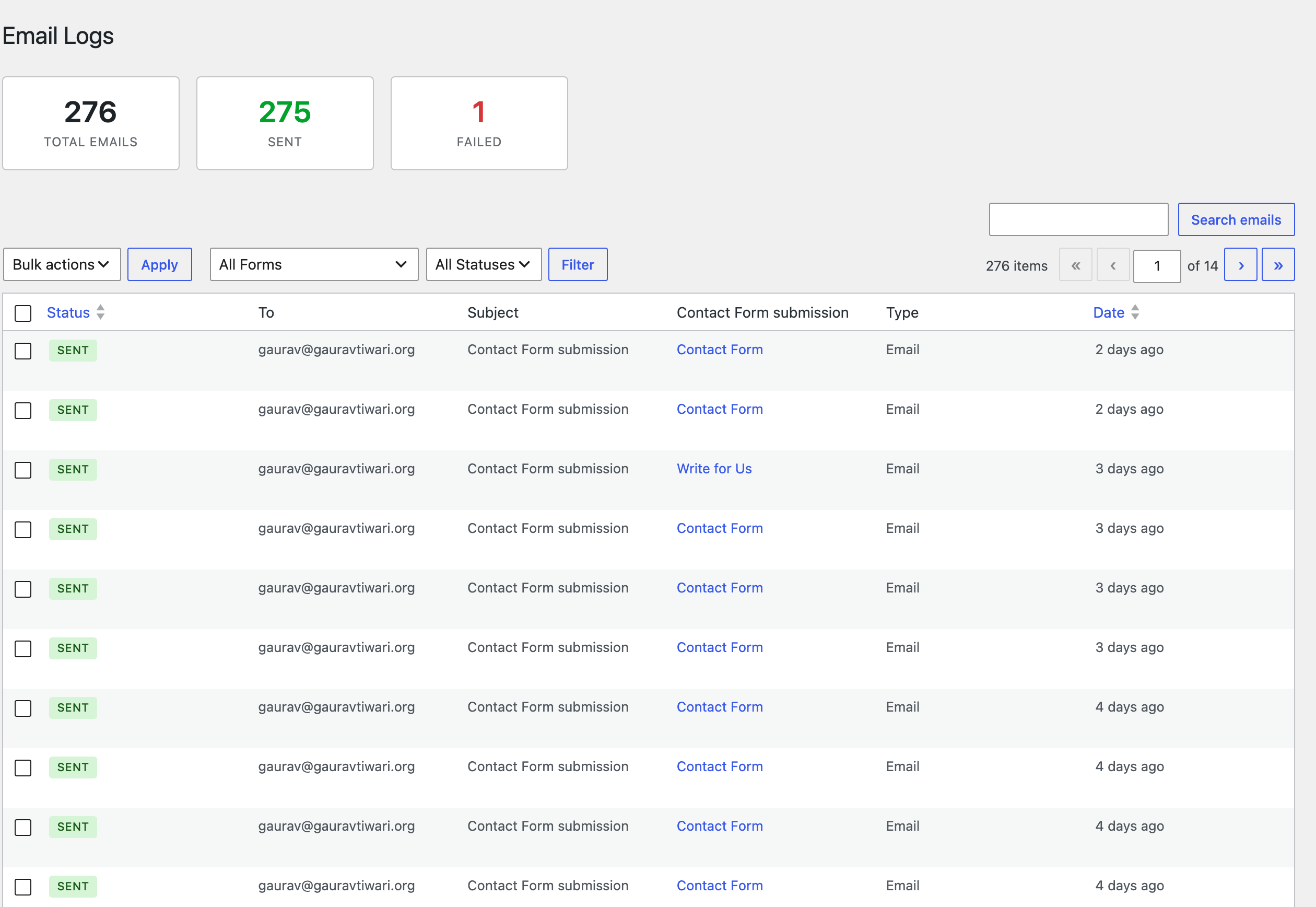 Delivery logs make post-submit failures visible and repairable.
The submissions inbox and email logs keep form data and delivery evidence distinct. Storage can be disabled for forms that should not retain data.
Write confirmation messages that answer the next question
A strong confirmation message states:
- what was received;
- whether the task is complete or pending;
- what happens next;
- when it happens;
- which channel is used;
- how to recover if it does not happen;
- a reference number when useful.
Contact example:
Your message was received. We will reply to the email you entered within one business day. Reference: [CF_SUBMISSION_ID].
Application example:
Your application was received. The review team will email shortlisted candidates after July 31. You do not need to submit it again.
Payment example:
Your form is saved, but payment is not complete. Continue to secure checkout to finish the order.
Do not say “Order confirmed” before the provider confirms payment.
Decide what success means
There are several possible success boundaries:
- the server accepted the form;
- the submission was stored;
- required actions succeeded;
- the person reached a hosted checkout;
- payment was verified;
- fulfillment completed.
Choose the boundary that matches the promise. A contact form can usually confirm after acceptance and storage even if notification email is queued. A paid license order cannot confirm fulfillment until the signed payment event is verified and the license exists.
Email notifications and autoresponders have different jobs
Notification email tells the operator that a submission needs attention.
Include:
- form name;
- useful submitted fields;
- submission link or reference;
- reply-to mapping when safe;
- no unnecessary sensitive values.
Autoresponder email confirms the submitter’s next step.
Include:
- what was received;
- response time or delivery link;
- reference;
- support or recovery route;
- no claim that an unverified payment succeeded.
Use the email and autoresponder feature with an email log. Do not reconstruct the entire submission history from mailbox copies.
Redirect only when it helps the task
A redirect is useful for:
- hosted payment;
- a protected download;
- a scheduling page;
- an onboarding step;
- a dedicated result page.
It is not required for every contact form. An inline success state is faster and preserves page context.
If you redirect:
- save the submission first when appropriate;
- allow only safe destinations;
- encode variables correctly;
- do not place personal data in the URL;
- distinguish a redirect from verified downstream success;
- offer a visible link if automatic navigation fails.
Make retries idempotent
A retry must not create duplicate orders, contacts, emails, or licenses.
Use:
- a unique submission or action ID;
- provider idempotency keys when supported;
- stored action status;
- attempt count and timestamps;
- exponential backoff for temporary failures;
- a maximum attempt limit;
- manual retry with a visible audit trail.
Classify errors:
- Temporary: timeout, rate limit, provider outage, network failure.
- Permanent until configuration changes: invalid API key, deleted list, malformed field mapping.
- Data-specific: missing required value, rejected email, unsupported file.
Blindly retrying a permanent configuration error creates noise.
Protect against duplicate submissions
Double clicks, browser retries, payment webhooks, and network timeouts can repeat requests.
Defenses include:
- disable the button while the request is active, but restore it on recoverable failure;
- use a submission token or idempotency key;
- enforce uniqueness where the business rule requires it;
- make action handlers safe to run again;
- compare provider event IDs;
- show the existing result when the same request returns.
Client-side button disabling improves the interface but does not replace server-side duplicate protection.
Handle spam without teaching bots
Some form systems return a generic success response to detected spam while storing or discarding it according to policy. That avoids giving a bot a precise signal about which rule caught it.
For real users, monitor false positives and provide another contact route when a challenge or filter fails incorrectly. Spam protection should not silently erase legitimate high-value submissions without review.
Log enough to repair the workflow
For each action, keep:
- action type;
- submission reference;
- attempt time;
- success or failure state;
- sanitized provider response or error;
- retry count;
- next retry time;
- external record ID when created.
Do not log secrets, raw authorization headers, full payment data, or values the operator does not need.
Test the complete path
Before publication, test:
- valid submission;
- every required-field error;
- malformed email and numeric bounds;
- upload rejection;
- spam and rate-limit path;
- duplicate click;
- notification email;
- autoresponder;
- each conditional action;
- external API failure;
- manual or automatic retry;
- redirect failure;
- payment cancellation and success;
- mobile and keyboard focus after the response.
The form is complete when the user sees an honest state and the operator can recover the promised work.
FAQ
Should a form save before sending email?
When retention is appropriate, yes. Save the accepted record so an email delivery failure does not erase the submission.
What should a form success message include?
Confirm what was received, state what happens next and when, name the reply or delivery channel, and provide a reference or recovery route when useful.
Should all form actions run before showing success?
Not necessarily. Fast, required actions may run synchronously, while slower recoverable actions can be queued. The message must not claim an action succeeded when it is still pending.
How do form retries avoid duplicates?
Use submission and action identifiers, provider idempotency keys, stored status, event IDs, and handlers that safely return the existing result when repeated.
Is a payment success redirect proof of payment?
No. Treat the signed provider webhook or authenticated provider API as the authority. The browser return is a user-experience signal, not final payment evidence.